> ## Documentation Index
> Fetch the complete documentation index at: https://docs.imagine.art/llms.txt
> Use this file to discover all available pages before exploring further.

# Chatgpt image 1 5

<div style={{background: "linear-gradient(135deg, #0d0016 0%, #18003a 55%, #08000f 100%)", borderRadius: "20px", padding: "3.5rem 3rem 3rem", marginBottom: "2.5rem", overflow: "hidden", position: "relative"}}>
  <div style={{position: "absolute", inset: "0", background: "radial-gradient(ellipse at 50% 75%, rgba(124,0,251,0.22) 0%, transparent 55%), radial-gradient(ellipse at 90% 15%, rgba(146,73,255,0.14) 0%, transparent 50%)", pointerEvents: "none"}} />

  <div style={{position: "relative"}}>
    <div style={{display: "flex", gap: "0.5rem", marginBottom: "1.5rem", flexWrap: "wrap"}}>
      <span style={{background: "rgba(124,0,251,0.25)", border: "1px solid rgba(124,0,251,0.5)", borderRadius: "100px", padding: "0.3rem 1rem", fontSize: "0.72rem", color: "#c084fc", fontWeight: "500", letterSpacing: "0.06em"}}>IMAGE MODEL</span>
      <span style={{background: "rgba(255,255,255,0.06)", border: "1px solid rgba(255,255,255,0.12)", borderRadius: "100px", padding: "0.3rem 1rem", fontSize: "0.72rem", color: "rgba(255,255,255,0.45)", fontWeight: "400"}}>by OpenAI</span>
      <span style={{background: "rgba(255,255,255,0.06)", border: "1px solid rgba(255,255,255,0.12)", borderRadius: "100px", padding: "0.3rem 1rem", fontSize: "0.72rem", color: "rgba(255,255,255,0.45)", fontWeight: "400"}}>gpt-image-1.5</span>
    </div>

    <h1 style={{fontSize: "clamp(2.5rem, 5vw, 3.75rem)", fontWeight: "700", color: "#ffffff", lineHeight: "1.1", letterSpacing: "-0.025em", margin: "0 0 1.1rem 0"}}>ChatGPT Image 1.5</h1>
    <p style={{fontSize: "1.1rem", color: "rgba(255,255,255,0.52)", maxWidth: "580px", lineHeight: "1.7", marginBottom: "2.25rem"}}>OpenAI's gpt-image-1.5 — the updated generation of ChatGPT's image model. 4× faster than gpt-image-1, with more reliable editing precision, superior rendering of small and dense text, and a 20% lower cost. The same GPT-4o world-knowledge grounding, now faster and sharper.</p>

    <div style={{display: "flex", gap: "0.75rem", flexWrap: "wrap"}}>
      <div style={{background: "rgba(255,255,255,0.06)", borderRadius: "14px", padding: "0.875rem 1.5rem", border: "1px solid rgba(255,255,255,0.1)"}}>
        <div style={{fontSize: "0.62rem", color: "rgba(255,255,255,0.32)", textTransform: "uppercase", letterSpacing: "0.1em", marginBottom: "0.3rem"}}>Speed</div>
        <div style={{fontSize: "1rem", color: "#ffffff", fontWeight: "600"}}>4× faster than v1</div>
      </div>

      <div style={{background: "rgba(255,255,255,0.06)", borderRadius: "14px", padding: "0.875rem 1.5rem", border: "1px solid rgba(255,255,255,0.1)"}}>
        <div style={{fontSize: "0.62rem", color: "rgba(255,255,255,0.32)", textTransform: "uppercase", letterSpacing: "0.1em", marginBottom: "0.3rem"}}>Cost</div>
        <div style={{fontSize: "1rem", color: "#ffffff", fontWeight: "600"}}>20% cheaper</div>
      </div>

      <div style={{background: "rgba(255,255,255,0.06)", borderRadius: "14px", padding: "0.875rem 1.5rem", border: "1px solid rgba(255,255,255,0.1)"}}>
        <div style={{fontSize: "0.62rem", color: "rgba(255,255,255,0.32)", textTransform: "uppercase", letterSpacing: "0.1em", marginBottom: "0.3rem"}}>Text rendering</div>
        <div style={{fontSize: "1rem", color: "#ffffff", fontWeight: "600"}}>Superior (dense + small)</div>
      </div>

      <div style={{background: "rgba(255,255,255,0.06)", borderRadius: "14px", padding: "0.875rem 1.5rem", border: "1px solid rgba(255,255,255,0.1)"}}>
        <div style={{fontSize: "0.62rem", color: "rgba(255,255,255,0.32)", textTransform: "uppercase", letterSpacing: "0.1em", marginBottom: "0.3rem"}}>Released</div>
        <div style={{fontSize: "1rem", color: "#ffffff", fontWeight: "600"}}>December 2025</div>
      </div>
    </div>
  </div>
</div>

<iframe src="https://www.youtube.com/embed/DPBtd57p5Mg" title="YouTube video player" frameborder="0" className="w-full aspect-video rounded-xl" allow="accelerometer; autoplay; clipboard-write; encrypted-media; gyroscope; picture-in-picture; web-share" allowfullscreen />

## A faster, sharper ChatGPT image model

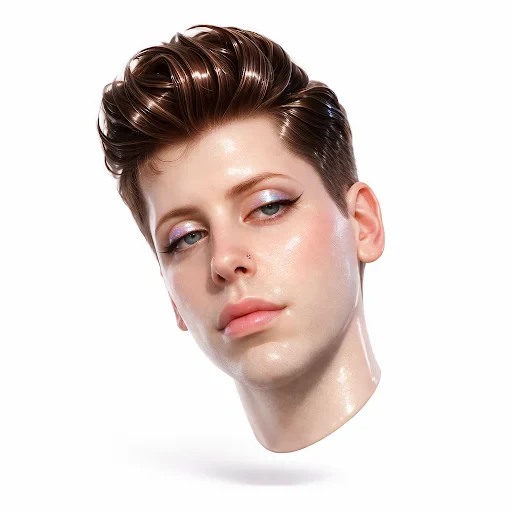
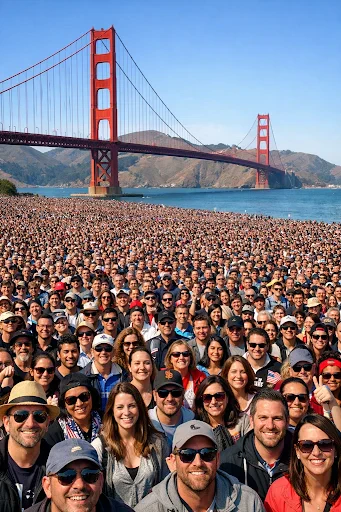
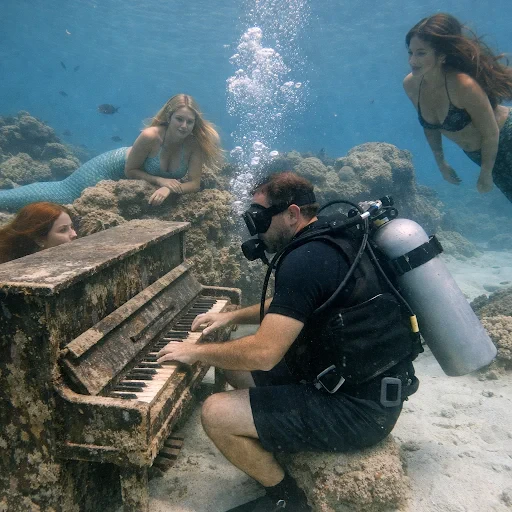
gpt-image-1.5 builds on the native multimodal architecture of its predecessor — text and images processed together in a unified neural network — but delivers the output 4× faster at 20% lower cost. The most visible improvements are in editing precision and small text rendering. Edits now preserve lighting, composition, likeness, and appearance while applying changes exactly as instructed.

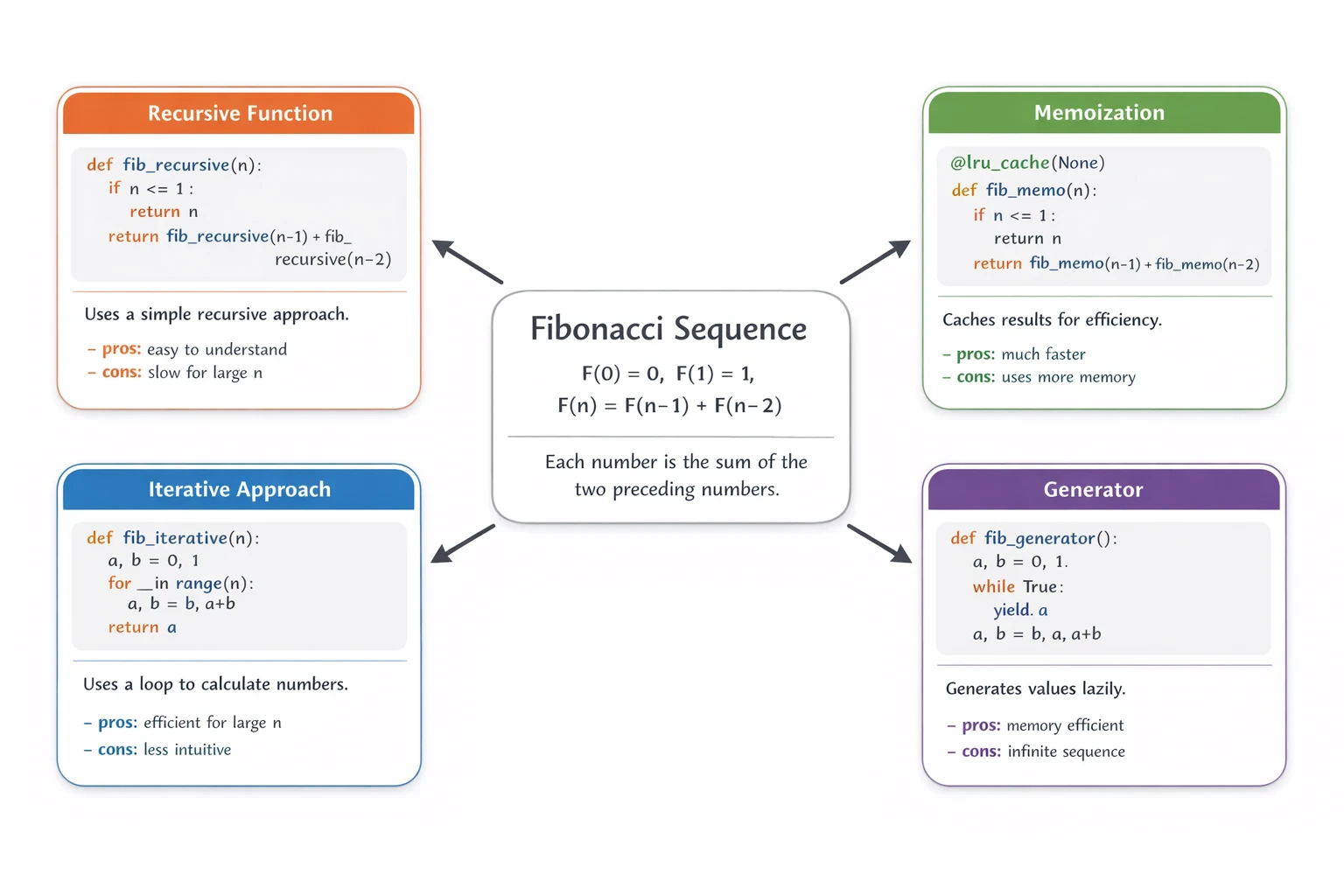
All the world-knowledge grounding from GPT-4o carries over: accurate depictions of logos, flags, landmarks, scientific diagrams, and knowledge-rich infographics.

<Frame>
  <img src="https://mintcdn.com/imagineart/wetntQ7sWcqxm5b9/images/chatgpt-images-quality-7.webp?fit=max&auto=format&n=wetntQ7sWcqxm5b9&q=85&s=fc75a8e548c04596819ddf4585b6cfef" alt="Chatgpt Images Quality 7" title="Chatgpt Images Quality 7" width="512" height="341" data-path="images/chatgpt-images-quality-7.webp" />
</Frame>

## Capabilities

<CardGroup cols={3}>
  <Card title="Precise editing">
    More reliable instruction following during edits preserves lighting, composition, subject likeness,  while applying  the specified change.
  </Card>

  <Card title="World-knowledge grounding">
    GPT-4o's knowledge enables accurate rendering of real-world entities: brand logos, national flags, diagrams,  landmarks.
  </Card>

  <Card title="Up to 10 references">
    Accepts up to 10 reference images in a single generation combine products, people, backgrounds, and styles for complex composite outputs.
  </Card>
</CardGroup>

<div style={{display: "grid", gridTemplateColumns: "repeat(3, 1fr)", gap: "12px", margin: "2rem 0"}}>
  <img src="https://mintcdn.com/imagineart/wetntQ7sWcqxm5b9/images/chatgpt-images-example-3-output-4.webp?fit=max&auto=format&n=wetntQ7sWcqxm5b9&q=85&s=05acf09eb20a63fc7faeb2f763620afb" alt="ChatGPT Image 1.5 example" style={{width: "100%", aspectRatio: "1/1", objectFit: "cover", borderRadius: "12px", display: "block"}} width="512" height="512" data-path="images/chatgpt-images-example-3-output-4.webp" />

  <img src="https://mintcdn.com/imagineart/wetntQ7sWcqxm5b9/images/chatgpt-images-quality-3.webp?fit=max&auto=format&n=wetntQ7sWcqxm5b9&q=85&s=7a8207e77c2a67f0f52691ab260e6c86" alt="ChatGPT Image 1.5 example" style={{width: "100%", aspectRatio: "1/1", objectFit: "cover", borderRadius: "12px", display: "block"}} width="341" height="512" data-path="images/chatgpt-images-quality-3.webp" />

  <img src="https://mintcdn.com/imagineart/wetntQ7sWcqxm5b9/images/chatgpt-images-quality-5.webp?fit=max&auto=format&n=wetntQ7sWcqxm5b9&q=85&s=31a3671743712bc379d6ba18dfac5140" alt="ChatGPT Image 1.5 example" style={{width: "100%", aspectRatio: "1/1", objectFit: "cover", borderRadius: "12px", display: "block"}} width="512" height="512" data-path="images/chatgpt-images-quality-5.webp" />
</div>

/

## Specifications

| Feature                   | Details                                  |
| ------------------------- | ---------------------------------------- |
| **Model ID**              | gpt-image-1.5                            |
| **Speed vs. gpt-image-1** | 4× faster                                |
| **Cost vs. gpt-image-1**  | 20% cheaper                              |
| **Reference images**      | Up to 10                                 |
| **Architecture**          | Native multimodal (unified text + image) |
| **Released**              | December 16, 2025                        |

## How to use

<Steps>
  <Step title="Open the AI Image Generator">
    Go to the **ImagineArt AI Image Generator**.
  </Step>

  <Step title="Select the model">
    From the model dropdown, choose **ChatGPT 1.5**.
  </Step>

  <Step title="Write your prompt">
    Include real-world references, specific knowledge, or detailed text requirements in your prompt. gpt-image-1.5 excels when your prompt requires world knowledge.
  </Step>

  <Step title="Attach reference images (optional)">
    Upload up to 10 reference images for compositing or style anchoring.
  </Step>

  <Step title="Generate">
    Click **Generate**. At 4× the speed of the original, even complex knowledge-grounded generations are fast.
  </Step>
</Steps>

<Frame>
  <img src="https://mintcdn.com/imagineart/wetntQ7sWcqxm5b9/images/fibonacci1.webp?fit=max&auto=format&n=wetntQ7sWcqxm5b9&q=85&s=c3aa661f1008ec100bd05d0139d6ce42" alt="Fibonacci1" width="1536" height="1024" data-path="images/fibonacci1.webp" />
</Frame>

## Prompting tips

* **Name real-world subjects directly** — "A poster celebrating the Apollo 11 mission, with an accurate depiction of the lunar module" leverages GPT-4o's world knowledge for accuracy.
* **Use it for infographic copy** — Dense, labeled infographics with specific text content render cleanly. Describe exact headings, labels, and callout text you want.
* **For editing, be specific about what stays** — "Change the background to a forest but keep the subject's lighting, pose, and outfit exactly as-is."

### Example prompts

> A detailed infographic explaining photosynthesis with labeled diagrams, clean white background, educational illustration style, accurate scientific labels.

> A World War II era propaganda poster aesthetic with bold typography reading "INNOVATION NEVER SLEEPS", dark navy and gold, vintage texture.

> A modern smartphone mockup showing a fitness app dashboard with charts, clean UI design, soft shadow.

## Compare models

| Model                                               | Speed        | Text rendering           | World knowledge | Best for                                |
| --------------------------------------------------- | ------------ | ------------------------ | --------------- | --------------------------------------- |
| [ChatGPT Image 2](/ai-models/image/chatgpt-image-2) | Fastest      | 99%+, multilingual       | Yes (GPT-5.4)   | Multilingual text, reasoning, 4K output |
| **ChatGPT Image 1.5**                               | Fast (4× v1) | Superior (dense + small) | Excellent       | Infographics, fast knowledge-grounded   |
| [ChatGPT Image](/ai-models/image/chatgpt-image)     | Up to 2 min  | Best-in-class            | Excellent       | Complex knowledge-grounded, 10 refs     |
| [Ideogram v3](/ai-models/image/ideogram-v3)         | Fast         | \~90–95%                 | Limited         | Typography, brand design                |

<Info>
  ChatGPT Image 1.5 is the updated version of gpt-image-1. If you need the absolute maximum in knowledge-grounded accuracy and can wait for longer generation times, the original [ChatGPT Image](/ai-models/image/chatgpt-image) is still available.
</Info>