> ## Documentation Index
> Fetch the complete documentation index at: https://docs.imagine.art/llms.txt
> Use this file to discover all available pages before exploring further.

# Chatgpt image

<div style={{background: "linear-gradient(135deg, #0d0016 0%, #18003a 55%, #08000f 100%)", borderRadius: "20px", padding: "3.5rem 3rem 3rem", marginBottom: "2.5rem", overflow: "hidden", position: "relative"}}>
  <div style={{position: "absolute", inset: "0", background: "radial-gradient(ellipse at 50% 20%, rgba(124,0,251,0.2) 0%, transparent 55%), radial-gradient(ellipse at 15% 80%, rgba(146,73,255,0.12) 0%, transparent 50%)", pointerEvents: "none"}} />

  <div style={{position: "relative"}}>
    <div style={{display: "flex", gap: "0.5rem", marginBottom: "1.5rem", flexWrap: "wrap"}}>
      <span style={{background: "rgba(124,0,251,0.25)", border: "1px solid rgba(124,0,251,0.5)", borderRadius: "100px", padding: "0.3rem 1rem", fontSize: "0.72rem", color: "#c084fc", fontWeight: "500", letterSpacing: "0.06em"}}>IMAGE MODEL</span>
      <span style={{background: "rgba(255,255,255,0.06)", border: "1px solid rgba(255,255,255,0.12)", borderRadius: "100px", padding: "0.3rem 1rem", fontSize: "0.72rem", color: "rgba(255,255,255,0.45)", fontWeight: "400"}}>by OpenAI</span>
      <span style={{background: "rgba(255,255,255,0.06)", border: "1px solid rgba(255,255,255,0.12)", borderRadius: "100px", padding: "0.3rem 1rem", fontSize: "0.72rem", color: "rgba(255,255,255,0.45)", fontWeight: "400"}}>gpt-image-1</span>
    </div>

    <h1 style={{fontSize: "clamp(2.5rem, 5vw, 3.75rem)", fontWeight: "700", color: "#ffffff", lineHeight: "1.1", letterSpacing: "-0.025em", margin: "0 0 1.1rem 0"}}>ChatGPT Image</h1>
    <p style={{fontSize: "1.1rem", color: "rgba(255,255,255,0.52)", maxWidth: "580px", lineHeight: "1.7", marginBottom: "2.25rem"}}>OpenAI's native image generation built into GPT-4o — grounded in world knowledge for accurate logos, diagrams, and text. Best-in-class for prompt-accurate, text-heavy, and multi-reference visual work.</p>

    <div style={{display: "flex", gap: "0.75rem", flexWrap: "wrap"}}>
      <div style={{background: "rgba(255,255,255,0.06)", borderRadius: "14px", padding: "0.875rem 1.5rem", border: "1px solid rgba(255,255,255,0.1)"}}>
        <div style={{fontSize: "0.62rem", color: "rgba(255,255,255,0.32)", textTransform: "uppercase", letterSpacing: "0.1em", marginBottom: "0.3rem"}}>Resolutions</div>
        <div style={{fontSize: "1rem", color: "#ffffff", fontWeight: "600"}}>1024×1024, 1536×1024, 1024×1536</div>
      </div>

      <div style={{background: "rgba(255,255,255,0.06)", borderRadius: "14px", padding: "0.875rem 1.5rem", border: "1px solid rgba(255,255,255,0.1)"}}>
        <div style={{fontSize: "0.62rem", color: "rgba(255,255,255,0.32)", textTransform: "uppercase", letterSpacing: "0.1em", marginBottom: "0.3rem"}}>Input refs</div>
        <div style={{fontSize: "1rem", color: "#ffffff", fontWeight: "600"}}>Up to 10 images</div>
      </div>

      <div style={{background: "rgba(255,255,255,0.06)", borderRadius: "14px", padding: "0.875rem 1.5rem", border: "1px solid rgba(255,255,255,0.1)"}}>
        <div style={{fontSize: "0.62rem", color: "rgba(255,255,255,0.32)", textTransform: "uppercase", letterSpacing: "0.1em", marginBottom: "0.3rem"}}>Editing</div>
        <div style={{fontSize: "1rem", color: "#ffffff", fontWeight: "600"}}>Mask-based inpainting</div>
      </div>

      <div style={{background: "rgba(255,255,255,0.06)", borderRadius: "14px", padding: "0.875rem 1.5rem", border: "1px solid rgba(255,255,255,0.1)"}}>
        <div style={{fontSize: "0.62rem", color: "rgba(255,255,255,0.32)", textTransform: "uppercase", letterSpacing: "0.1em", marginBottom: "0.3rem"}}>Released</div>
        <div style={{fontSize: "1rem", color: "#ffffff", fontWeight: "600"}}>March 2025</div>
      </div>
    </div>
  </div>
</div>

<iframe src="https://www.youtube.com/embed/DPBtd57p5Mg" title="YouTube video player" frameborder="0" className="w-full aspect-video rounded-xl" allow="accelerometer; autoplay; clipboard-write; encrypted-media; gyroscope; picture-in-picture; web-share" allowfullscreen />

## What makes ChatGPT Image different

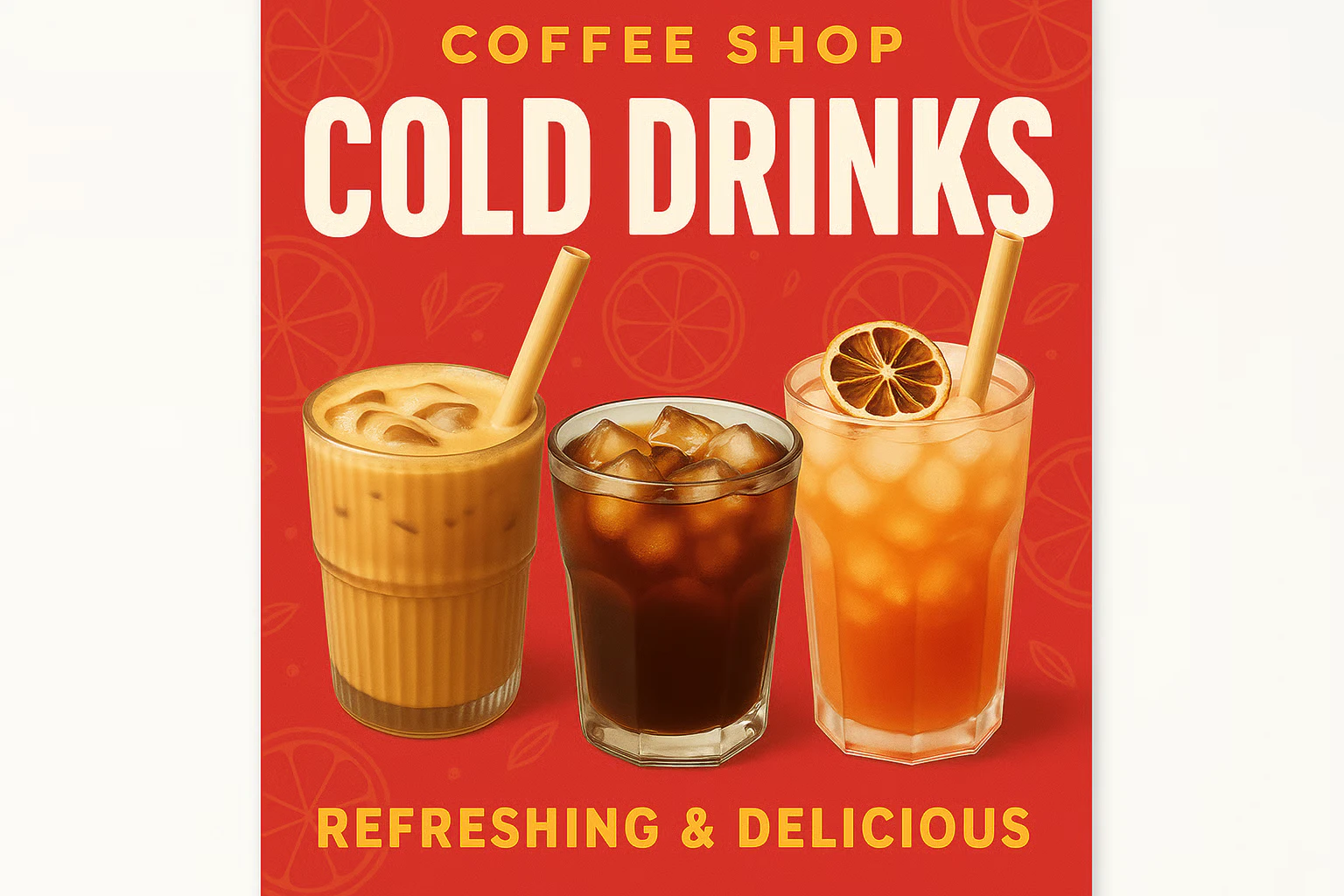
ChatGPT Image is built natively into GPT-4o's architecture — not a separate model bolted on. This means it draws on GPT-4o's full knowledge base when composing images: it can accurately render national flags, company logos, scientific diagrams, maps, and UI mockups that most models would get wrong. It's also the best model for infographics and text-heavy layouts where both visual composition and textual accuracy matter.

<Frame>
  <img src="https://mintcdn.com/imagineart/wetntQ7sWcqxm5b9/images/ad_4nxc3fz_bmsjyesuzazbwstqx16uugddmbskfbg7b3nnjhllpp3ahvnedbobk1wbpoq-p6al4xohx9dzhwscw1ewdrwrlu4pcnb5xipkrhnpdbwgzxu72gqsatmh_i37leidp8kzm.png?fit=max&auto=format&n=wetntQ7sWcqxm5b9&q=85&s=8778bf171527aab20ceffeff842bdfd8" alt="Ad 4nxc3fz Bmsjyesuzazbwstqx16uugddmbskfbg7b3nnjhllpp3ahvnedbobk1wbpoq P6al4xohx9dzhwscw1ewdrwrlu4pcnb5xipkrhnpdbwgzxu72gqsatmh I37leidp8kzm" width="1536" height="1024" data-path="images/ad_4nxc3fz_bmsjyesuzazbwstqx16uugddmbskfbg7b3nnjhllpp3ahvnedbobk1wbpoq-p6al4xohx9dzhwscw1ewdrwrlu4pcnb5xipkrhnpdbwgzxu72gqsatmh_i37leidp8kzm.png" />
</Frame>

## Capabilities

<CardGroup cols={3}>
  <Card title="Complex prompt fidelity">
    Significantly more precise than DALL-E 3. Follows multi-element, multi-constraint prompts with high accuracy.
  </Card>

  <Card title="Multi-reference compositing">
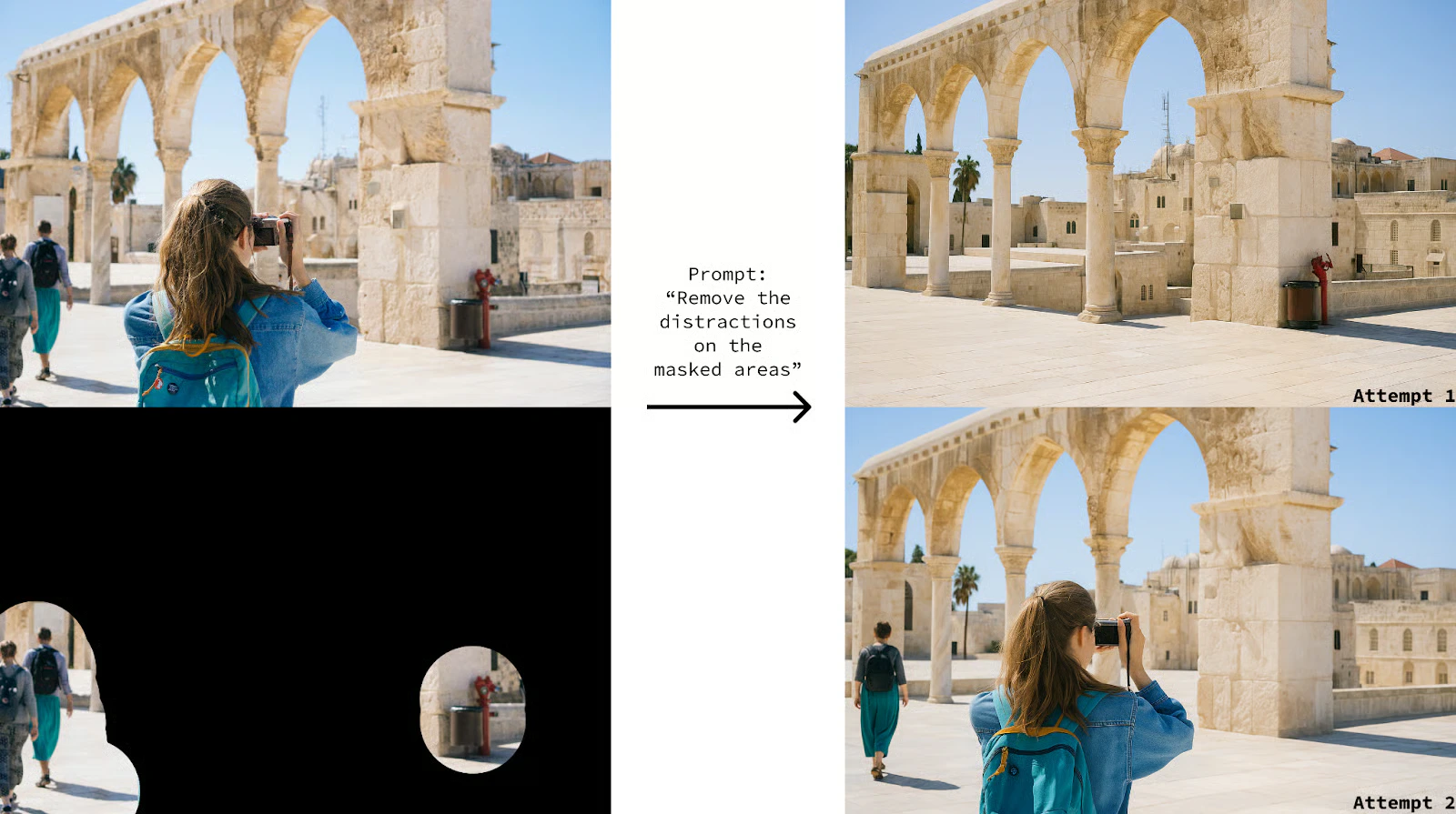
    Accepts up to 10 reference images for editing — combine subjects, backgrounds, products, and styles in a single generation.
  </Card>

  <Card title="Conversational editing">
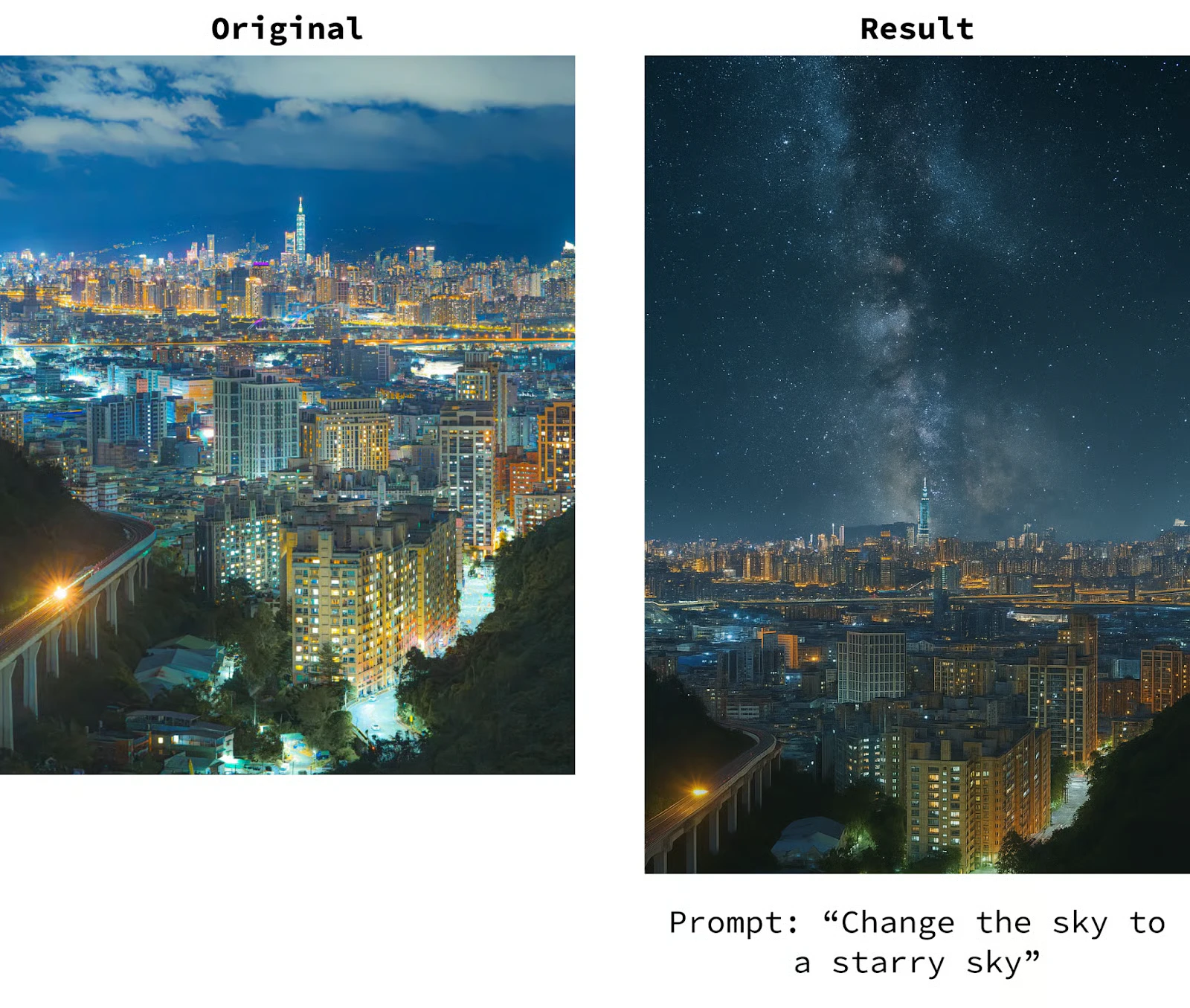
    Refine images through natural chat context — maintains consistency and intent across multiple iterative edits.
  </Card>
</CardGroup>

<Frame>
  <img src="https://mintcdn.com/imagineart/wetntQ7sWcqxm5b9/images/ad_4nxcs__3dpnpp0rj5pqcsa1rr41ep07teicob6sur0xnnffkhjv7xlar9qbbzureqdvv4f0hcyeq8f7aon-268fbg9fcbc64gfgghauefp34s9d1owvev7k1cb9nol0dt27cg972u0g.png?fit=max&auto=format&n=wetntQ7sWcqxm5b9&q=85&s=95defdc832de89a75fb45003ad153dcf" alt="Ad 4nxcs 3dpnpp0rj5pqcsa1rr41ep07teicob6sur0xnnffkhjv7xlar9qbbzureqdvv4f0hcyeq8f7aon 268fbg9fcbc64gfgghauefp34s9d1owvev7k1cb9nol0dt27cg972u0g" width="1600" height="895" data-path="images/ad_4nxcs__3dpnpp0rj5pqcsa1rr41ep07teicob6sur0xnnffkhjv7xlar9qbbzureqdvv4f0hcyeq8f7aon-268fbg9fcbc64gfgghauefp34s9d1owvev7k1cb9nol0dt27cg972u0g.png" />
</Frame>

## Specifications

| Feature                    | Details                                           |
| -------------------------- | ------------------------------------------------- |
| **Model API name**         | `gpt-image-1`                                     |
| **Resolutions**            | 1024×1024 (1:1), 1536×1024 (3:2), 1024×1536 (2:3) |
| **Quality tiers**          | Low, Medium, High                                 |
| **Output formats**         | PNG, JPEG, WebP                                   |
| **Transparent background** | Yes (PNG and WebP)                                |
| **Max reference images**   | 10 (for editing workflows)                        |
| **Released**               | March 25, 2025                                    |
<Frame>
  <img src="https://mintcdn.com/imagineart/wetntQ7sWcqxm5b9/images/ad_4nxdnzlycno7ttnxti2xc2gnm7laaeu8z7f8msslcdq4p8-5jmvifcgh0sl2pf_mtah9cxd-6_ezt2n8_ags01ku8j4cmehnq7t8hnko_zqdwdx8xzh18eo_eoh3bl5nwptkj0yb3fg.png?fit=max&auto=format&n=wetntQ7sWcqxm5b9&q=85&s=22b0dc0084860208eaf916b7ecba5fa9" alt="Ad 4nxdnzlycno7ttnxti2xc2gnm7laaeu8z7f8msslcdq4p8 5jmvifcgh0sl2pf Mtah9cxd 6 Ezt2n8 Ags01ku8j4cmehnq7t8hnko Zqdwdx8xzh18eo Eoh3bl5nwptkj0yb3fg" width="1600" height="1355" data-path="images/ad_4nxdnzlycno7ttnxti2xc2gnm7laaeu8z7f8msslcdq4p8-5jmvifcgh0sl2pf_mtah9cxd-6_ezt2n8_ags01ku8j4cmehnq7t8hnko_zqdwdx8xzh18eo_eoh3bl5nwptkj0yb3fg.png" />
</Frame>

## How to use

<Steps>
  <Step title="Open the AI Image Generator">
    Go to the **ImagineArt AI Image Generator**.
  </Step>

  <Step title="Select the model">
    From the model dropdown, choose **ChatGPT Image**.
  </Step>

  <Step title="Write your prompt">
    Write a detailed, structured prompt. ChatGPT Image handles complex multi-element instructions well — be specific about all required components.
  </Step>

  <Step title="Upload references (optional)">
    Upload up to 10 reference images for compositing or style guidance.
  </Step>

  <Step title="Generate and iterate">
    Generate your image. Use follow-up prompts to refine specific elements while maintaining overall composition.
  </Step>
</Steps>

<Frame>
  <img src="https://mintcdn.com/imagineart/wetntQ7sWcqxm5b9/images/image-75.png?fit=max&auto=format&n=wetntQ7sWcqxm5b9&q=85&s=4f9f4e180344a9feb353f89df9d303f5" alt="Image 75" width="1162" height="528" data-path="images/image-75.png" />
</Frame>

## Prompting tips

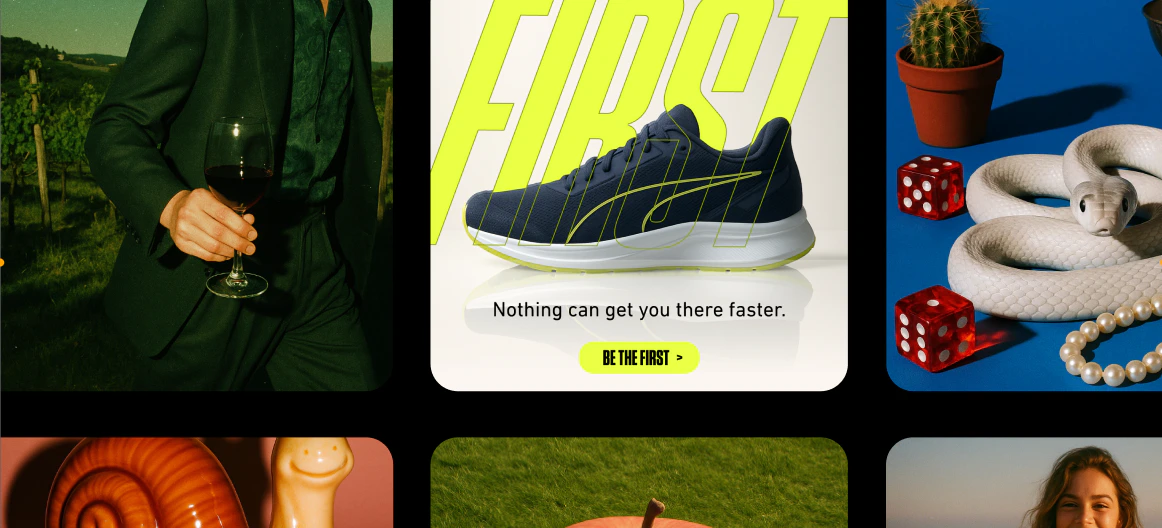
* **Describe text content precisely** — Include exact wording, font style, and placement. Example: *"A poster with the title 'Sale Ends Friday' in large bold red sans-serif text at the top."*
* **Use it for knowledge-dependent visuals** — Prompts referencing specific brands, flags, maps, or scientific concepts will produce more accurate results than other models.
* **Multi-step editing** — Generate a base image, then use follow-up instructions to modify specific elements: *"Change the background to a sunset"*, *"Make the text white"*.
* **Be explicit with layout** — For infographics: *"Three-column layout, icons on the left, text on the right of each icon"*.

### Example prompts

> A clean infographic showing the water cycle: evaporation, condensation, precipitation, and collection. Labeled with arrows, minimal design, blue and white color palette.

> A product label for "Alpine Spring Water" with mountain imagery, clean typography, and a blue gradient background. Professional, minimal design.

> A social media post graphic for a coffee shop: warm brown tones, a latte art photo, text reading "Good Morning, Seattle" in serif font, minimal modern layout.

## Compare models

| Model                                               | Text rendering        | World knowledge | References      | Best for                                                     |
| --------------------------------------------------- | --------------------- | --------------- | --------------- | ------------------------------------------------------------ |
| [ChatGPT Image 2](/ai-models/image/chatgpt-image-2) | 99%+, multilingual    | Yes (GPT-5.4)   | Up to 10        | Multilingual text, reasoning, 4K output                      |
| **ChatGPT Image**                                   | Best-in-class         | Yes (GPT-4o)    | Up to 10        | Infographics, text-heavy layouts, knowledge-grounded visuals |
| **Ideogram v3**                                     | Excellent             | No              | Up to 3 (style) | Typography, posters, brand design                            |
| **Nano Banana**                                     | Strong                | No              | Up to 4         | E-commerce, product compositing                              |
| **Seedream 4.0**                                    | Strong (multilingual) | No              | Up to 6         | Commercial campaigns, multilingual markets                   |

<Note>
  ChatGPT Image uses GPT-4o's architecture to ground image generation in world knowledge, making it particularly effective for prompts that reference specific real-world objects, brands, or concepts that other models typically misrepresent.
</Note>