> ## Documentation Index
> Fetch the complete documentation index at: https://docs.imagine.art/llms.txt
> Use this file to discover all available pages before exploring further.

# Ideogram v3

<div style={{background: "linear-gradient(135deg, #0d0016 0%, #18003a 55%, #08000f 100%)", borderRadius: "20px", padding: "3.5rem 3rem 3rem", marginBottom: "2.5rem", overflow: "hidden", position: "relative"}}>
  <div style={{position: "absolute", inset: "0", background: "radial-gradient(ellipse at 80% 30%, rgba(124,0,251,0.2) 0%, transparent 55%), radial-gradient(ellipse at 20% 70%, rgba(146,73,255,0.14) 0%, transparent 50%)", pointerEvents: "none"}} />

  <div style={{position: "relative"}}>
    <div style={{display: "flex", gap: "0.5rem", marginBottom: "1.5rem", flexWrap: "wrap"}}>
      <span style={{background: "rgba(124,0,251,0.25)", border: "1px solid rgba(124,0,251,0.5)", borderRadius: "100px", padding: "0.3rem 1rem", fontSize: "0.72rem", color: "#c084fc", fontWeight: "500", letterSpacing: "0.06em"}}>IMAGE MODEL</span>
      <span style={{background: "rgba(255,255,255,0.06)", border: "1px solid rgba(255,255,255,0.12)", borderRadius: "100px", padding: "0.3rem 1rem", fontSize: "0.72rem", color: "rgba(255,255,255,0.45)", fontWeight: "400"}}>by Ideogram AI</span>
      <span style={{background: "rgba(255,255,255,0.06)", border: "1px solid rgba(255,255,255,0.12)", borderRadius: "100px", padding: "0.3rem 1rem", fontSize: "0.72rem", color: "rgba(255,255,255,0.45)", fontWeight: "400"}}>Released March 2025</span>
    </div>

    <h1 style={{fontSize: "clamp(2.5rem, 5vw, 3.75rem)", fontWeight: "700", color: "#ffffff", lineHeight: "1.1", letterSpacing: "-0.025em", margin: "0 0 1.1rem 0"}}>Ideogram v3</h1>
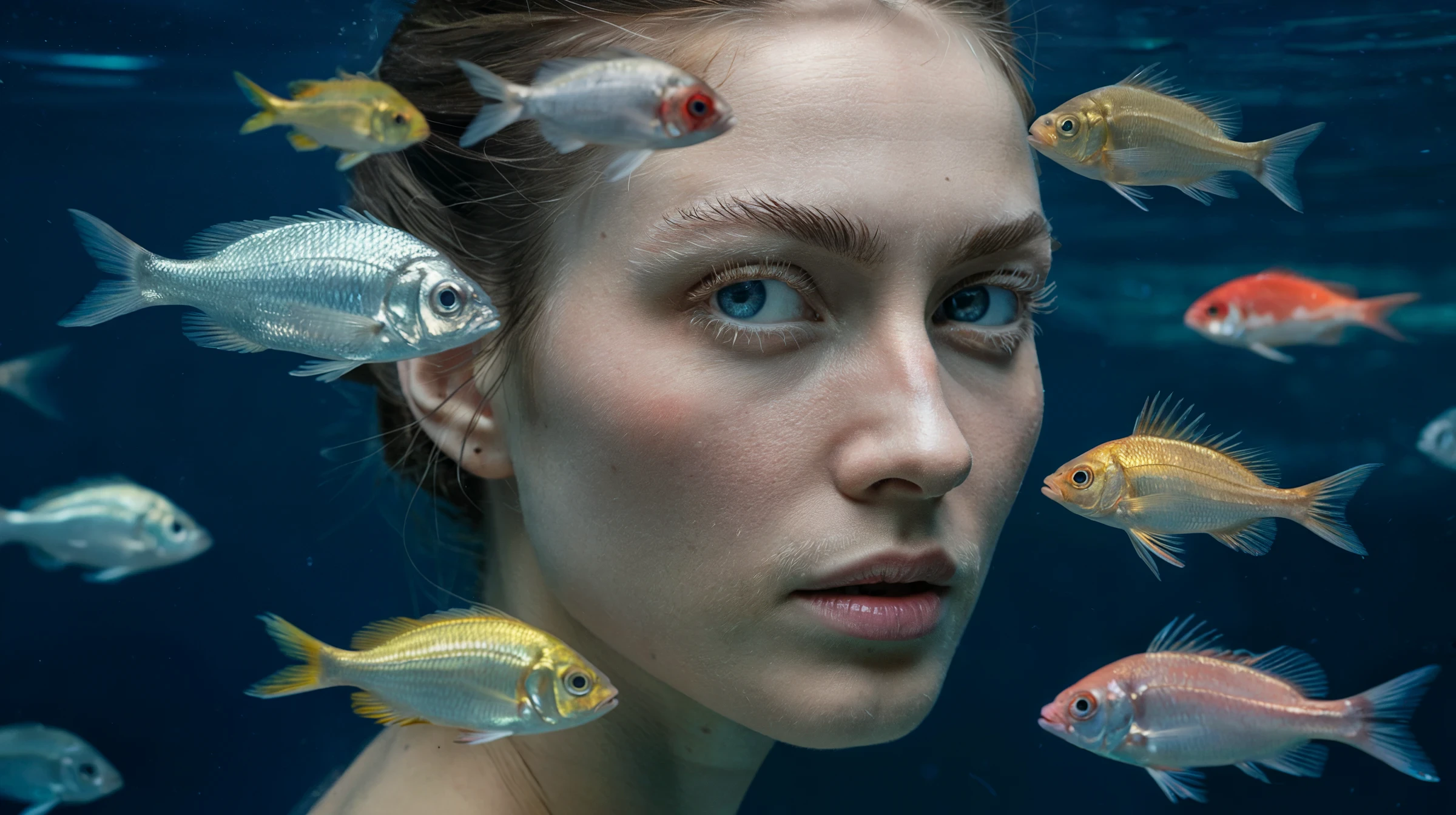
    <p style={{fontSize: "1.1rem", color: "rgba(255,255,255,0.52)", maxWidth: "580px", lineHeight: "1.7", marginBottom: "2.25rem"}}>The leading model for typography and graphic design — approximately 90–95% text accuracy versus Midjourney's \~30–40%. Combines strong photorealism, flexible styles, and multilingual text rendering for posters, branding, and commercial design.</p>

    <div style={{display: "flex", gap: "0.75rem", flexWrap: "wrap"}}>
      <div style={{background: "rgba(255,255,255,0.06)", borderRadius: "14px", padding: "0.875rem 1.5rem", border: "1px solid rgba(255,255,255,0.1)"}}>
        <div style={{fontSize: "0.62rem", color: "rgba(255,255,255,0.32)", textTransform: "uppercase", letterSpacing: "0.1em", marginBottom: "0.3rem"}}>Text accuracy</div>
        <div style={{fontSize: "1rem", color: "#ffffff", fontWeight: "600"}}>\~90–95%</div>
      </div>

      <div style={{background: "rgba(255,255,255,0.06)", borderRadius: "14px", padding: "0.875rem 1.5rem", border: "1px solid rgba(255,255,255,0.1)"}}>
        <div style={{fontSize: "0.62rem", color: "rgba(255,255,255,0.32)", textTransform: "uppercase", letterSpacing: "0.1em", marginBottom: "0.3rem"}}>Style refs</div>
        <div style={{fontSize: "1rem", color: "#ffffff", fontWeight: "600"}}>Up to 3 images</div>
      </div>

      <div style={{background: "rgba(255,255,255,0.06)", borderRadius: "14px", padding: "0.875rem 1.5rem", border: "1px solid rgba(255,255,255,0.1)"}}>
        <div style={{fontSize: "0.62rem", color: "rgba(255,255,255,0.32)", textTransform: "uppercase", letterSpacing: "0.1em", marginBottom: "0.3rem"}}>Speed options</div>
        <div style={{fontSize: "1rem", color: "#ffffff", fontWeight: "600"}}>Flash, Turbo, Default, Quality</div>
      </div>

      <div style={{background: "rgba(255,255,255,0.06)", borderRadius: "14px", padding: "0.875rem 1.5rem", border: "1px solid rgba(255,255,255,0.1)"}}>
        <div style={{fontSize: "0.62rem", color: "rgba(255,255,255,0.32)", textTransform: "uppercase", letterSpacing: "0.1em", marginBottom: "0.3rem"}}>Languages</div>
        <div style={{fontSize: "1rem", color: "#ffffff", fontWeight: "600"}}>EN, ES, IT, FR, ZH, AR</div>
      </div>
    </div>
  </div>
</div>

<Frame>
  <img src="https://mintcdn.com/imagineart/410AHfb3Tlhn-w0b/images/YyuSo7kroKmqY8cScu4PShu4.webp?fit=max&auto=format&n=410AHfb3Tlhn-w0b&q=85&s=4cbfe394e34f2588a0112ed7d02f27e9" alt="Yyu So7kro Kmq Y8c Scu4p Shu4" width="2400" height="1344" data-path="images/YyuSo7kroKmqY8cScu4PShu4.webp" />
</Frame>

## Capabilities

<CardGroup cols={3}>
  <Card title="Style reference images">
    Upload up to 3 reference images to define the visual style. Over 4 billion style presets and reusable Style Codes for consistent outputs.
  </Card>

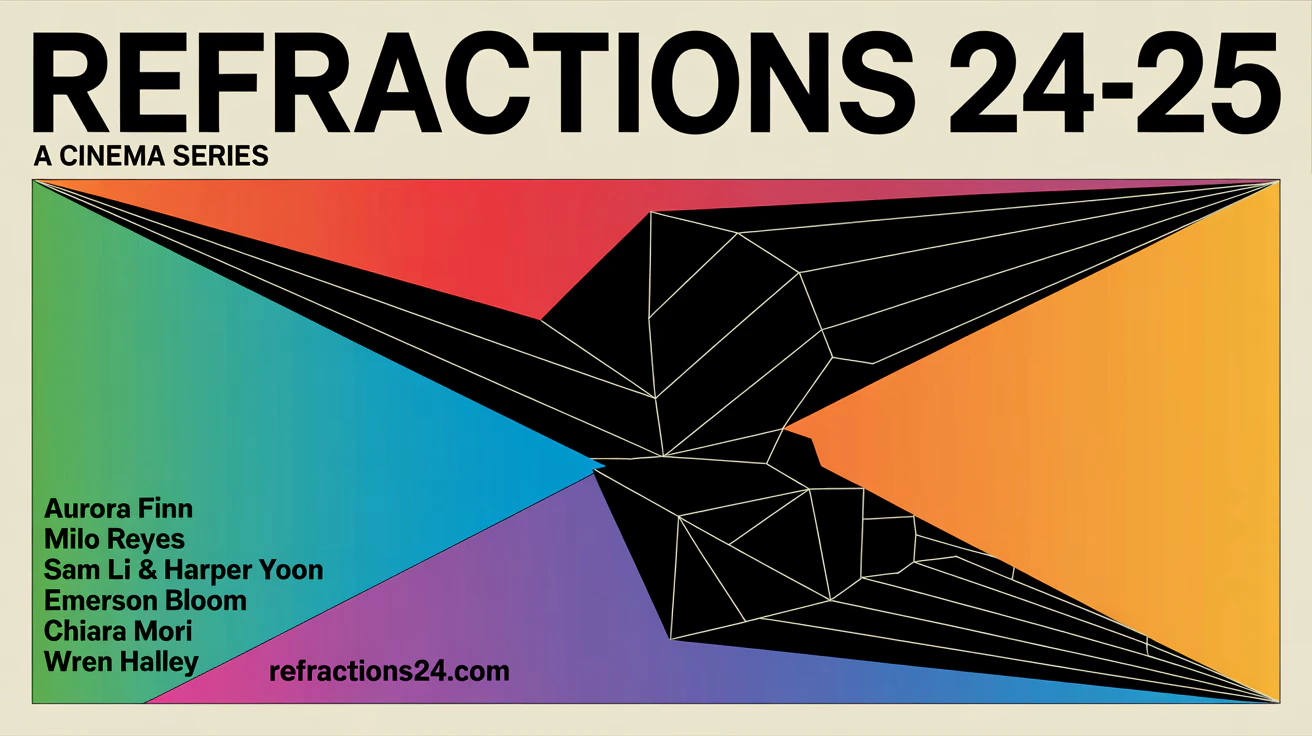
  <Card title="Multilingual typography">
    Supports text rendering in Spanish, Italian, French, Chinese, and Arabic alongside English — essential for international campaigns.
  </Card>

  <Card title="58 style presets">
    Choose from presets including Oil Painting, Watercolor, Pop Art, Cyberpunk, Art Deco, Minimalist, JAPANDI\_FUSION, and more.
  </Card>
</CardGroup>

<Frame>
  <img src="https://mintcdn.com/imagineart/410AHfb3Tlhn-w0b/images/Fv0ZvAFRq6PnrCYentmhzJyVEo.avif?fit=max&auto=format&n=410AHfb3Tlhn-w0b&q=85&s=46c4a6e0f6f6f2a0dd7b8a9875111479" alt="Fv0zv AF Rq6pnr C Yentmhz Jy V Eo" width="1312" height="736" data-path="images/Fv0ZvAFRq6PnrCYentmhzJyVEo.avif" />
</Frame>

## Style types

| Style         | Best for                                         |
| ------------- | ------------------------------------------------ |
| **AUTO**      | Let the model choose based on prompt content     |
| **GENERAL**   | Broad creative work, illustrations               |
| **REALISTIC** | Photorealistic portraits, commercial photography |
| **DESIGN**    | Graphic design, marketing, branding              |
| **FICTION**   | Fantasy, sci-fi, concept art                     |

## How to use
<Steps>
  <Step title="Open the AI Image Generator">
    Go to the **ImagineArt AI Image Generator**.
  </Step>

  <Step title="Select the model">
    From the model dropdown, choose **Ideogram v3**.
  </Step>

  <Step title="Choose your style type">
    Select a style type (General, Realistic, Design, or Fiction) to guide the visual direction.
  </Step>

  <Step title="Write your prompt">
    Write your prompt. For text-heavy designs, place the exact text you want rendered in quotes within the prompt.
  </Step>

  <Step title="Add style references (optional)">
    Upload up to 3 reference images to define the visual style or composition.
  </Step>

  <Step title="Generate">
    Click **Generate**. For quick drafts, use Flash or Turbo. For final deliverables, use Quality.
  </Step>
</Steps>

<div style={{display: "grid", gridTemplateColumns: "repeat(3, 1fr)", gap: "12px", margin: "2rem 0"}}>
  <img src="https://mintcdn.com/imagineart/410AHfb3Tlhn-w0b/images/q2mjrFpMy4VwS2GsvEcxMMVCEY.avif?fit=max&auto=format&n=410AHfb3Tlhn-w0b&q=85&s=a0bbbc9a1adc583902ed902b32f95415" alt="Ideogram v3 example" style={{width: "100%", aspectRatio: "1/1", objectFit: "cover", borderRadius: "12px", display: "block"}} width="1024" height="1024" data-path="images/q2mjrFpMy4VwS2GsvEcxMMVCEY.avif" />

  <img src="https://mintcdn.com/imagineart/410AHfb3Tlhn-w0b/images/R0UkjkFpjkrgF917SO9xiJhwv4.avif?fit=max&auto=format&n=410AHfb3Tlhn-w0b&q=85&s=a13dd980c87cdf17ffa712b6fb91b3e7" alt="Ideogram v3 example" style={{width: "100%", aspectRatio: "1/1", objectFit: "cover", borderRadius: "12px", display: "block"}} width="896" height="1120" data-path="images/R0UkjkFpjkrgF917SO9xiJhwv4.avif" />

  <img src="https://mintcdn.com/imagineart/410AHfb3Tlhn-w0b/images/uLvmsIMqykYARlV6pI2I3c5vt3s.avif?fit=max&auto=format&n=410AHfb3Tlhn-w0b&q=85&s=c48456422614e6e0473790228e79f47d" alt="Ideogram v3 example" style={{width: "100%", aspectRatio: "1/1", objectFit: "cover", borderRadius: "12px", display: "block"}} width="1024" height="1024" data-path="images/uLvmsIMqykYARlV6pI2I3c5vt3s.avif" />
</div>

## Prompting tips

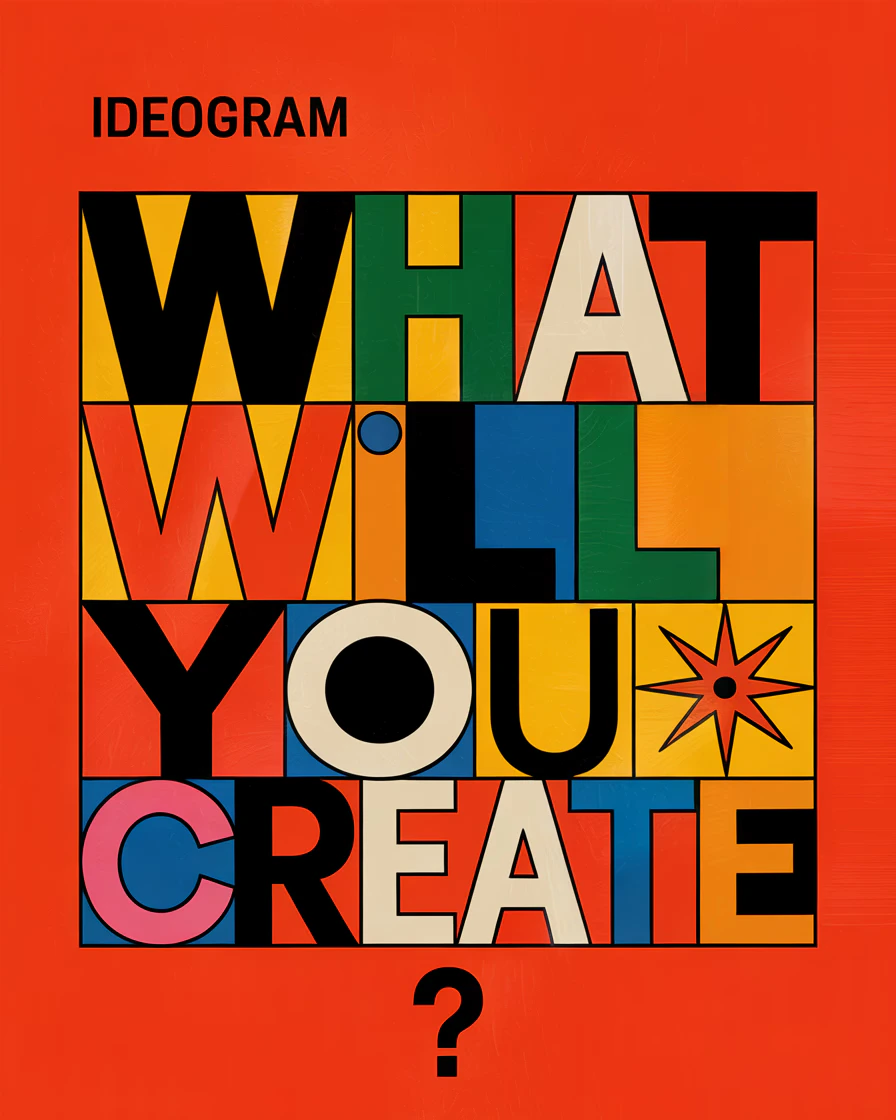
* **Put text content in quotes** — Explicitly quote the text you want rendered: *A poster with "SUMMER SALE" in bold yellow lettering at the top.*
* **Specify font style** — *"serif"*, *"handwritten"*, *"bold sans-serif"*, *"neon glow"* all produce very different text treatments.
* **Use Design style type** for commercial work — activating the DESIGN style type significantly improves layout awareness and graphic structure.
* **Keep multilingual text short** — Shorter words and phrases render more accurately than full sentences, especially in non-Latin alphabets.

<Frame>
  <img src="https://mintcdn.com/imagineart/410AHfb3Tlhn-w0b/images/WMKw2MgMMC35ub2DAo93tzKgAvc.avif?fit=max&auto=format&n=410AHfb3Tlhn-w0b&q=85&s=df9a96a08f3108dffd3905022ca85357" alt="WM Kw2mg Mmc35ub2d Ao93tz Kg Avc" width="1312" height="736" data-path="images/WMKw2MgMMC35ub2DAo93tzKgAvc.avif" />
</Frame>

### Example prompts

> A vintage circus poster with "THE GRAND SHOW" in large ornate typography, illustrated animals in the background, warm sepia tones, Art Deco style.

> A modern product label for a craft gin bottle reading "Northern Lights" with aurora imagery and minimalist Scandinavian design.

## Compare models

| Model                  | Text accuracy         | Style refs       | Photorealism | Best for                                 |
| ---------------------- | --------------------- | ---------------- | ------------ | ---------------------------------------- |
| **Ideogram v3**        | \~90–95%              | Up to 3          | Strong       | Typography, posters, brand design        |
| **ChatGPT Image**      | Best-in-class         | Up to 10         | Very strong  | Knowledge-grounded visuals, infographics |
| **ImagineArt 1.5 Pro** | Strong                | Reference images | Excellent    | Poster design, product visuals           |
| **Seedream 4.0**       | Strong (multilingual) | Up to 6          | Excellent    | Commercial campaigns                     |