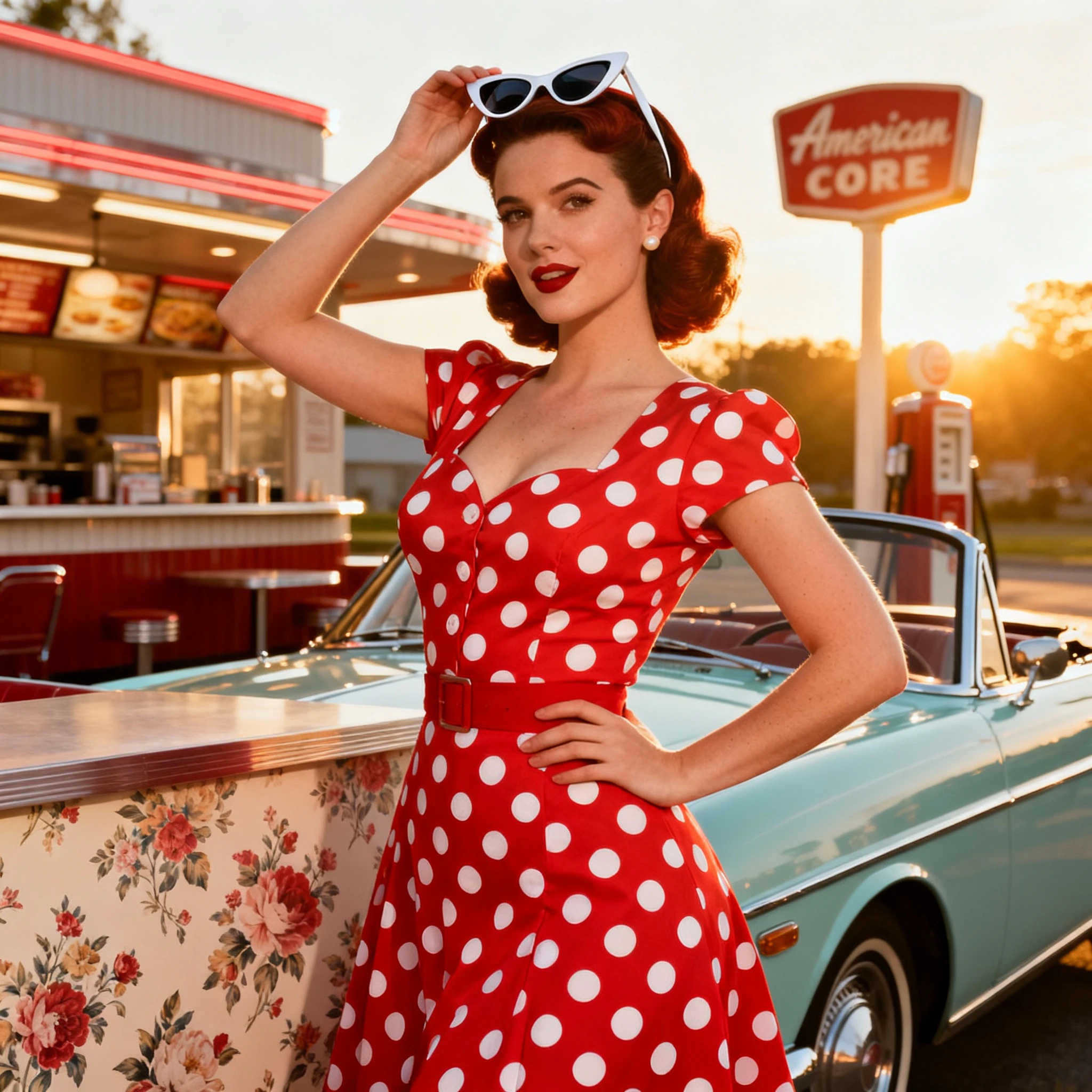
> ## Documentation Index
> Fetch the complete documentation index at: https://docs.imagine.art/llms.txt
> Use this file to discover all available pages before exploring further.

# Seedream 4

<div style={{background: "linear-gradient(135deg, #0d0016 0%, #18003a 55%, #08000f 100%)", borderRadius: "20px", padding: "3.5rem 3rem 3rem", marginBottom: "2.5rem", overflow: "hidden", position: "relative"}}>
  <div style={{position: "absolute", inset: "0", background: "radial-gradient(ellipse at 70% 10%, rgba(124,0,251,0.2) 0%, transparent 55%), radial-gradient(ellipse at 5% 80%, rgba(146,73,255,0.15) 0%, transparent 50%)", pointerEvents: "none"}} />

  <div style={{position: "relative"}}>
    <div style={{display: "flex", gap: "0.5rem", marginBottom: "1.5rem", flexWrap: "wrap"}}>
      <span style={{background: "rgba(124,0,251,0.25)", border: "1px solid rgba(124,0,251,0.5)", borderRadius: "100px", padding: "0.3rem 1rem", fontSize: "0.72rem", color: "#c084fc", fontWeight: "500", letterSpacing: "0.06em"}}>IMAGE MODEL</span>
      <span style={{background: "rgba(255,255,255,0.06)", border: "1px solid rgba(255,255,255,0.12)", borderRadius: "100px", padding: "0.3rem 1rem", fontSize: "0.72rem", color: "rgba(255,255,255,0.45)", fontWeight: "400"}}>by ByteDance</span>
    </div>

    <h1 style={{fontSize: "clamp(2.5rem, 5vw, 3.75rem)", fontWeight: "700", color: "#ffffff", lineHeight: "1.1", letterSpacing: "-0.025em", margin: "0 0 1.1rem 0"}}>Seedream 4.0</h1>
    <p style={{fontSize: "1.1rem", color: "rgba(255,255,255,0.52)", maxWidth: "580px", lineHeight: "1.7", marginBottom: "2.25rem"}}>ByteDance's most capable image model — native 4K output, up to 4 reference images, multilingual typography, and near real-time speed. Built for high-end campaigns, commercial design, and print-ready assets.</p>

    <div style={{display: "flex", gap: "0.75rem", flexWrap: "wrap"}}>
      <div style={{background: "rgba(255,255,255,0.06)", borderRadius: "14px", padding: "0.875rem 1.5rem", border: "1px solid rgba(255,255,255,0.1)"}}>
        <div style={{fontSize: "0.62rem", color: "rgba(255,255,255,0.32)", textTransform: "uppercase", letterSpacing: "0.1em", marginBottom: "0.3rem"}}>Output</div>
        <div style={{fontSize: "1rem", color: "#ffffff", fontWeight: "600"}}>Native 4K</div>
      </div>

      <div style={{background: "rgba(255,255,255,0.06)", borderRadius: "14px", padding: "0.875rem 1.5rem", border: "1px solid rgba(255,255,255,0.1)"}}>
        <div style={{fontSize: "0.62rem", color: "rgba(255,255,255,0.32)", textTransform: "uppercase", letterSpacing: "0.1em", marginBottom: "0.3rem"}}>References</div>
        <div style={{fontSize: "1rem", color: "#ffffff", fontWeight: "600"}}>Up to 4</div>
      </div>

      <div style={{background: "rgba(255,255,255,0.06)", borderRadius: "14px", padding: "0.875rem 1.5rem", border: "1px solid rgba(255,255,255,0.1)"}}>
        <div style={{fontSize: "0.62rem", color: "rgba(255,255,255,0.32)", textTransform: "uppercase", letterSpacing: "0.1em", marginBottom: "0.3rem"}}>Typography</div>
        <div style={{fontSize: "1rem", color: "#ffffff", fontWeight: "600"}}>Multilingual</div>
      </div>

      <div style={{background: "rgba(255,255,255,0.06)", borderRadius: "14px", padding: "0.875rem 1.5rem", border: "1px solid rgba(255,255,255,0.1)"}}>
        <div style={{fontSize: "0.62rem", color: "rgba(255,255,255,0.32)", textTransform: "uppercase", letterSpacing: "0.1em", marginBottom: "0.3rem"}}>By</div>
        <div style={{fontSize: "1rem", color: "#ffffff", fontWeight: "600"}}>ByteDance</div>
      </div>
    </div>
  </div>
</div>

<video controls className="w-full aspect-video rounded-xl" src="https://lf3-static.bytednsdoc.com/obj/eden-cn/bdeh7uhpsuht/Seedream%204.0%20f.mp4" />

<Info>
  Seedream 4.0 is developed by ByteDance, the parent company of TikTok, as part of their SEED AI research program.
</Info>

## Capabilities

<CardGroup cols={3}>
  <Card title="One-shot accuracy">
    Complex edits — including detailed product or character transformations — completed in one generation, reducing iteration time.
  </Card>

  <Card title="Output consistency">
    Maintains character identity, product appearance, and lighting across multiple variations and batch generations for large-scale projects.
  </Card>

  <Card title="Multilingual typography">
    Renders text in multiple languages with improved layout placement, ideal for branding across international markets.
  </Card>
</CardGroup>

<div style={{display: "grid", gridTemplateColumns: "repeat(3, 1fr)", gap: "12px", margin: "2rem 0"}}>
  <img src="https://mintcdn.com/imagineart/QZIQ0tIYqnqVKXQJ/images/1-(1)-1.jpeg?fit=max&auto=format&n=QZIQ0tIYqnqVKXQJ&q=85&s=b3a286d26621c6775afaa410bdd49829" alt="Seedream 4.0 example" style={{width: "100%", aspectRatio: "3/4", objectFit: "cover", borderRadius: "12px", display: "block"}} width="2048" height="2048" data-path="images/1-(1)-1.jpeg" />

  <img src="https://mintcdn.com/imagineart/QZIQ0tIYqnqVKXQJ/images/1-(2).jpeg?fit=max&auto=format&n=QZIQ0tIYqnqVKXQJ&q=85&s=ed1aba2455fd867a51a0cbb90583adc6" alt="Seedream 4.0 example" style={{width: "100%", aspectRatio: "3/4", objectFit: "cover", borderRadius: "12px", display: "block"}} width="2048" height="2048" data-path="images/1-(2).jpeg" />

  <img src="https://mintcdn.com/imagineart/QZIQ0tIYqnqVKXQJ/images/1-(4).jpeg?fit=max&auto=format&n=QZIQ0tIYqnqVKXQJ&q=85&s=e59bba238e5dea2a2527e3fd822d5887" alt="Seedream 4.0 example" style={{width: "100%", aspectRatio: "3/4", objectFit: "cover", borderRadius: "12px", display: "block"}} width="2048" height="2048" data-path="images/1-(4).jpeg" />
</div>

## How to use

<Tabs>
  <Tab title="AI Image Generator">
    <Steps>
      <Step title="Open the generator">
        Go to the **ImagineArt AI Image Generator**.
      </Step>

      <Step title="Select the model">
        From the model dropdown, choose **Seedream 4.0**.
      </Step>

      <Step title="Enter your prompt and references">
        Write your text prompt and upload up to **4 reference images** for detailed guidance.
      </Step>

      <Step title="Generate">
        Click **Generate** and wait for the model to process your image.
      </Step>
    </Steps>

    <Frame>
      <img src="https://mintcdn.com/imagineart/QZIQ0tIYqnqVKXQJ/images/1.jpeg?fit=max&auto=format&n=QZIQ0tIYqnqVKXQJ&q=85&s=caad4cb6a68972eeccf787f793f11656" alt="1" width="2048" height="2048" data-path="images/1.jpeg" />
    </Frame>
  </Tab>

  <Tab title="Image Editor">
    <Steps>
      <Step title="Open the editor">
        Go to the **ImagineArt Image Editor**.
      </Step>

      <Step title="Select the model">
        Click **Settings** and choose **Seedream 4.0** from the model dropdown.
      </Step>

      <Step title="Upload your base image">
        Upload your base image and apply edits or transformations.
      </Step>

      <Step title="Use visual prompts">
        Use **visual prompts** to add, replace, or remove elements and make precise adjustments to the composition.
      </Step>
    </Steps>
  </Tab>
</Tabs>

## Prompting tips

* **Be specific** — Define subject, environment, and style in detail. Example: *"A vintage car parked on a sunny street with a dog, shot in a retro photography style."*
* **Use multiple references** — Upload images of your subject, background, and product together for consistent outputs.
* **Guide mood and style** — Add descriptors like *"cinematic lighting"*, *"flat lay"*, or *"ink illustration"* to shape composition.
* **Use 4K mode for final work** — Select **4K mode** for print-ready visuals or large-scale campaigns. Use 2K for drafts.

### Example prompts

> A red "Glaze Cherry" cosmetic bottle placed on top of two shiny fresh cherries, with a pink and white gradient background. Bold red text saying "New" is displayed on the bottle. The scene should reflect beauty product photography, glossy surfaces, and ultra-realistic lighting.

> A close-up portrait of a teenage boy with curly dark hair and freckles, wearing a navy tracksuit jacket, standing in front of a yellow wall. Looking intensely into the camera with a serious expression, in a candid street photography style with natural emotion.

> A Black person leans on a city overpass railing, gazing seriously at the camera. They wear a sharp white shirt with a tie and a skirt. The urban setting below features a road with passing cars, contrasting the subject's poised and editorial stance.

## Seedream 4.0 vs. Nano Banana

| Feature                    | Seedream 4.0                                      | Nano Banana (Gemini 2.5 Flash Image)        |
| -------------------------- | ------------------------------------------------- | ------------------------------------------- |
| **Developer**              | ByteDance                                         | Google DeepMind                             |
| **Multi-image references** | Up to 6                                           | Up to 4                                     |
| **Resolution**             | 2K and 4K                                         | Up to 2K                                    |
| **Speed**                  | Near real-time                                    | Near real-time                              |
| **One-shot accuracy**      | Yes                                               | Yes                                         |
| **Typography**             | Strong, multilingual                              | Strong (English and Chinese)                |
| **Best for**               | Complex campaigns, branding, multilingual markets | Quick edits, fashion try-ons, product swaps |

<Note>
  Generating 4K images with Seedream 4.0 uses more credits than standard resolution. Use 2K mode for draft iterations before committing to 4K for final assets.
</Note>