> ## Documentation Index
> Fetch the complete documentation index at: https://docs.imagine.art/llms.txt
> Use this file to discover all available pages before exploring further.
# Credit Assignment and Usage Policy
> How credits are assigned across subscription plans, the no-rollover policy, and your options when credits run out.
## How credits work
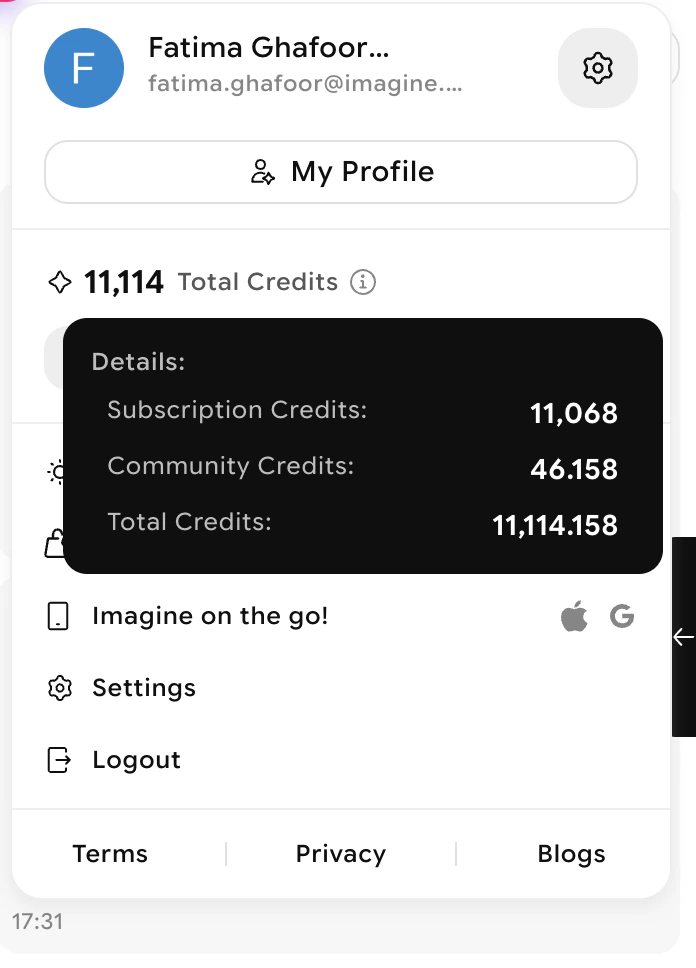
ImagineArt operates on a **monthly credit assignment cycle**. Every subscription tier receives credits at the beginning of each monthly period, regardless of whether you are on a monthly, quarterly, or annual plan.
 ## Credit distribution by plan type
| Plan | How credits are assigned |
| ------------- | ---------------------------------------------------------------------------- |
| **Monthly** | Full credit allotment assigned at the start of each monthly renewal |
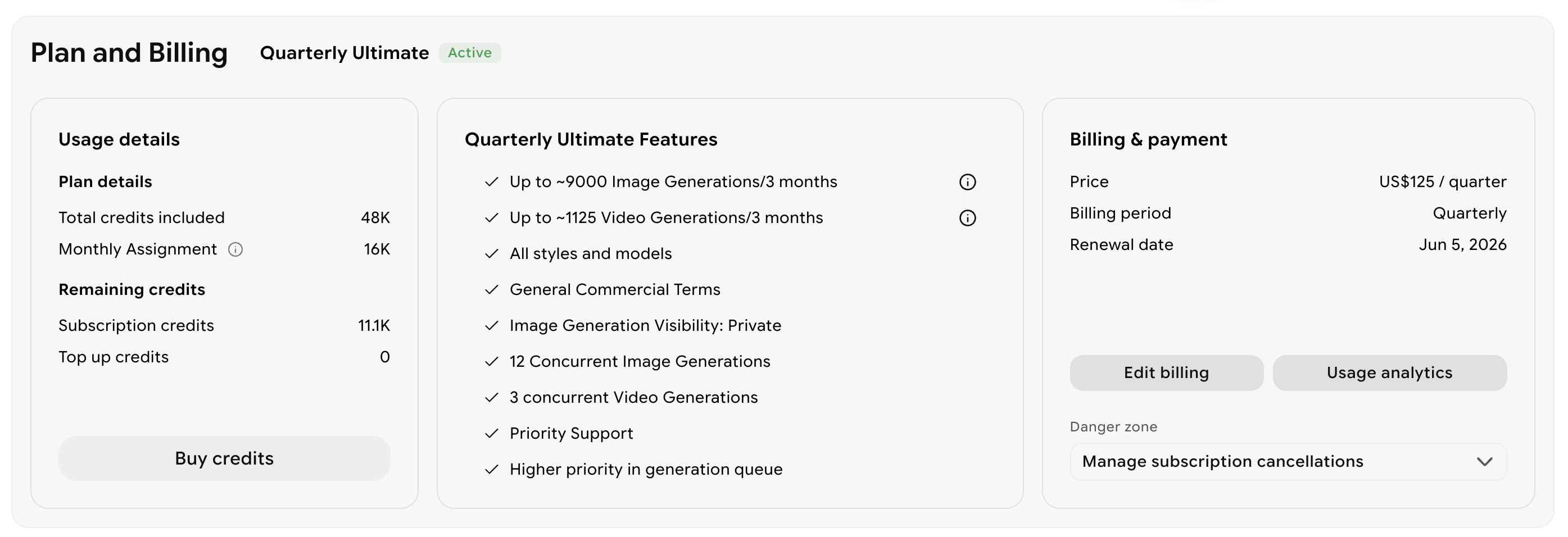
| **Quarterly** | A set amount of credits assigned each month for three consecutive months |
| **Annual** | A set amount of credits assigned each month throughout the twelve-month term |
All plans receive credits on a monthly basis — the commitment period determines your billing cycle, not when credits arrive.
## No-rollover policy
Unused credits do not roll over to the next month. At the start of each new cycle, your balance resets and your new monthly allotment is applied.
To get the most value from your plan, select a tier that matches your typical monthly usage. You can view your current balance and next renewal date from your Billing and subscription tab under the Plan and Billing section.
## Credit distribution by plan type
| Plan | How credits are assigned |
| ------------- | ---------------------------------------------------------------------------- |
| **Monthly** | Full credit allotment assigned at the start of each monthly renewal |
| **Quarterly** | A set amount of credits assigned each month for three consecutive months |
| **Annual** | A set amount of credits assigned each month throughout the twelve-month term |
All plans receive credits on a monthly basis — the commitment period determines your billing cycle, not when credits arrive.
## No-rollover policy
Unused credits do not roll over to the next month. At the start of each new cycle, your balance resets and your new monthly allotment is applied.
To get the most value from your plan, select a tier that matches your typical monthly usage. You can view your current balance and next renewal date from your Billing and subscription tab under the Plan and Billing section.
 ## Options when credits run out
If you use all your credits before the monthly cycle resets, you have three options:
Your credits automatically replenish at the start of your next monthly cycle. You can check the exact renewal date in your account dashboard.
Buy a one-time credit bundle to continue generating without waiting for your cycle to reset. Top-ups are available from the **Manage Subscription** section of your dashboard.
## Options when credits run out
If you use all your credits before the monthly cycle resets, you have three options:
Your credits automatically replenish at the start of your next monthly cycle. You can check the exact renewal date in your account dashboard.
Buy a one-time credit bundle to continue generating without waiting for your cycle to reset. Top-ups are available from the **Manage Subscription** section of your dashboard.
 If you consistently run out of credits before your cycle ends, upgrading to a higher tier gives you a larger monthly credit allotment. See [Upgrading or Downgrading Your Subscription](/faq/upgrade-downgrade) for steps.
## Need help?
For questions about your credit balance or subscription, visit your account dashboard or contact [support@imagine.art](mailto:support@imagine.art).
If you consistently run out of credits before your cycle ends, upgrading to a higher tier gives you a larger monthly credit allotment. See [Upgrading or Downgrading Your Subscription](/faq/upgrade-downgrade) for steps.
## Need help?
For questions about your credit balance or subscription, visit your account dashboard or contact [support@imagine.art](mailto:support@imagine.art).