> ## Documentation Index
> Fetch the complete documentation index at: https://docs.imagine.art/llms.txt
> Use this file to discover all available pages before exploring further.
# Updating Billing Information
> How to update your payment method, download invoices, and manage billing details through ImagineArt's billing portal.
## Update your billing information
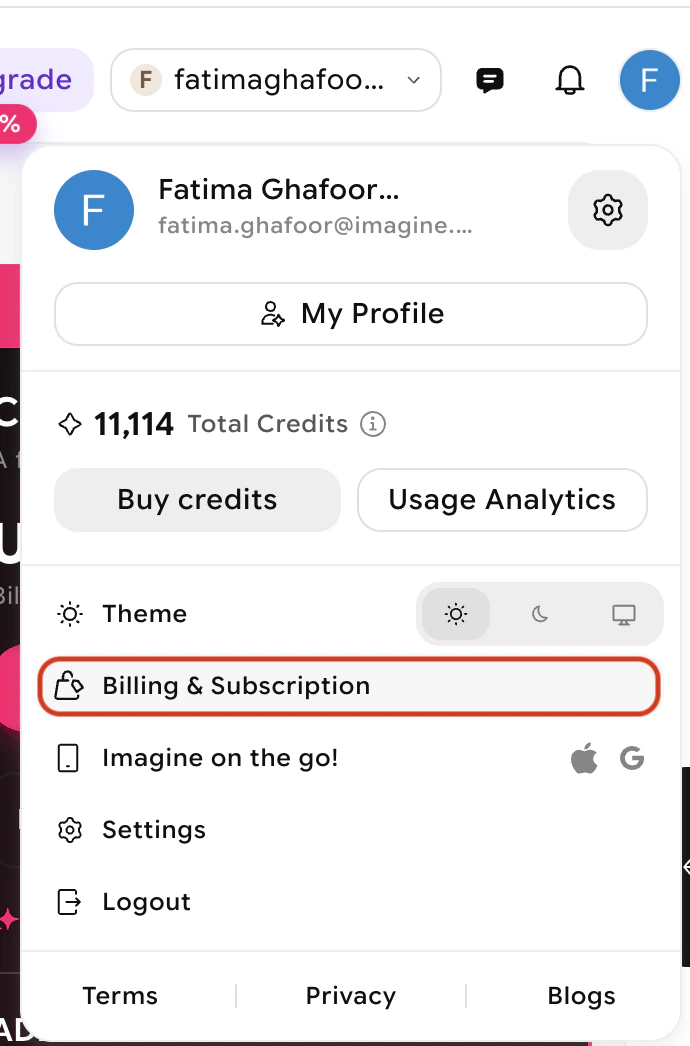
Click your profile picture in the top-right corner of the dashboard and select **Billing and Subscription** from the dropdown.
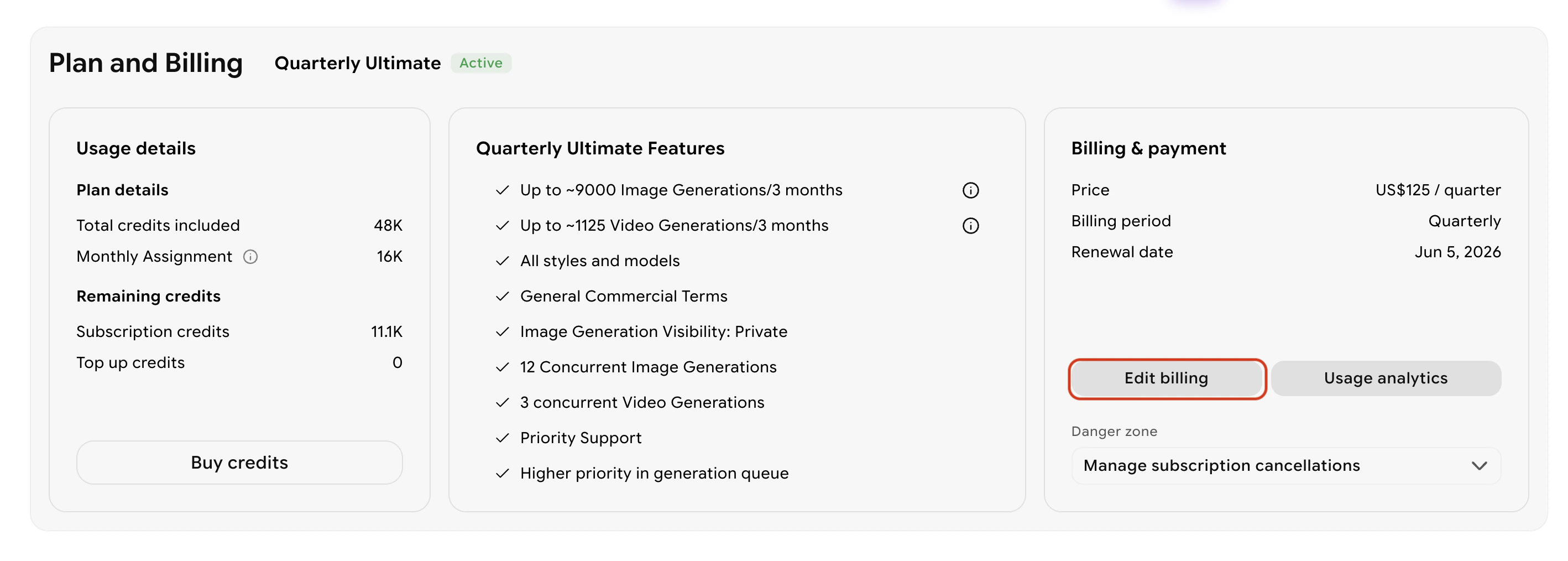
 Click the **Edit Billing** button on the billing page. You can also view your current plan and next charge date here.
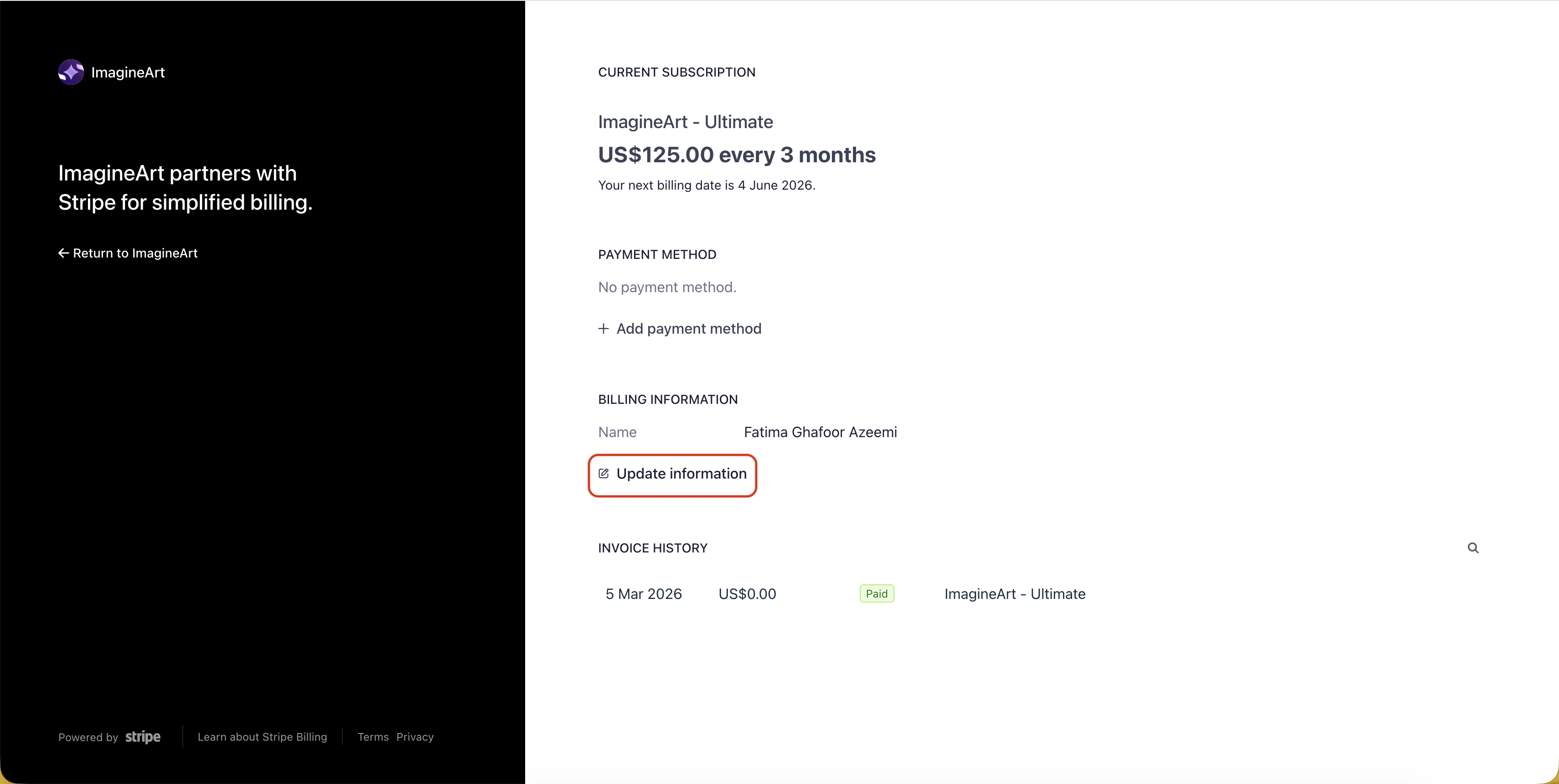
 You will be taken to Stripe's official payment page where you can update your payment method, billing address, and other details.
 ## Download invoices
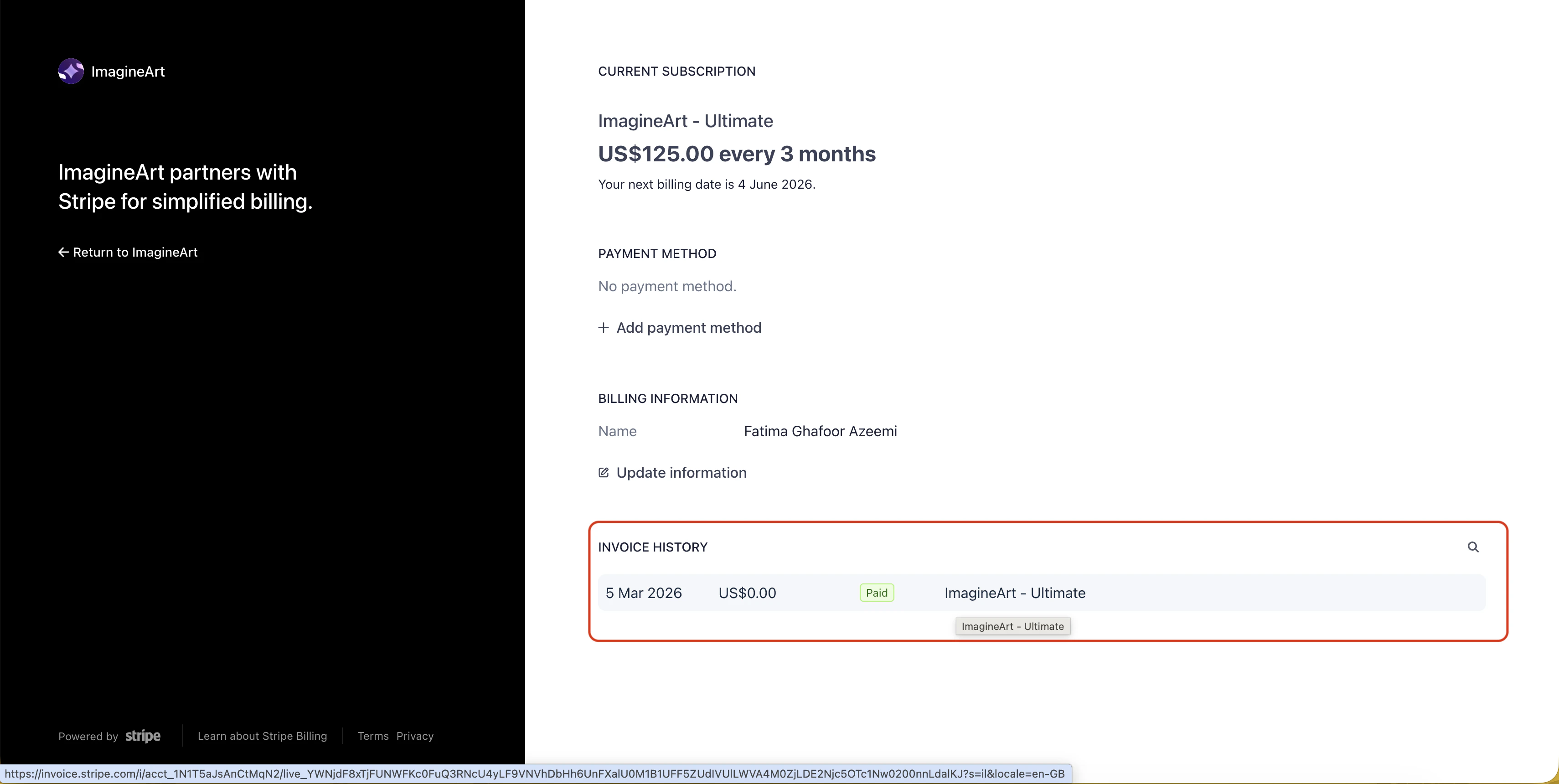
From the same Stripe billing page, you can view all past invoices. Select a specific invoice to view its details, then download either the invoice or receipt for your records.
## Download invoices
From the same Stripe billing page, you can view all past invoices. Select a specific invoice to view its details, then download either the invoice or receipt for your records.
 ## Common issues
Billing information can only be updated when you have an active subscription. Purchase a plan first — billing updates will be available from your second invoice onward.
* **New customers** can add a billing address during checkout.
* **Returning customers** using the same email address cannot directly edit the first invoice's billing address. Contact [support@imagine.art](mailto:support@imagine.art) or purchase a new plan to apply address updates to future invoices.
Name changes apply to future invoices only. To update the name on past invoices, contact [support@imagine.art](mailto:support@imagine.art).
Taxes are calculated by Stripe, ImagineArt's payment processor, based on the country associated with your billing address.
## Need help?
For billing inquiries or adjustments that can't be made through the portal, contact [support@imagine.art](mailto:support@imagine.art).
## Common issues
Billing information can only be updated when you have an active subscription. Purchase a plan first — billing updates will be available from your second invoice onward.
* **New customers** can add a billing address during checkout.
* **Returning customers** using the same email address cannot directly edit the first invoice's billing address. Contact [support@imagine.art](mailto:support@imagine.art) or purchase a new plan to apply address updates to future invoices.
Name changes apply to future invoices only. To update the name on past invoices, contact [support@imagine.art](mailto:support@imagine.art).
Taxes are calculated by Stripe, ImagineArt's payment processor, based on the country associated with your billing address.
## Need help?
For billing inquiries or adjustments that can't be made through the portal, contact [support@imagine.art](mailto:support@imagine.art).