> ## Documentation Index
> Fetch the complete documentation index at: https://docs.imagine.art/llms.txt
> Use this file to discover all available pages before exploring further.
# Upgrading or Downgrading Your Subscription
> How to upgrade, downgrade, cancel a scheduled change, or purchase credit top-ups from your ImagineArt subscription dashboard.
## Upgrade your subscription
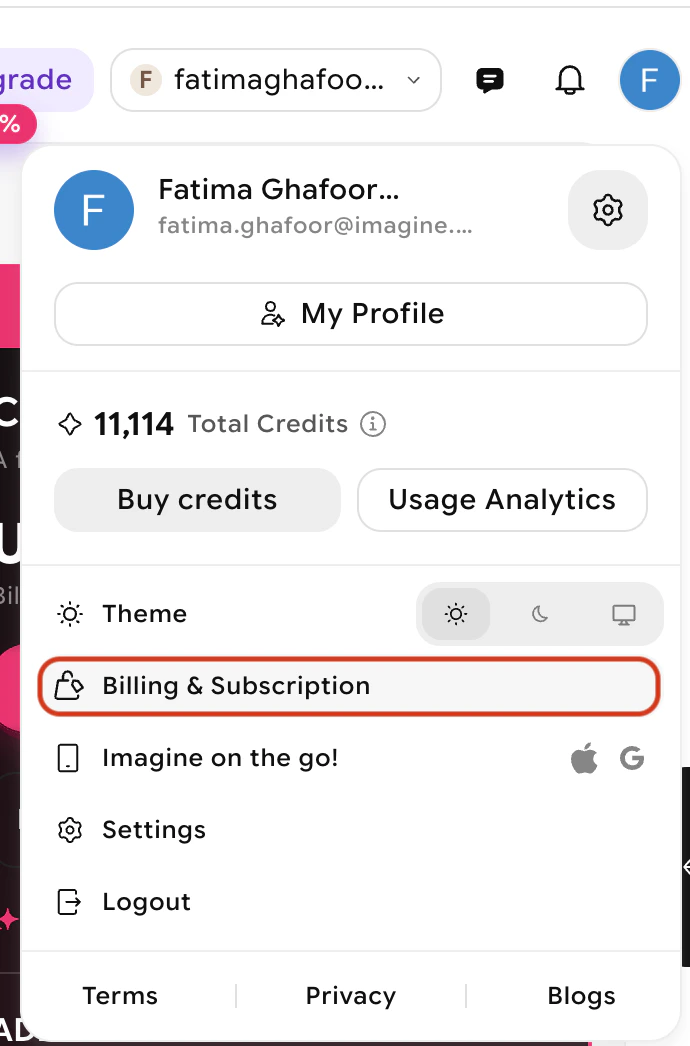
From your profile, locate and open the **Billing and Subscription** tab.
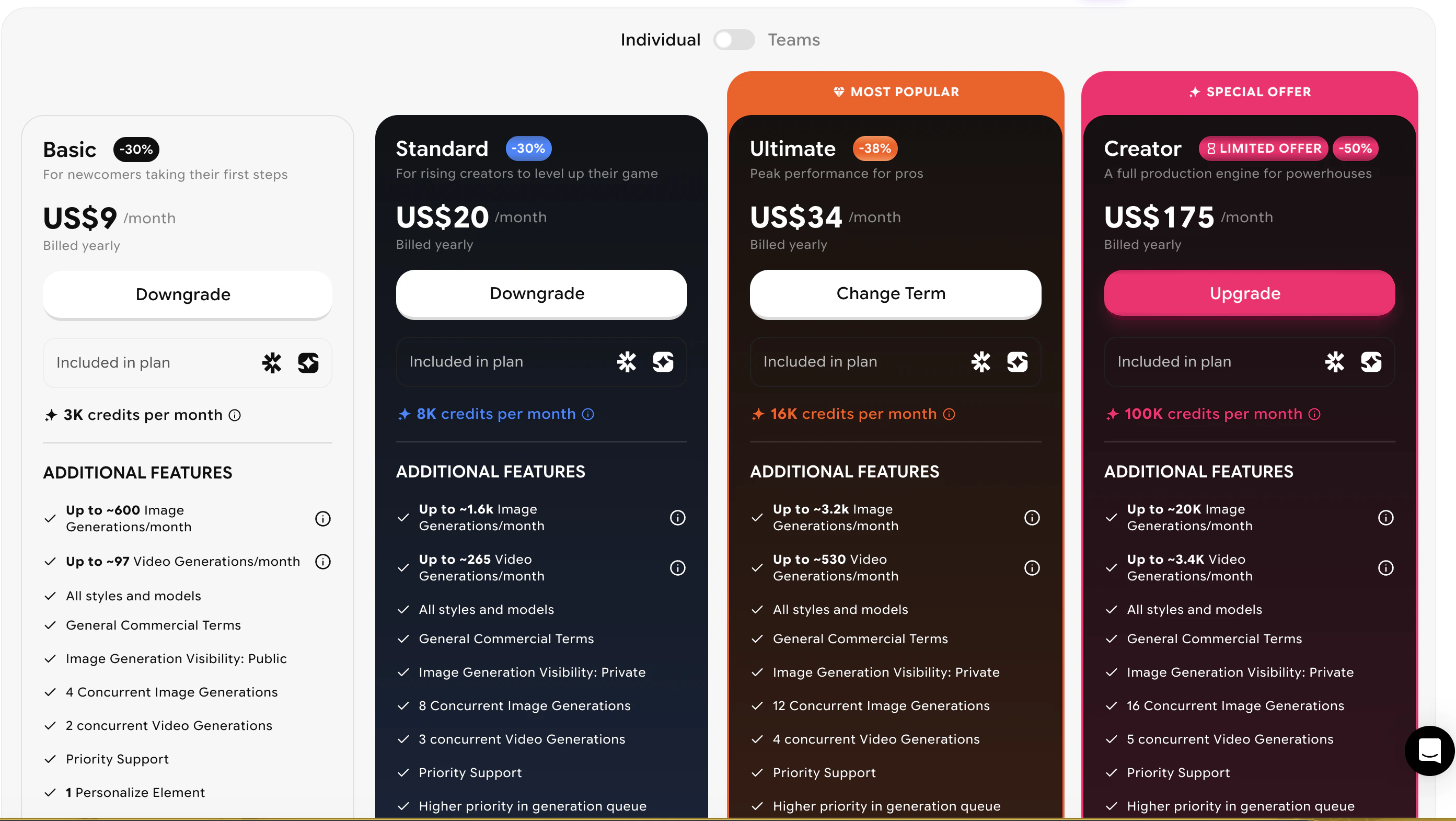
 Click the **Upgrade** button on the card of the plan you want to upgrade to
 Select when you want the upgrade to take effect:
* **Immediate activation** — The new plan starts right away. A new billing cycle begins immediately with credits allocated to the new plan.
* **End-of-period activation** — The upgrade takes effect when your current billing cycle ends. You won't be charged until the new cycle starts.
Select when you want the upgrade to take effect:
* **Immediate activation** — The new plan starts right away. A new billing cycle begins immediately with credits allocated to the new plan.
* **End-of-period activation** — The upgrade takes effect when your current billing cycle ends. You won't be charged until the new cycle starts.
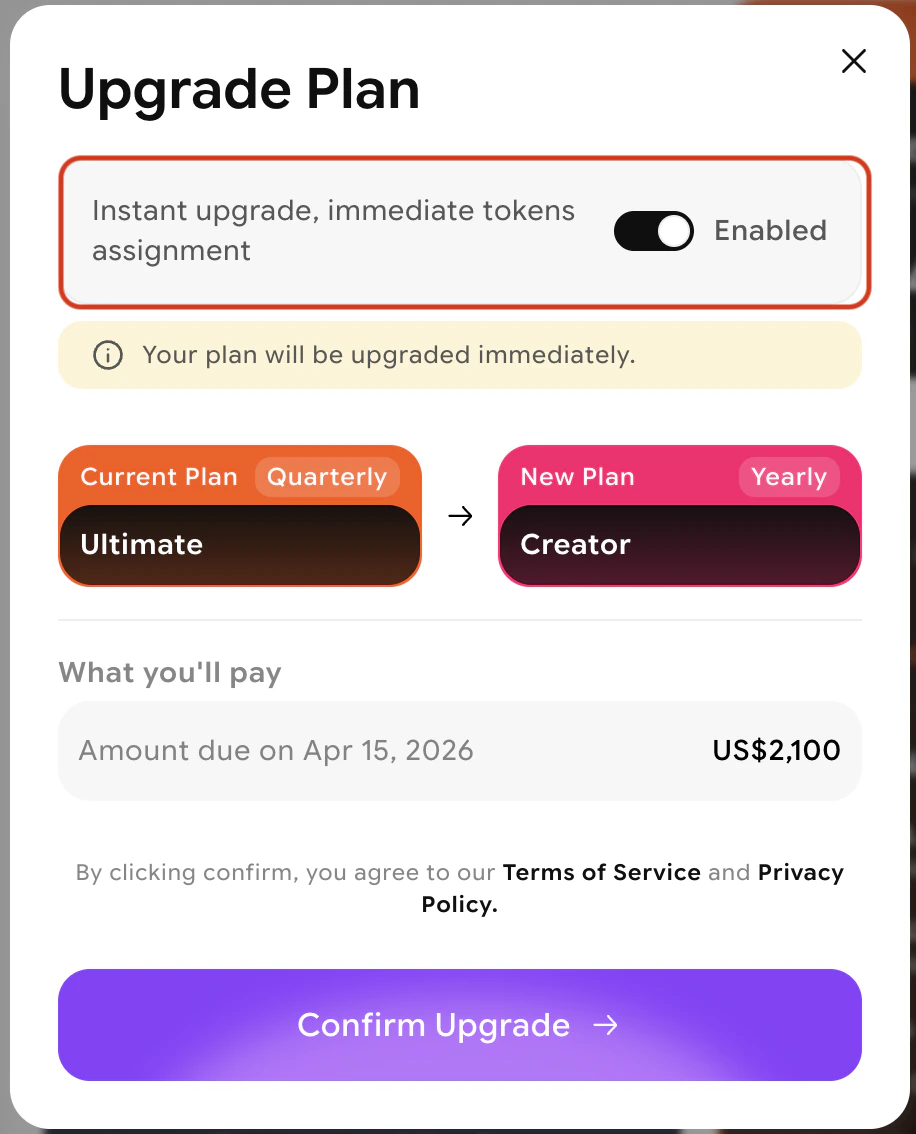 Review the plan summary and any adjusted charges, then confirm your selection.
If you select end-of-period activation, cancellation options will be unavailable until after the new billing cycle begins.
## Downgrade your subscription
From your profile, open the **Billing and Subscription** tab.
Review the available plans and select the one that meets your needs.
Review the plan summary and any adjusted charges, then confirm your selection.
If you select end-of-period activation, cancellation options will be unavailable until after the new billing cycle begins.
## Downgrade your subscription
From your profile, open the **Billing and Subscription** tab.
Review the available plans and select the one that meets your needs.
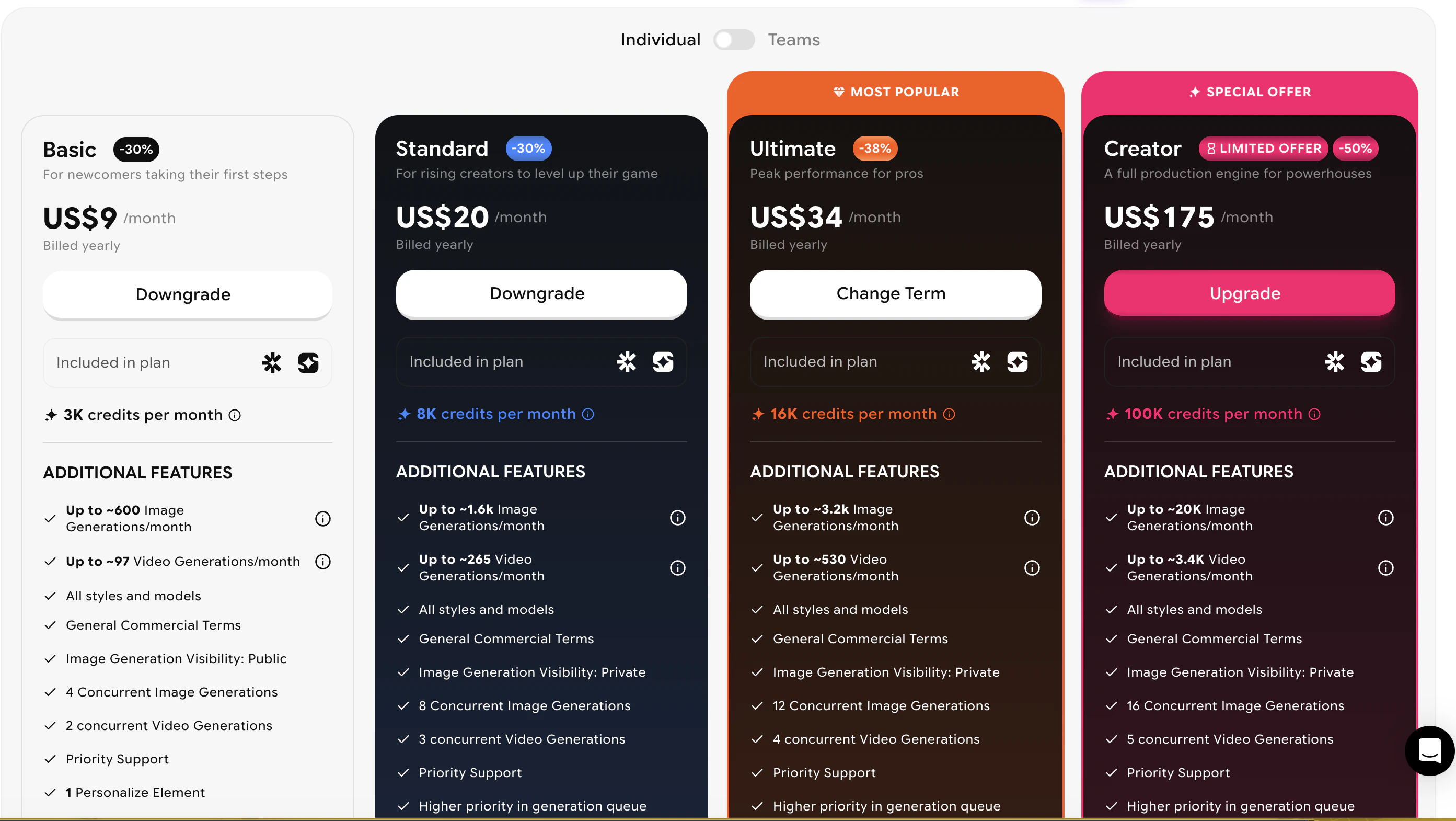 Click **Downgrade** and confirm your selection. Your current plan will remain active until the end of your current subscription cycle. Upon the next renewal you will only be charged for the downgraded plan.
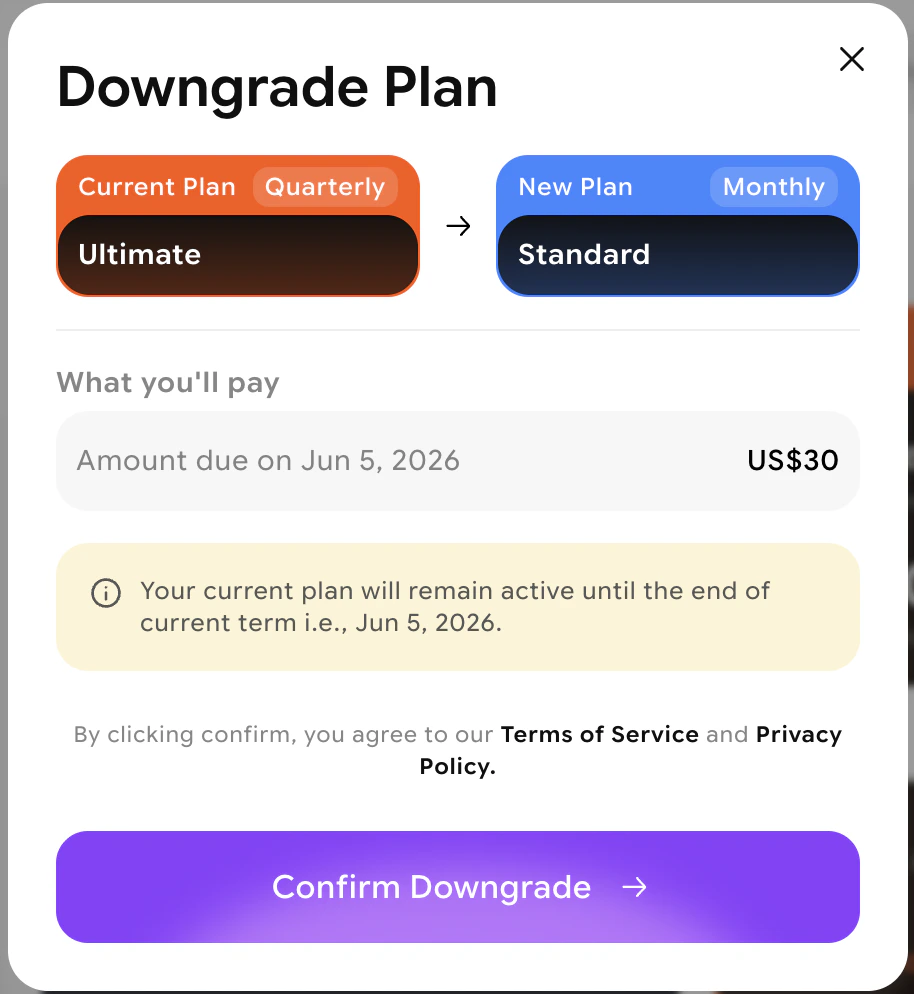 Downgrades take effect only after your current billing period ends. For an immediate downgrade, contact [support@imagine.art](mailto:support@imagine.art).
## Cancel a scheduled plan change
If you've scheduled an end-of-period change and want to cancel it before it takes effect:
Open the **Billing and Subscription** tab from your dashboard.
Navigate to the \*\*Billing and payment \*\*section.
Downgrades take effect only after your current billing period ends. For an immediate downgrade, contact [support@imagine.art](mailto:support@imagine.art).
## Cancel a scheduled plan change
If you've scheduled an end-of-period change and want to cancel it before it takes effect:
Open the **Billing and Subscription** tab from your dashboard.
Navigate to the \*\*Billing and payment \*\*section.
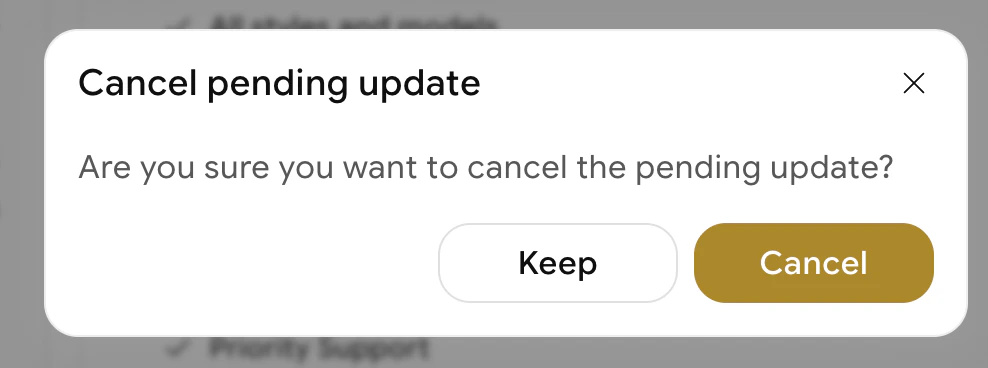
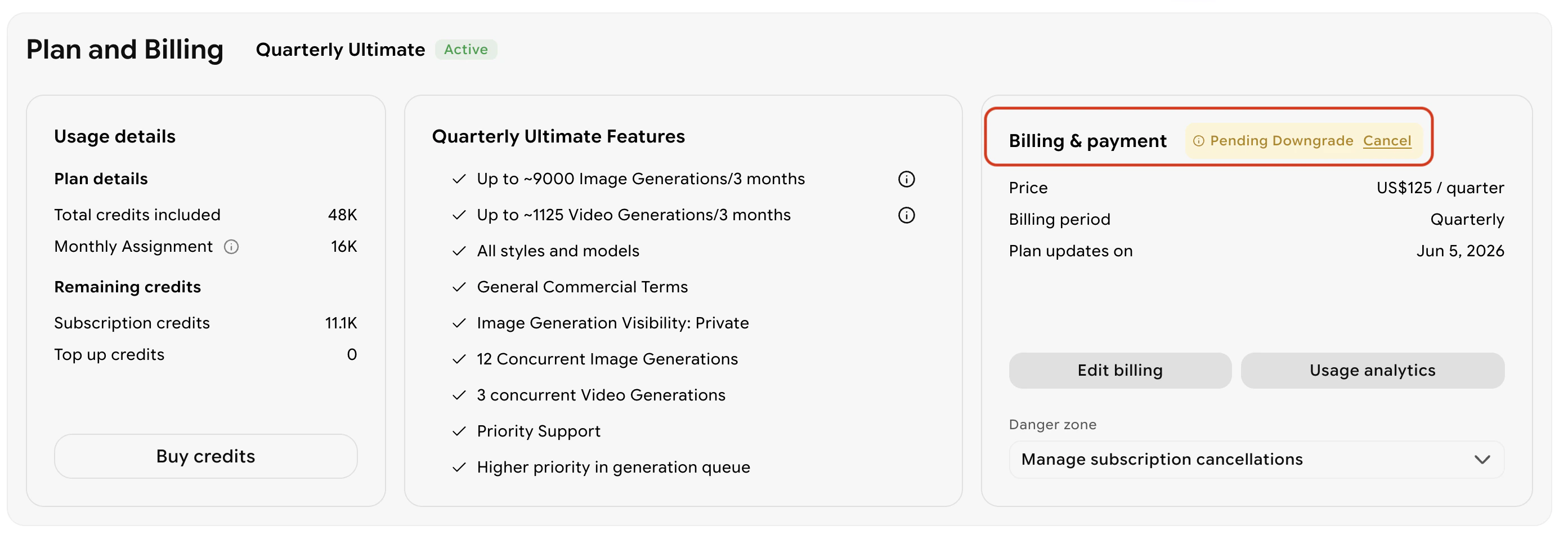 Click the **Cancel** option to remove the scheduled change. Your current plan will continue as-is.
 ## Purchase credit top-ups
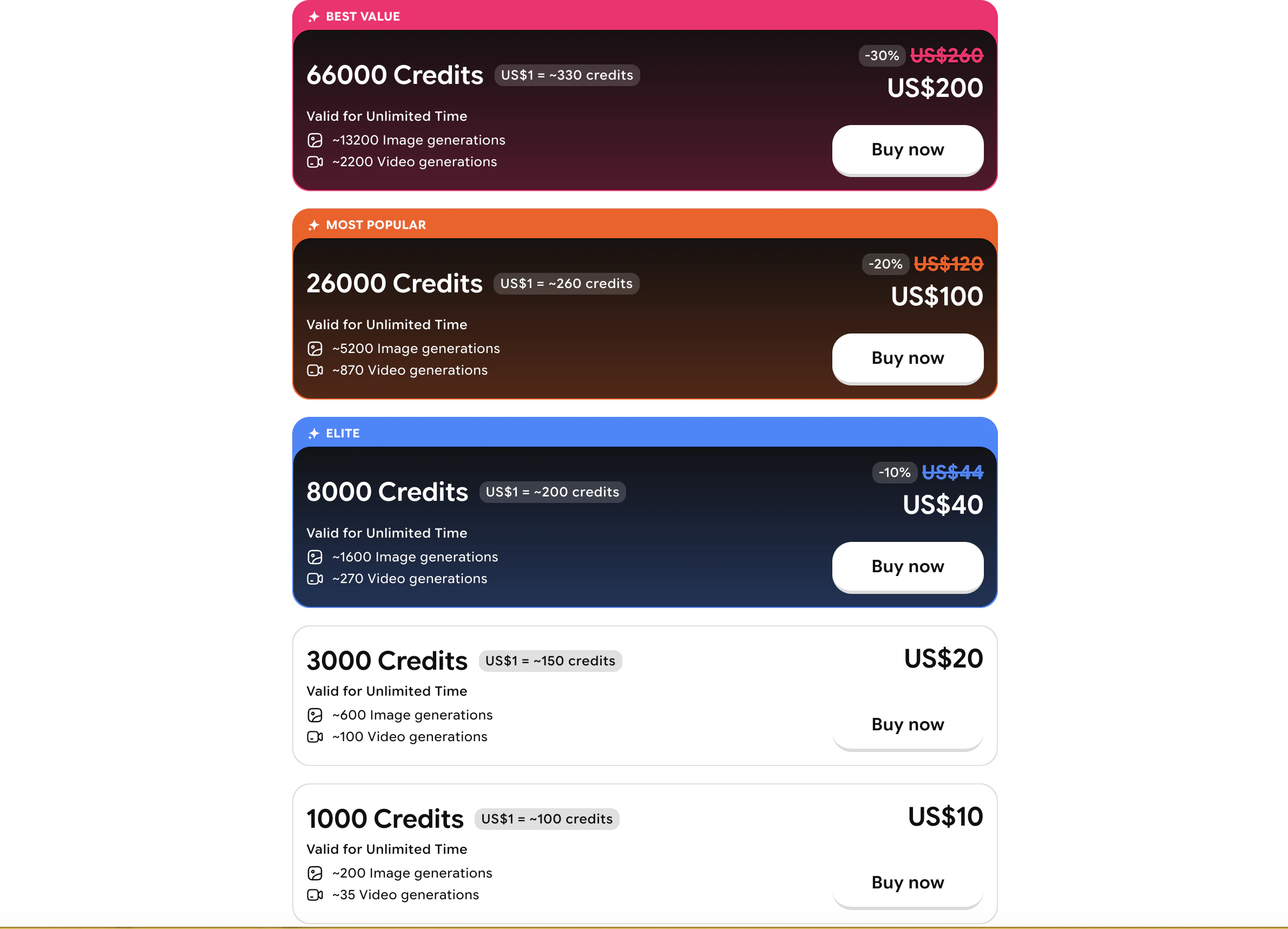
If you need more credits without changing your plan, you can buy a one-time credit bundle:
1. Open the **profile** tab.
## Purchase credit top-ups
If you need more credits without changing your plan, you can buy a one-time credit bundle:
1. Open the **profile** tab.
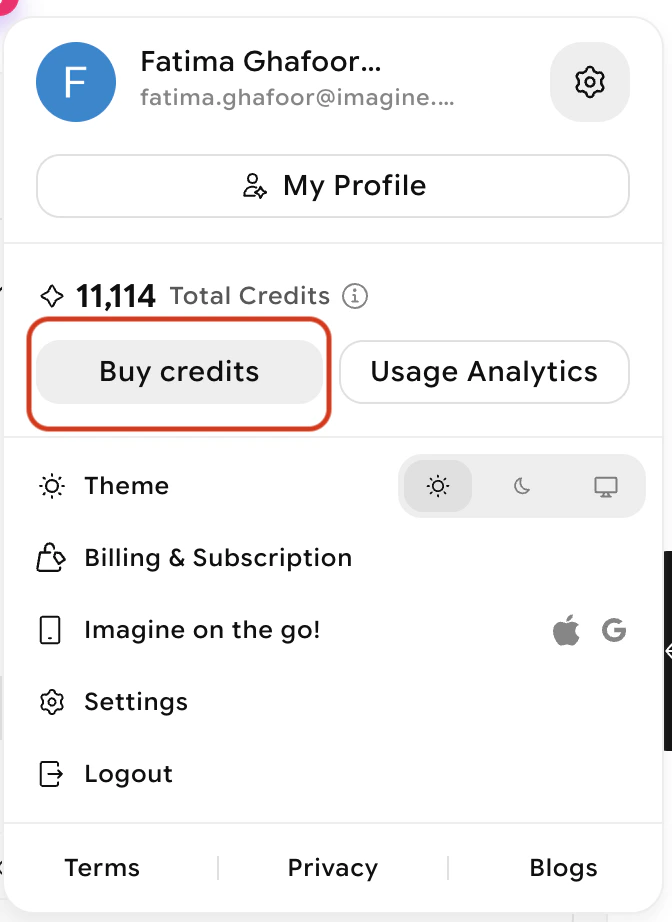 2. Select **Buy Credits**.
3. Choose a bundle and confirm your purchase.
2. Select **Buy Credits**.
3. Choose a bundle and confirm your purchase.
 ## Need help?
Contact [support@imagine.art](mailto:support@imagine.art) for assistance with subscription changes.
## Need help?
Contact [support@imagine.art](mailto:support@imagine.art) for assistance with subscription changes.