> ## Documentation Index
> Fetch the complete documentation index at: https://docs.imagine.art/llms.txt
> Use this file to discover all available pages before exploring further.
# Style
> Use any existing image as a visual blueprint to guide the aesthetic of your generations.
## **What is Style?**
**Style** is your shortcut to visual consistency. It allows you to use any existing image as a "blueprint" for the aesthetic of your next creation. Instead of trying to describe a complex art style with hundreds of words, you simply show the AI what you want, and it maps that "DNA" onto your new prompt.
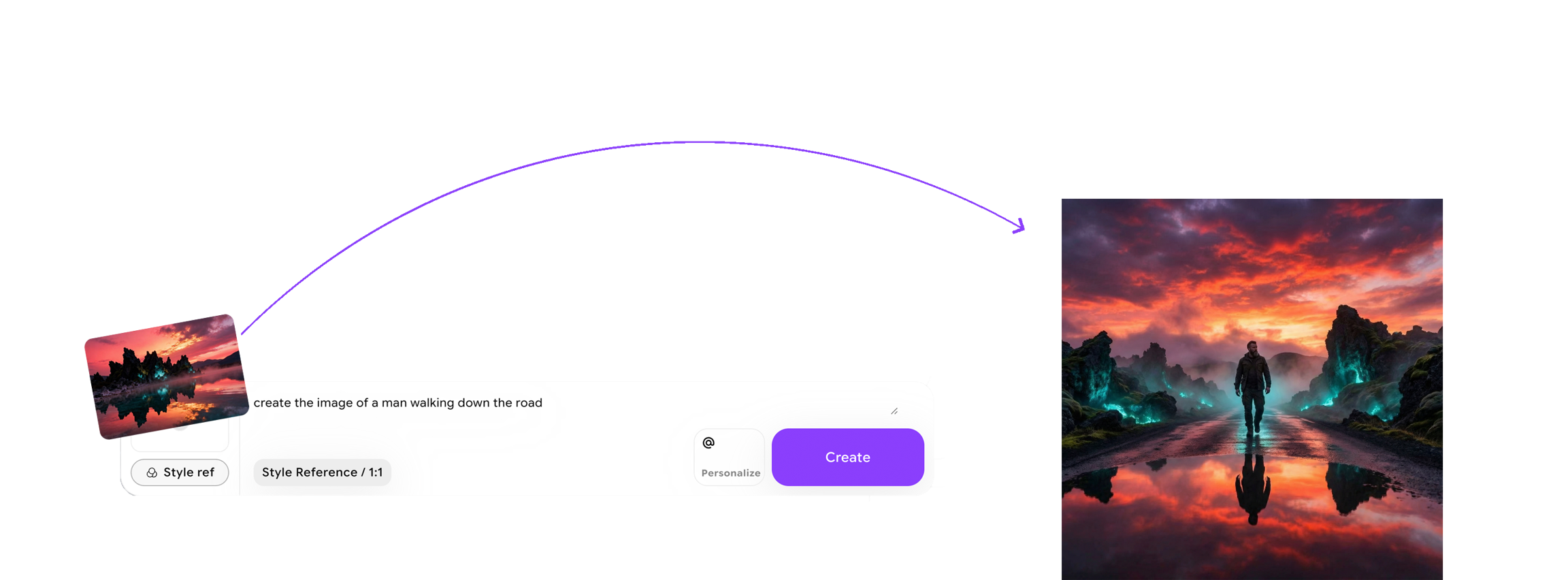 Whether you want your work to align with a specific aesthetic or want to keep the style consistent across multiple designs, **Style** makes it easy to apply and replicate that look to new images.
## **How to use Style?**
Style is supported by SDXL models only.
Select **Style**: Begin by selecting the **Style** option under **Add References** in the image generation panel.
Whether you want your work to align with a specific aesthetic or want to keep the style consistent across multiple designs, **Style** makes it easy to apply and replicate that look to new images.
## **How to use Style?**
Style is supported by SDXL models only.
Select **Style**: Begin by selecting the **Style** option under **Add References** in the image generation panel.
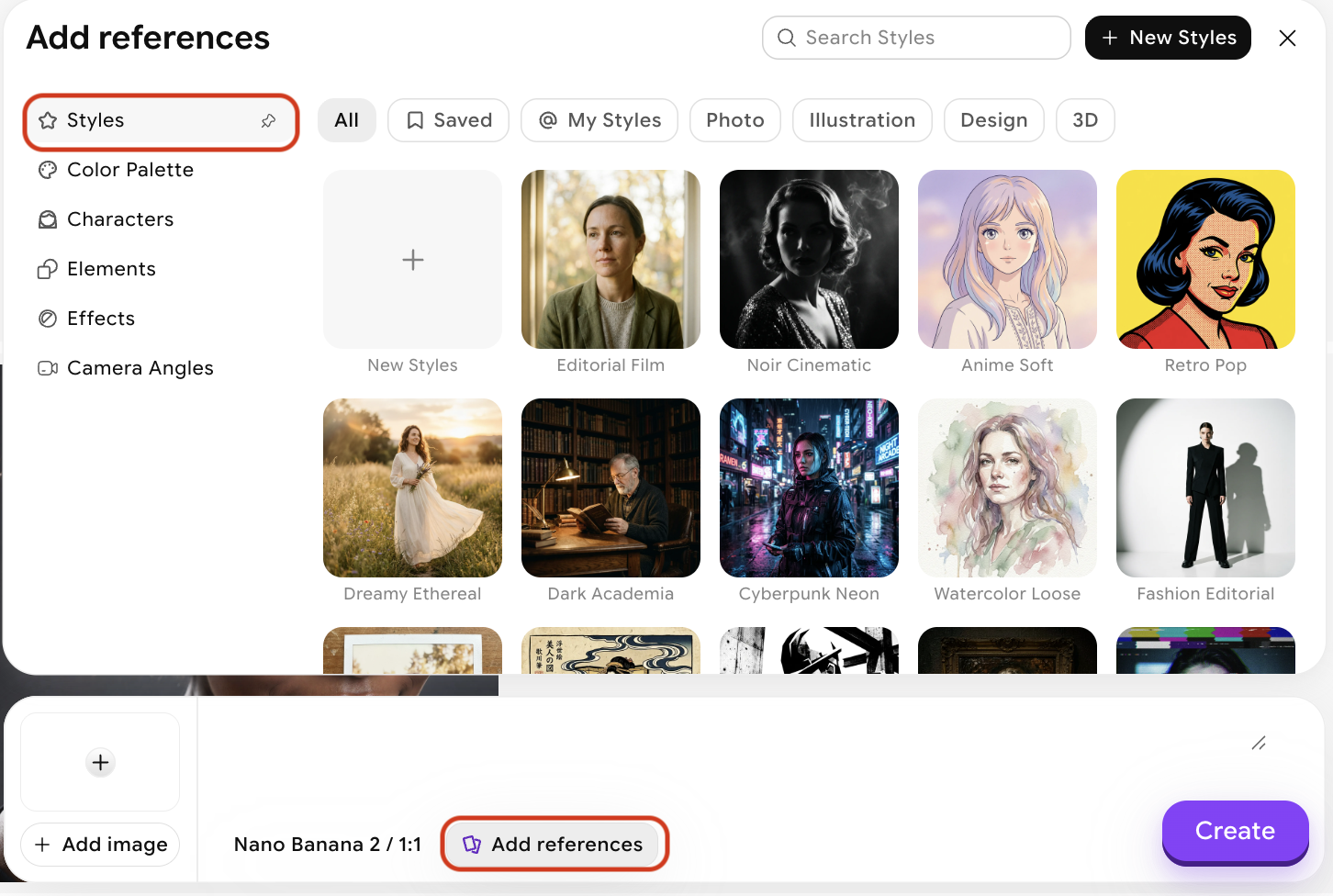 **Add a reference image**: Upload an image that embodies the style you want to replicate — this guides the AI in applying that aesthetic to your new creation. Alternatively, you can select one of our presets.
Click the **New Styles** button to create your own. Clicking it opens a modal as shown below:
**Add a reference image**: Upload an image that embodies the style you want to replicate — this guides the AI in applying that aesthetic to your new creation. Alternatively, you can select one of our presets.
Click the **New Styles** button to create your own. Clicking it opens a modal as shown below:
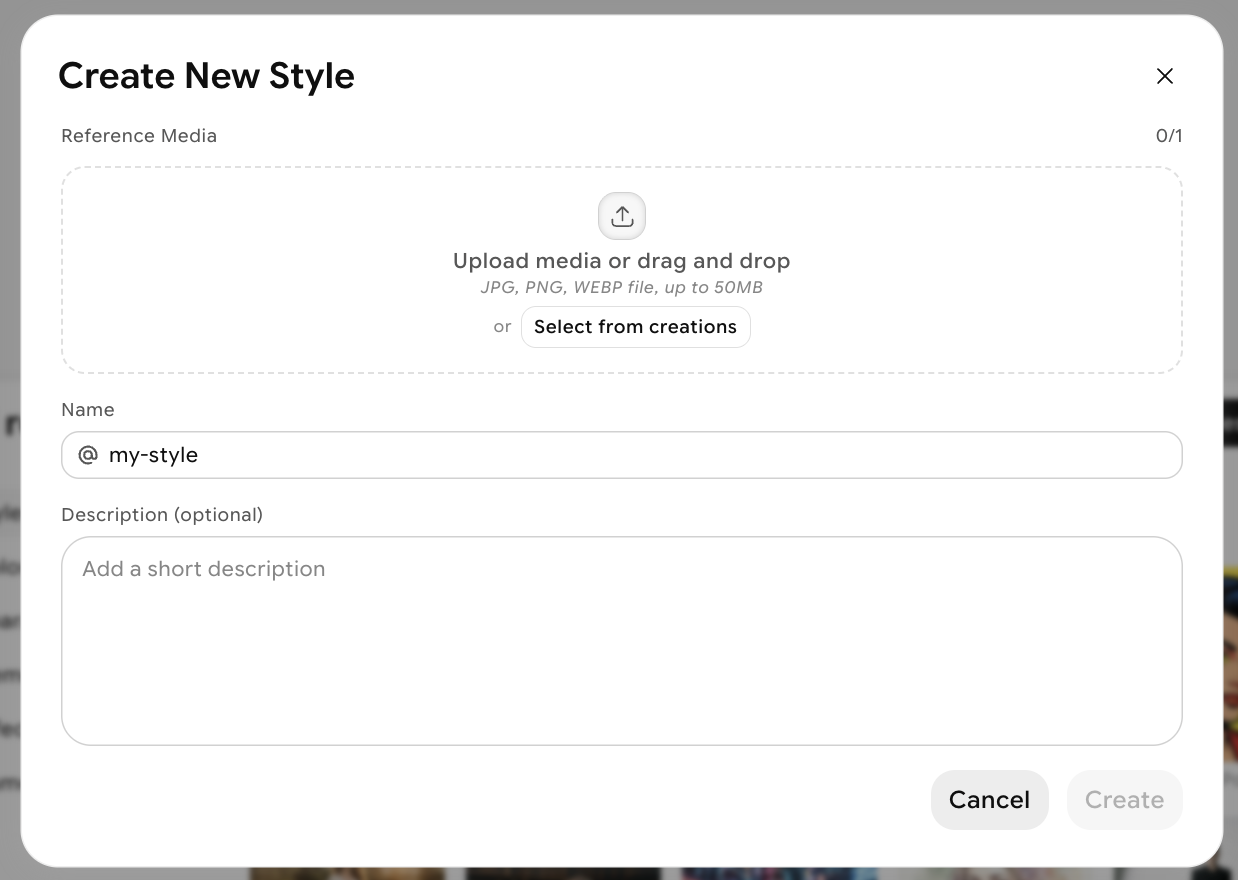 Start by uploading an image, or select one from your previous creations. Make sure to give your style a name.
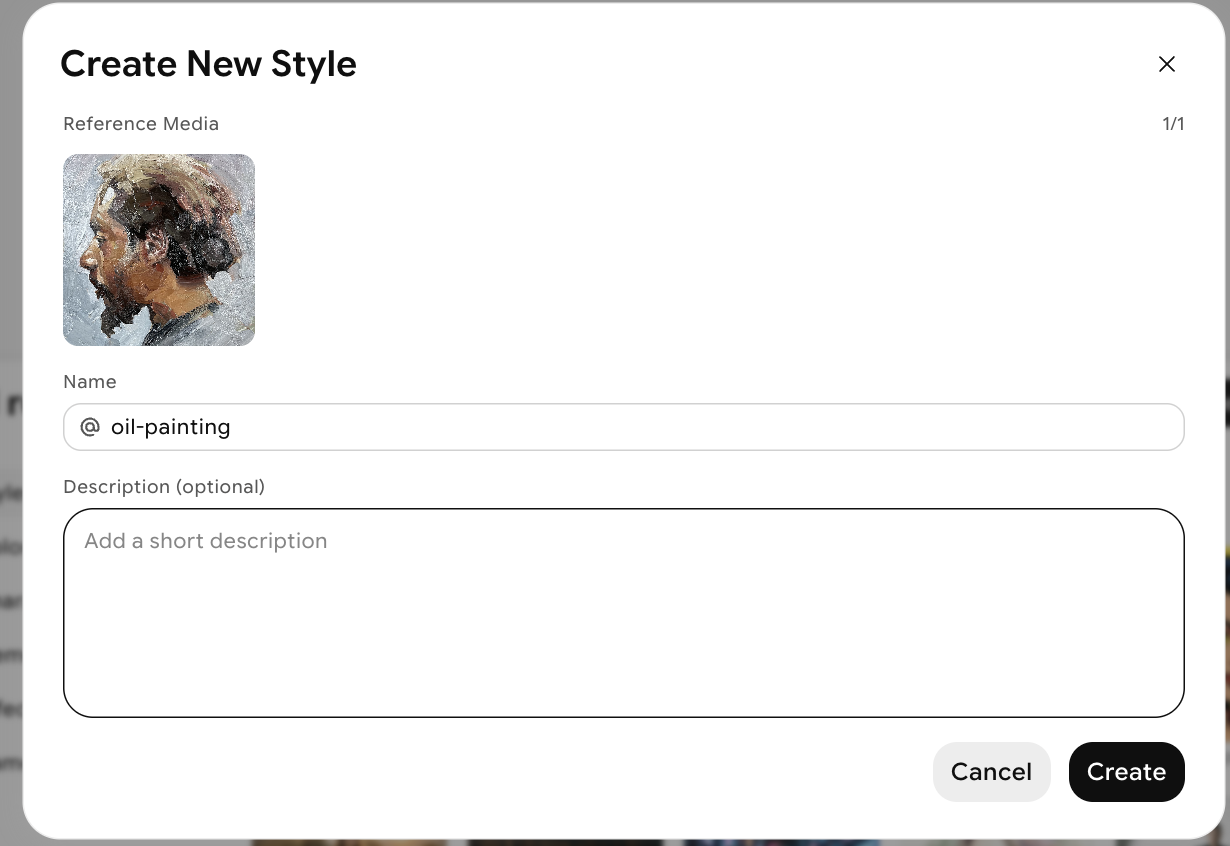 Once you're satisfied with your image, name, and optional description, click **Create**. Your style will be saved to the **My Styles** tab inside the Add References modal.
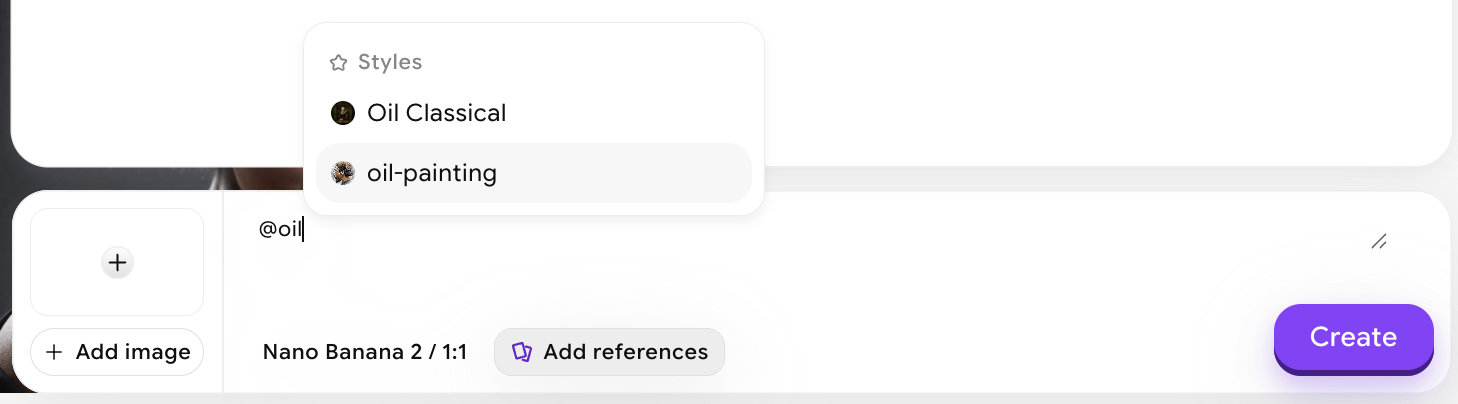
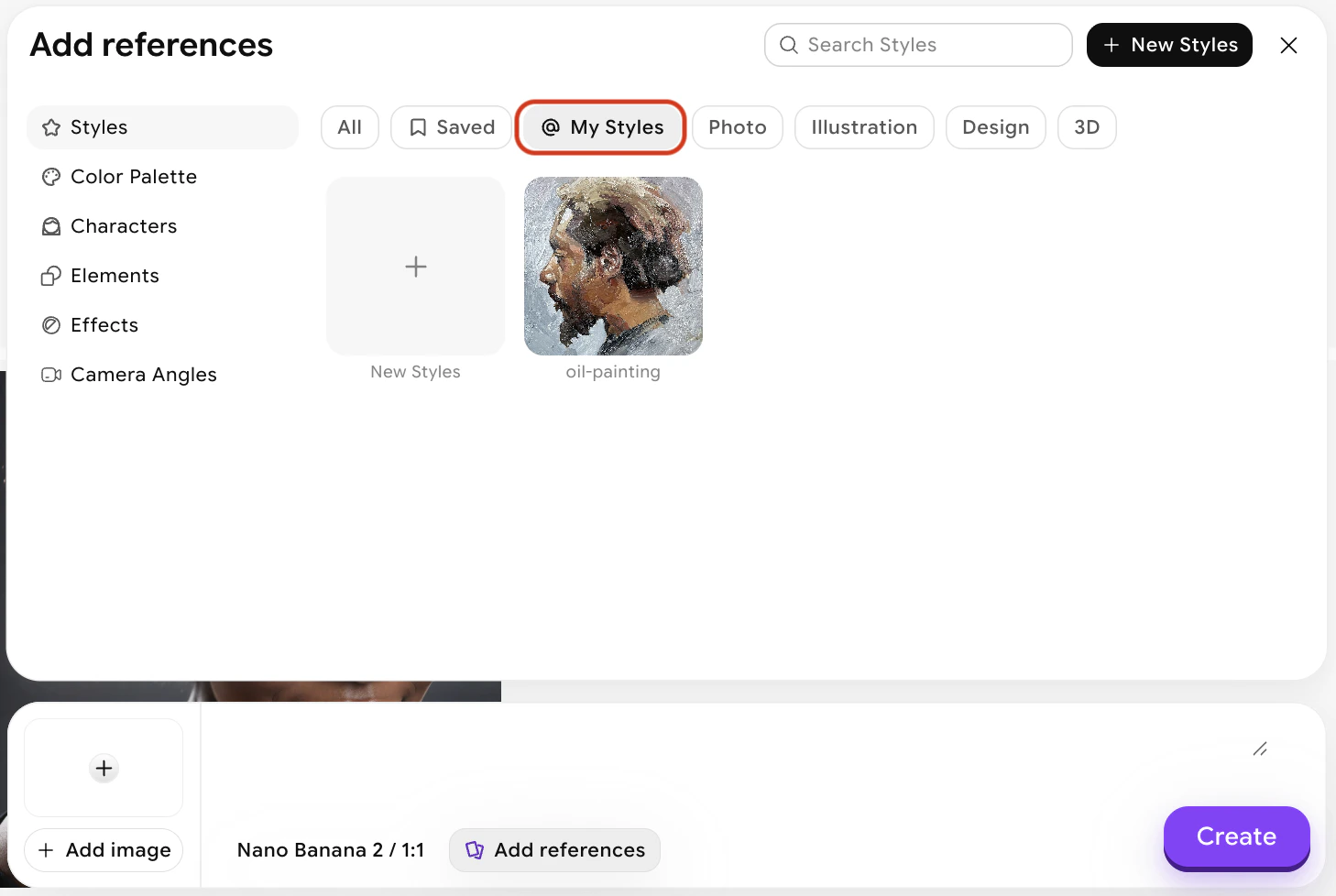 You can apply a style by clicking on it in the panel, or by referencing it in your prompt using the @ symbol.
 #### **Why Use Style?**
* **Unshakeable Aesthetic Consistency:** Stop guessing and start creating. Style ensures that the lighting, mood, and visual DNA remain identical across every image you generate. This is the ultimate tool for storyboarding, brand identity, and cohesive concept design.
* **Total Creative Command:** Take the driver’s seat. Instead of hoping the AI understands your description of a "mood," you provide the blueprint. This gives you pixel-perfect control over the final artistic direction, ensuring every output aligns with your exact vision.
* **Rapid Style Replication:** Found a look you love? Don’t let it go. Once you’ve captured a specific aesthetic with a reference image, you can instantly deploy it across multiple projects. Save hours of prompting time while maintaining professional-grade visual coherence.
#### **Why Use Style?**
* **Unshakeable Aesthetic Consistency:** Stop guessing and start creating. Style ensures that the lighting, mood, and visual DNA remain identical across every image you generate. This is the ultimate tool for storyboarding, brand identity, and cohesive concept design.
* **Total Creative Command:** Take the driver’s seat. Instead of hoping the AI understands your description of a "mood," you provide the blueprint. This gives you pixel-perfect control over the final artistic direction, ensuring every output aligns with your exact vision.
* **Rapid Style Replication:** Found a look you love? Don’t let it go. Once you’ve captured a specific aesthetic with a reference image, you can instantly deploy it across multiple projects. Save hours of prompting time while maintaining professional-grade visual coherence.