

Cancelling on the web
1
Sign in to your account
Go to imagine.art and log in with your credentials.-3.avif?fit=max&auto=format&n=G1YuoRh-0vn2i0bY&q=85&s=96b3132d283056a9bff8df50d9a93a69)
2
Open Settings
Click your profile picture in the top-right corner and click on the settings icon from the dropdown menu.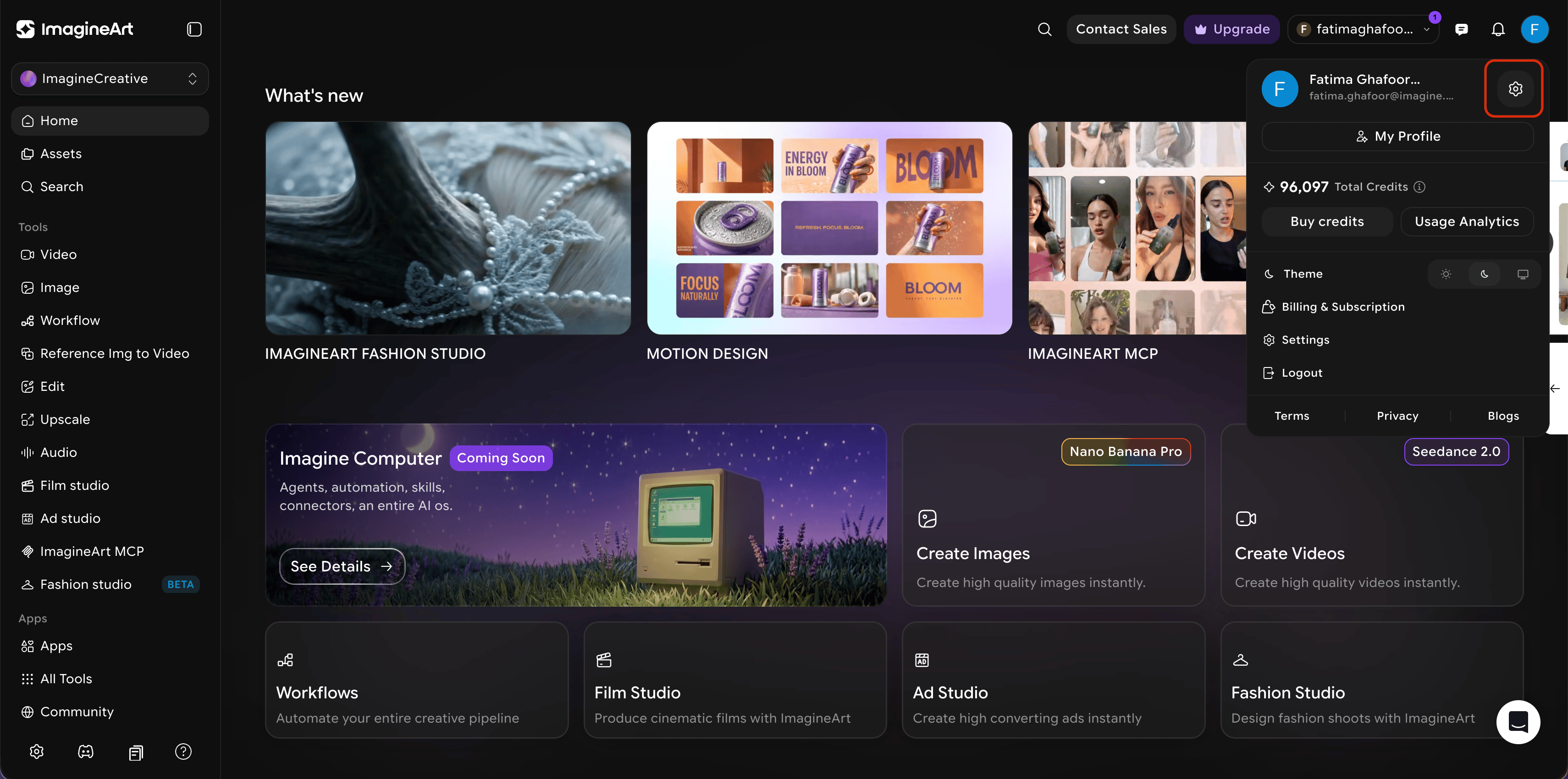
3
Manage Plan and Billing
Locate and select the **Plan and Billing **tab.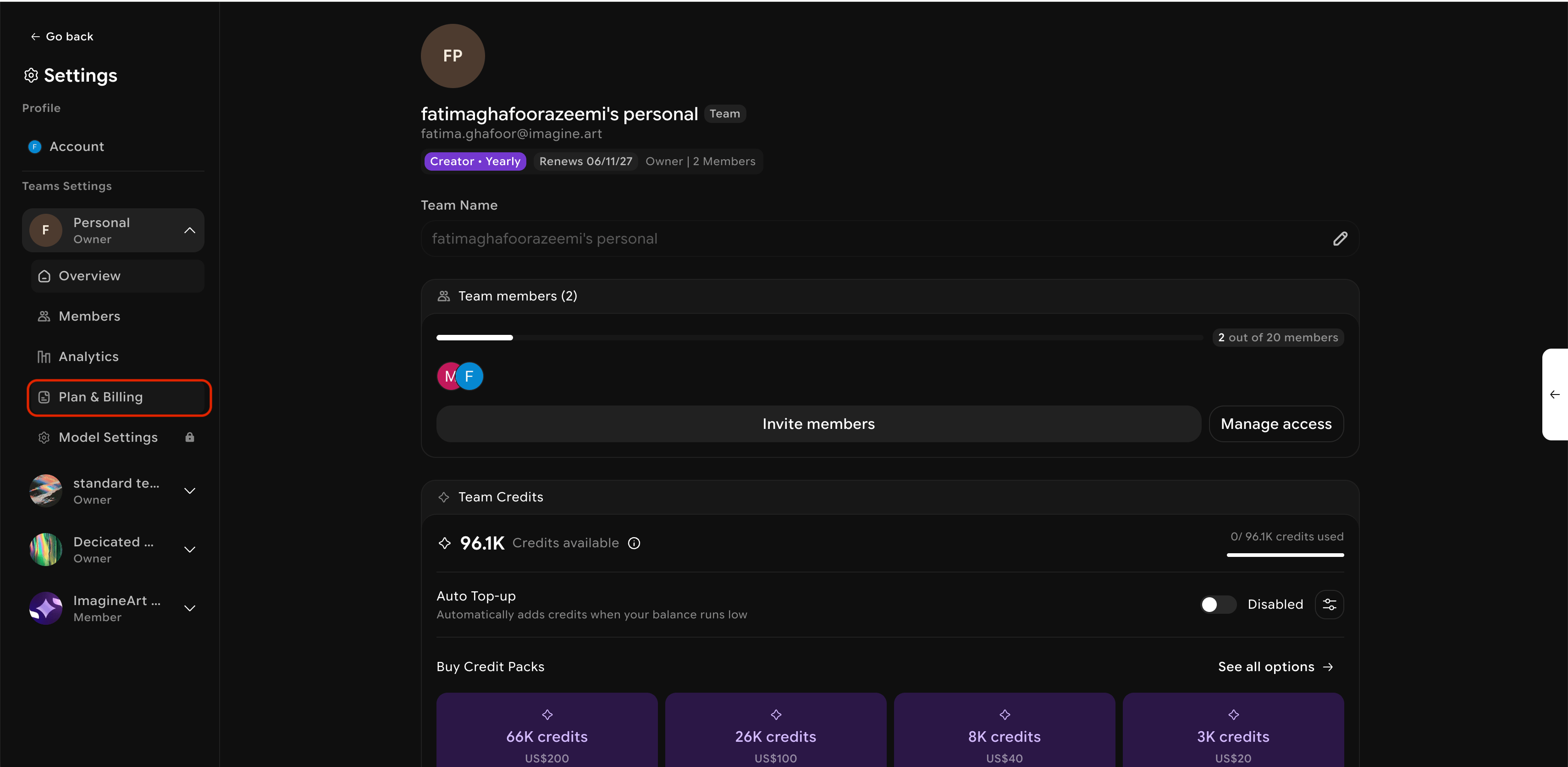
4
Locate and click on "Danger Zone"
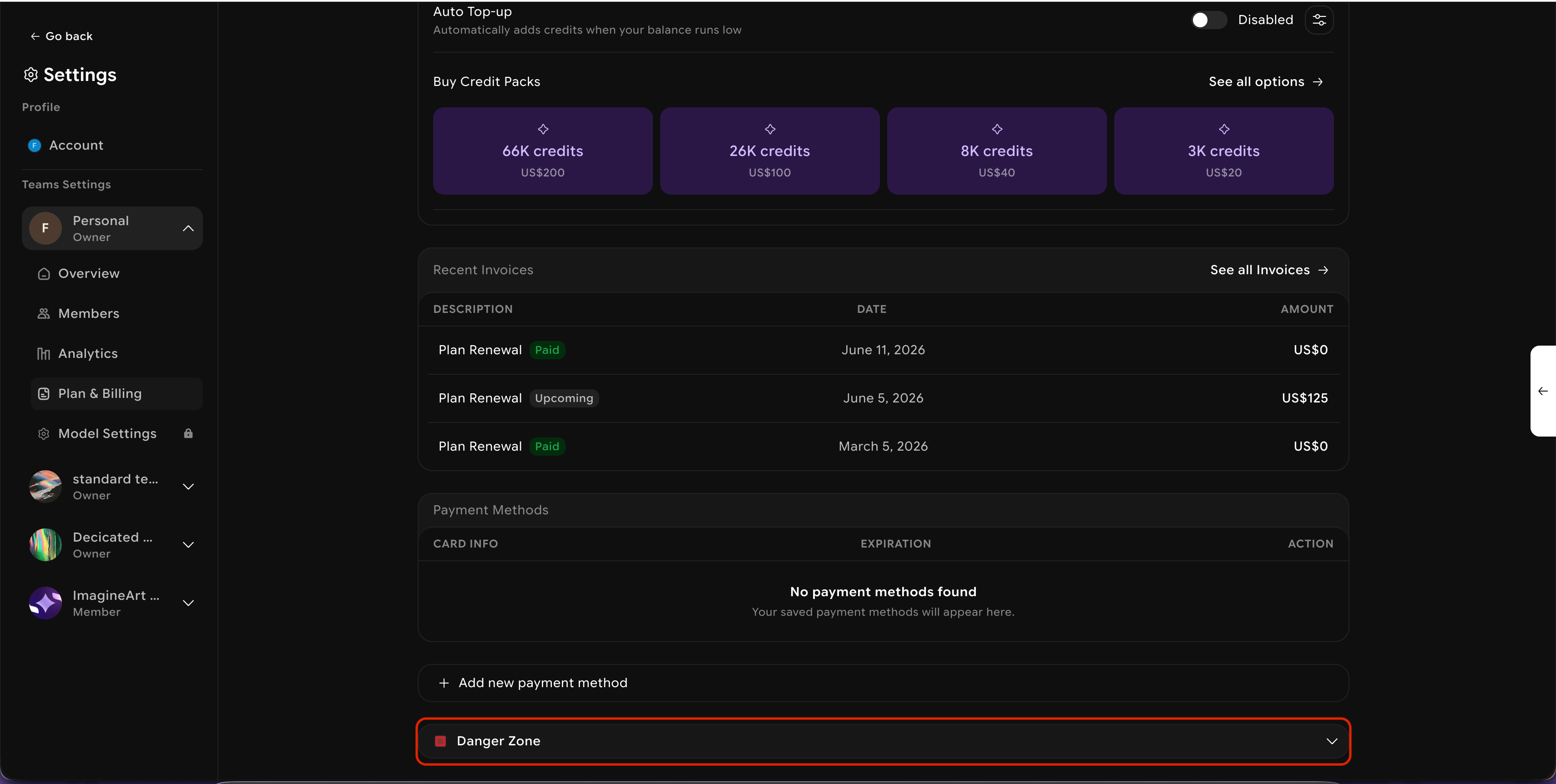
5
Cancel and Confirm
Follow each step carefully until you see a confirmation that your cancellation has been processed.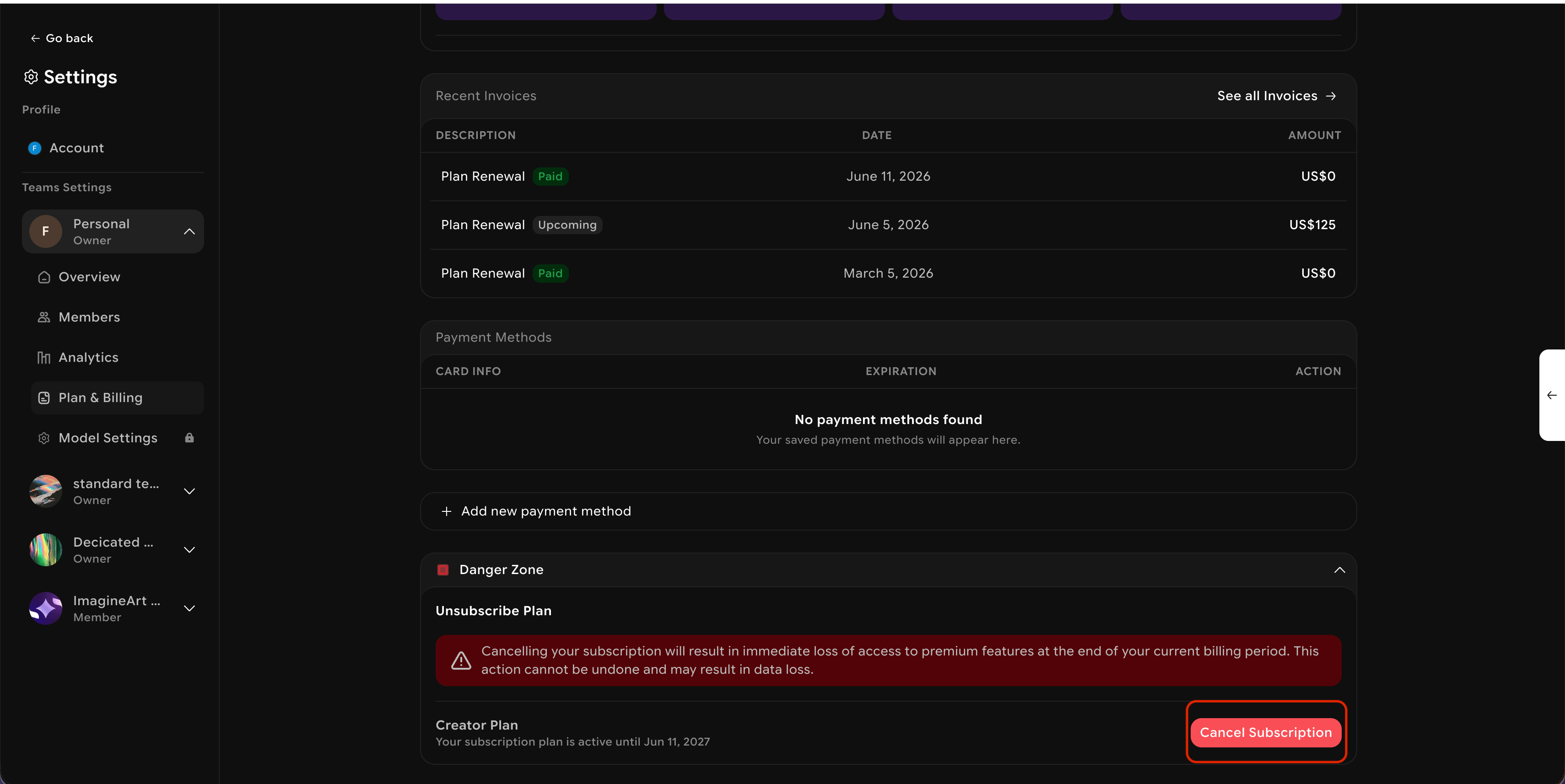
Mobile and web subscriptions
Mobile and web subscriptions are linked. Cancelling on either platform automatically updates the other. To sync your accounts, sign in at imagine.art using the same email address associated with your Google Play Store or Apple App Store account.If you subscribed through the iOS App Store or Google Play and are having trouble cancelling, contact the ImagineArt support team for assistance.
What happens after cancellation
- Access to your subscription features continues through the end of your current billing period.
- No additional charges occur unless you choose to resubscribe.
- You can restart your subscription at any time from your account dashboard.