Upgrade your subscription
1
Open Billing and Subscription
From your profile, locate and open the Billing and Subscription tab.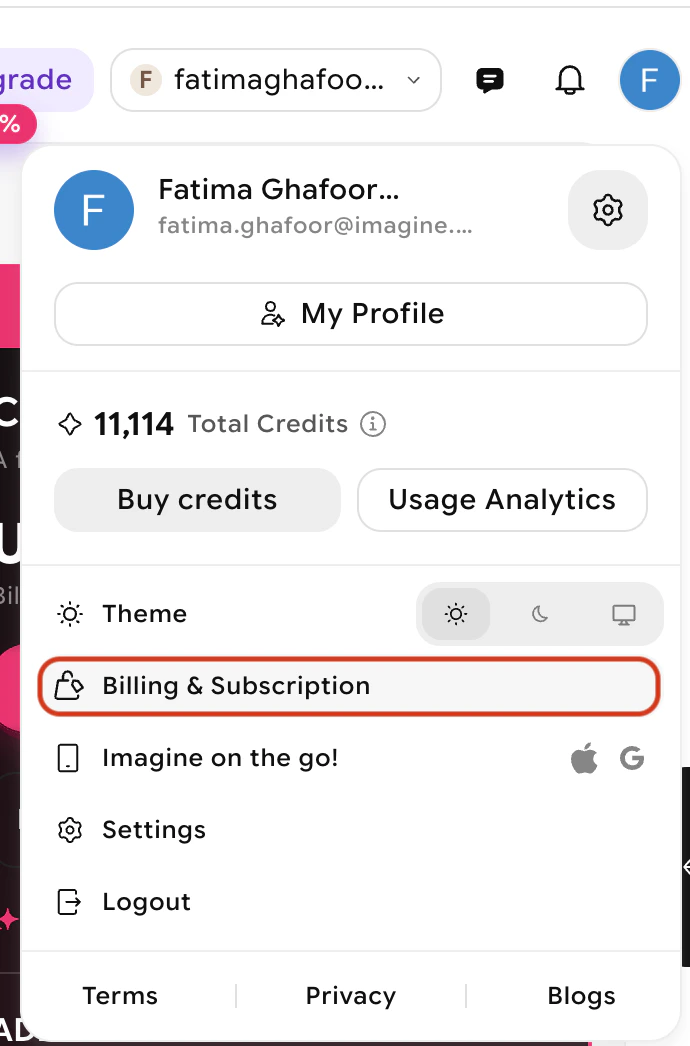
2
Click Upgrade
Click the Upgrade button on the card of the plan you want to upgrade to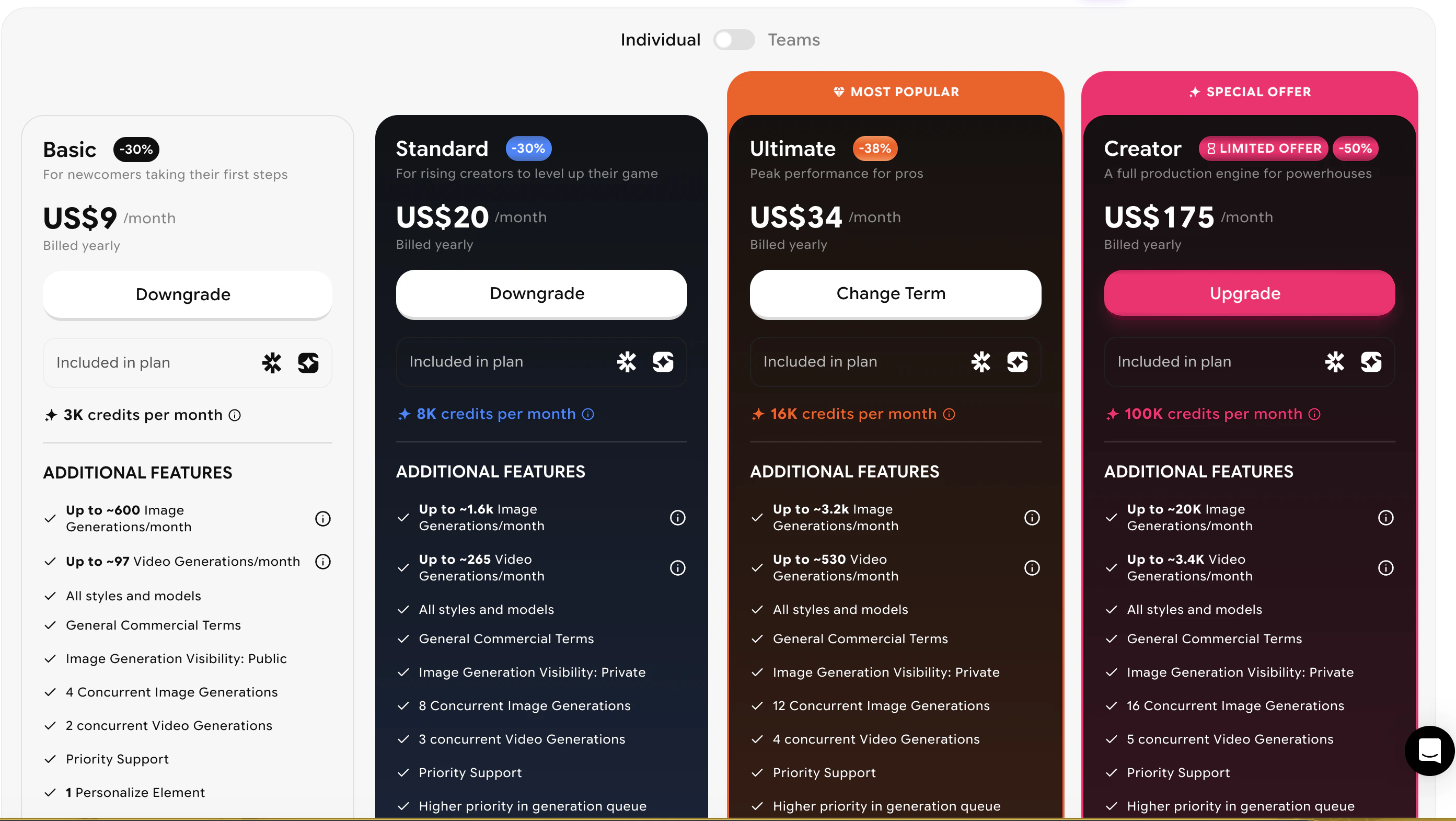
3
Choose your activation timing
Select when you want the upgrade to take effect: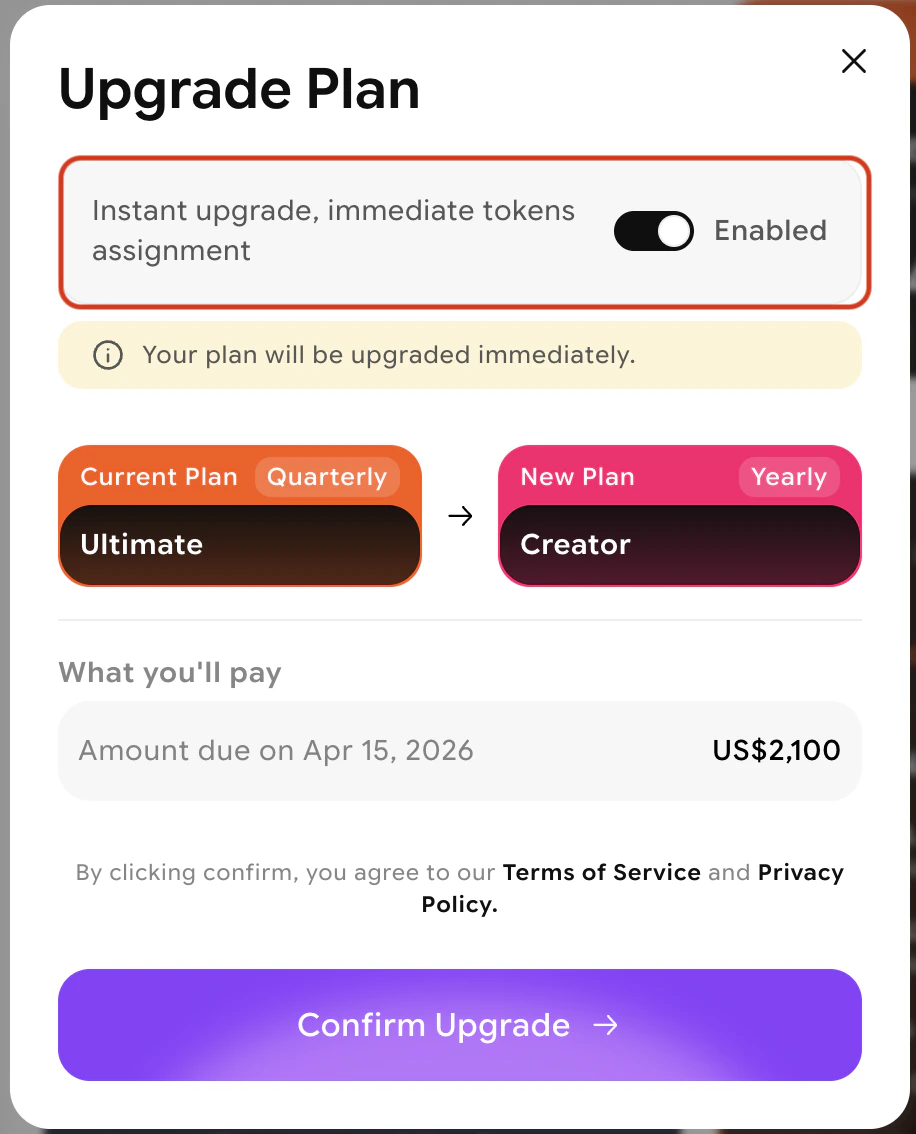
- Immediate activation — The new plan starts right away. A new billing cycle begins immediately with credits allocated to the new plan.
- End-of-period activation — The upgrade takes effect when your current billing cycle ends. You won’t be charged until the new cycle starts.
4
Review and confirm
Review the plan summary and any adjusted charges, then confirm your selection.
If you select end-of-period activation, cancellation options will be unavailable until after the new billing cycle begins.
Downgrade your subscription
1
Open Manage Subscription
From your profile, open the Billing and Subscription tab.
2
Select your new plan
Review the available plans and select the one that meets your needs.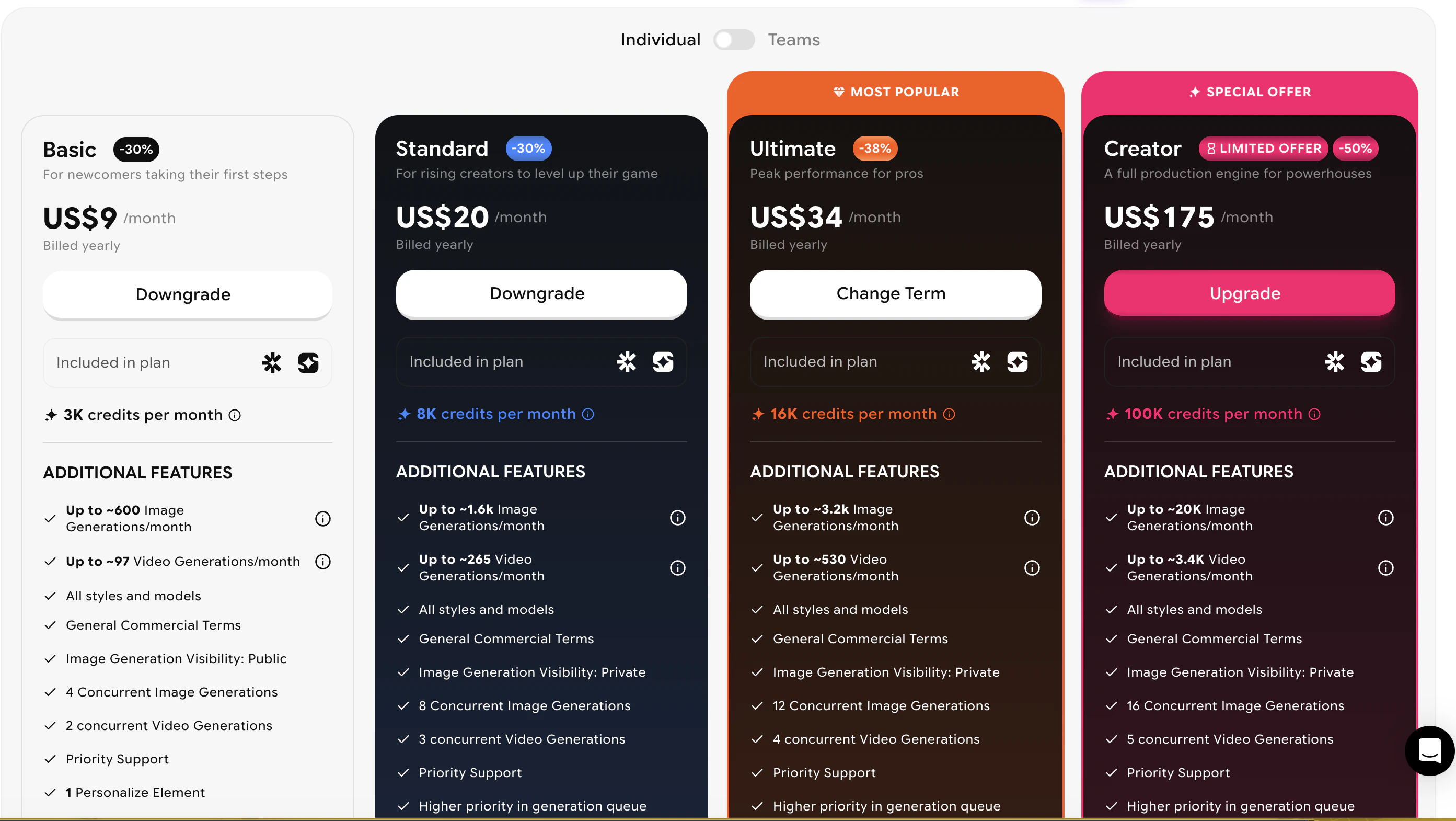
3
Confirm
Click Downgrade and confirm your selection. Your current plan will remain active until the end of your current subscription cycle. Upon the next renewal you will only be charged for the downgraded plan.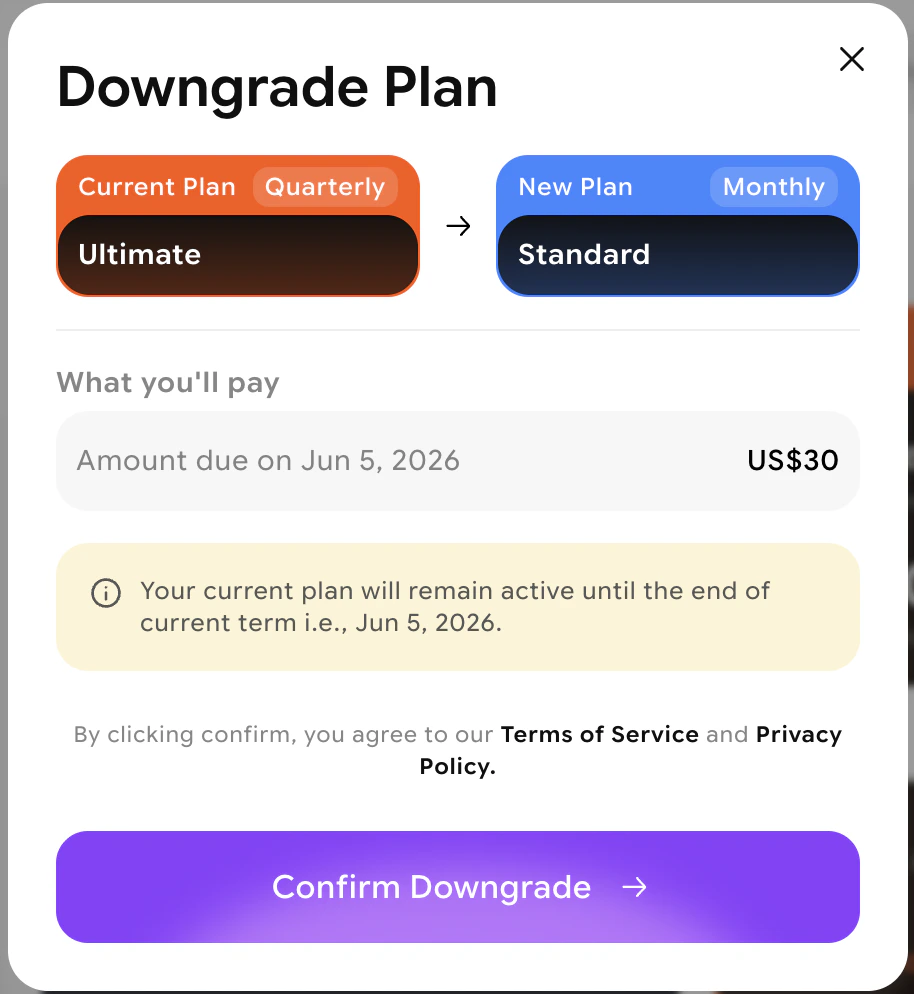
Downgrades take effect only after your current billing period ends. For an immediate downgrade, contact support@imagine.art.
Cancel a scheduled plan change
If you’ve scheduled an end-of-period change and want to cancel it before it takes effect:1
Go to Billing and Subscription
Open the Billing and Subscription tab from your dashboard.
2
Open Plan and Billing
Navigate to the **Billing and payment **section.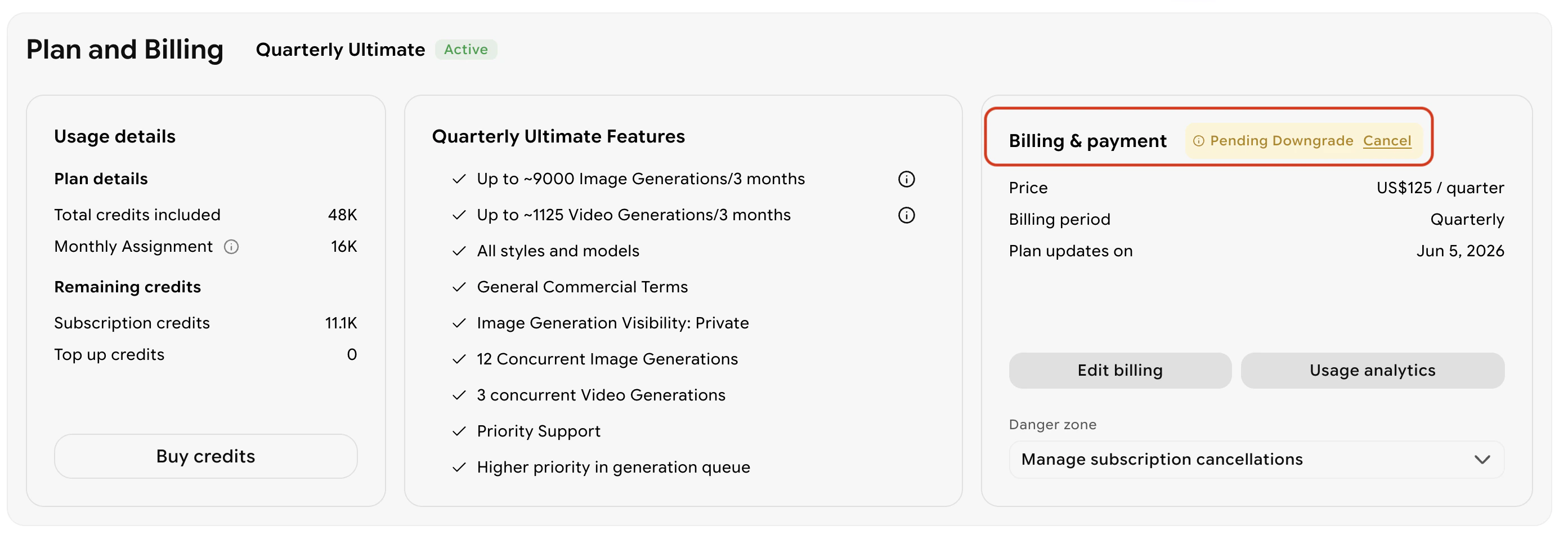
3
Cancel the scheduled change
Click the Cancel option to remove the scheduled change. Your current plan will continue as-is.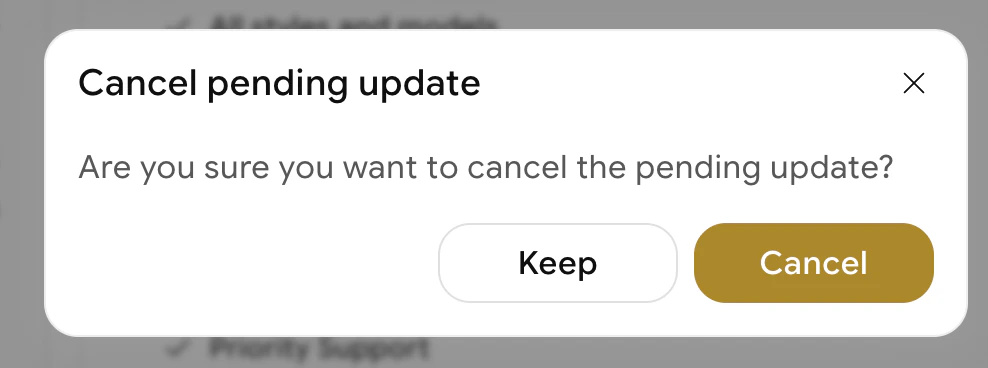
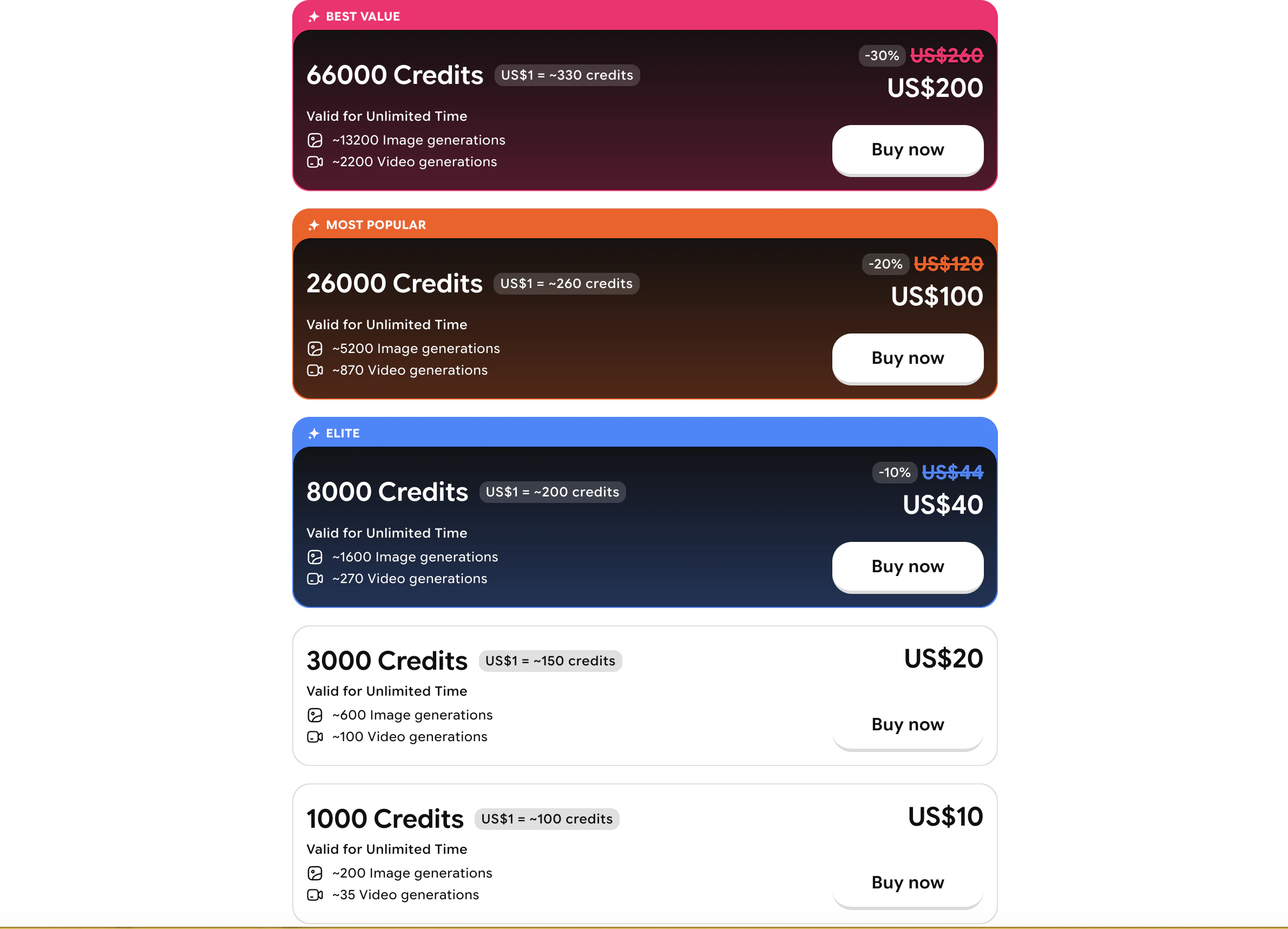
Purchase credit top-ups
If you need more credits without changing your plan, you can buy a one-time credit bundle:- Click your profile picture in the top-right corner.

- Select Buy credits.
- Choose a bundle and confirm your purchase.