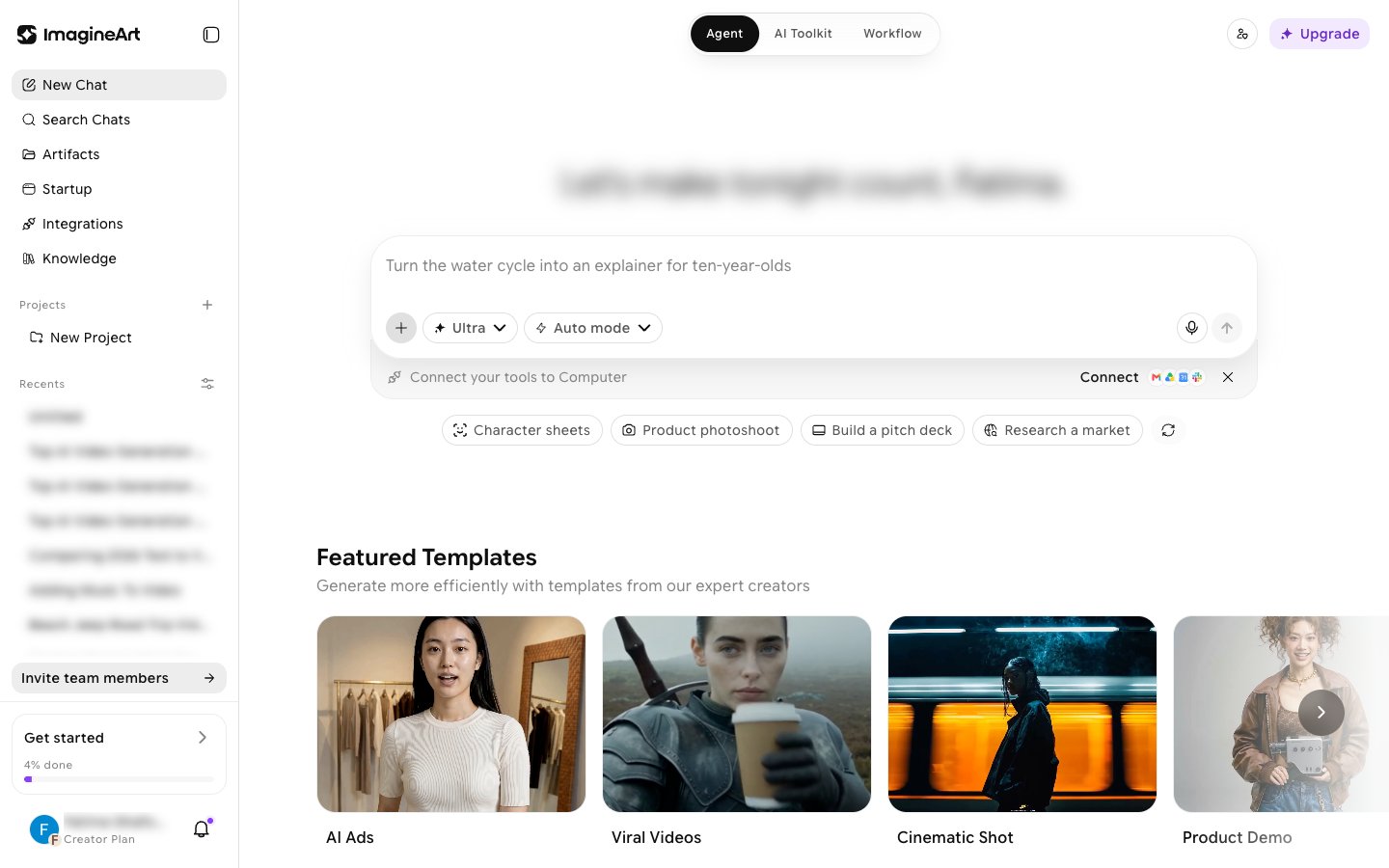
Imagine Computer is ImagineArt’s agentic AI product (internally called OmniAgent). Instead of a single prompt-in, result-out generation, you give it a goal — research something, write a document, work across your connected apps — and it plans the steps, runs them, and hands you back a real result.
Imagine Computer chat home showing the sidebar, prompt bar with model tier and run-mode controls, and mode pills

What you can do with it

  • Run agent tasks — describe a goal, review or edit the plan, and let it research, browse, and write for you.
  • Connect your tools — link real accounts (Slack, Notion, Gmail, GitHub, and 30 more) so the agent can act on your actual data.
  • Customize — give it your own files to reference, let it remember facts across chats, and build a custom personality.
  • Schedule recurring work — set a task to run on a repeating schedule instead of triggering it by hand every time.

Entry point

Open imagine.art/computer — it redirects to the main chat view. Imagine Computer is reachable from a featured card on the ImagineArt homepage rather than the primary left-nav tool list.
Sites is separately gated. The Sites mode pill and sidebar item point to “Imagine Build,” a website/app builder that’s currently Early Access · Invite Only — a disabled “Start Creating” button and an “Apply for access” link are as far as this account (or any non-invited account) can go. Everything else described in this section is fully available.
Imagine Computer is genuinely autonomous, and that comes with a real, observed failure mode: a task can report “Done” while the actual written content is missing or incomplete (see Running a task). Always check the actual output before trusting a “completed” status.