

1
Review the plan
After you describe what you want (e.g. in Deep Research mode), the agent proposes a numbered plan — its research angles, an analysis step, and a final write-up step — with an ETA.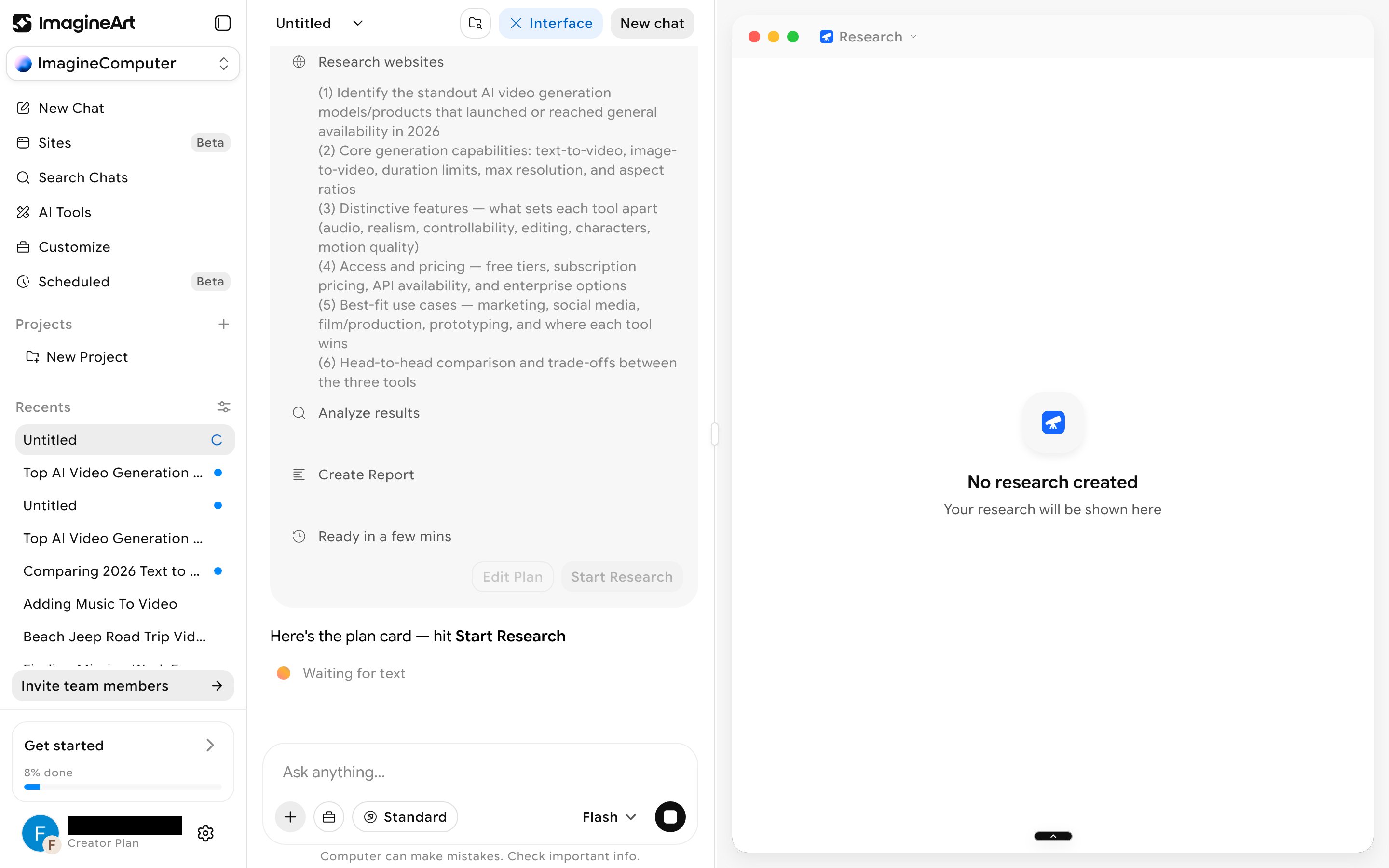
2
Start it and watch it work
Click Start Research. The view splits into two panes: your chat collapses to a short “Working…” status on the left, while the right-hand canvas streams a timestamped log — search angles, result counts, which sources it’s reading, and interim takeaways.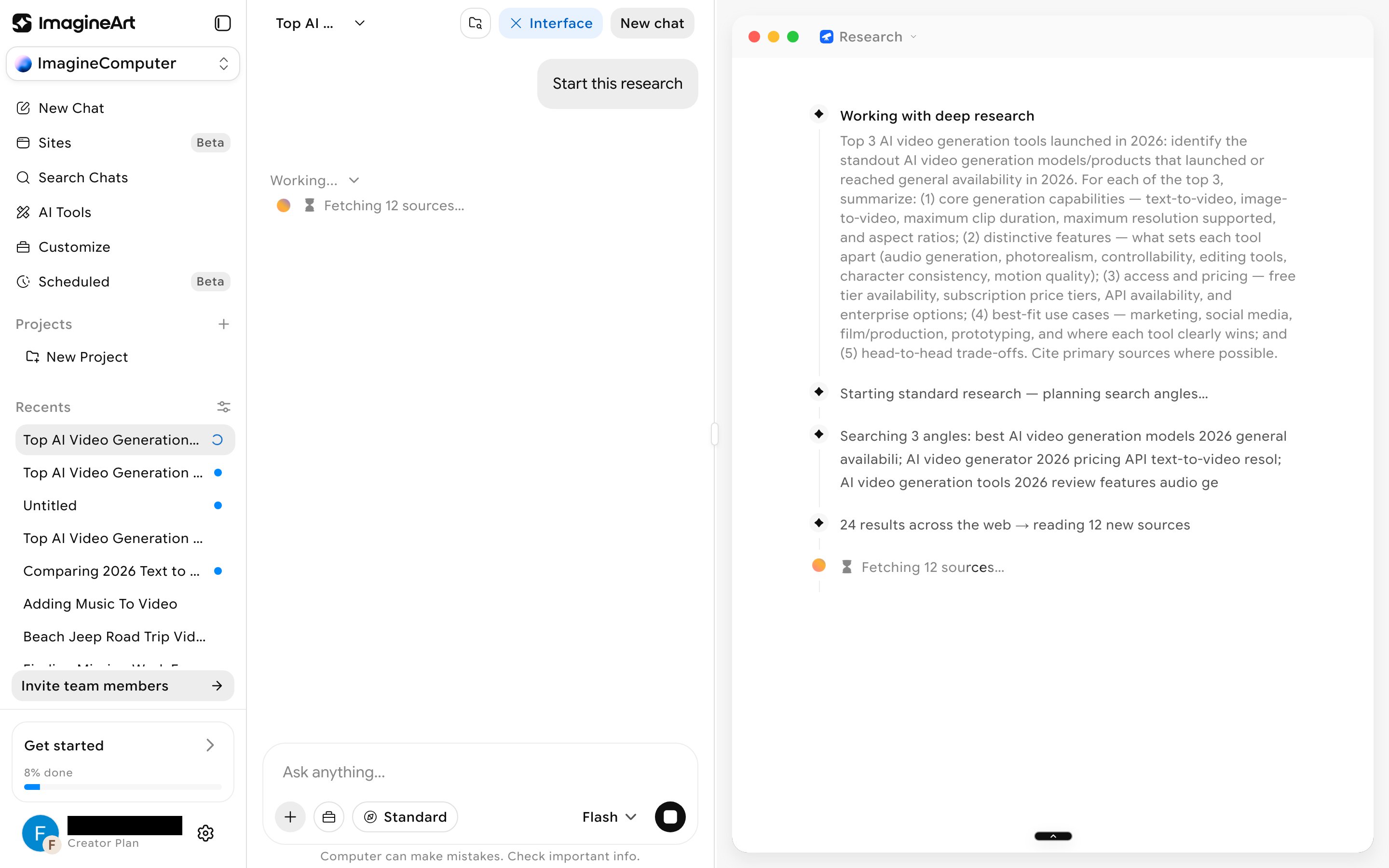
3
Get the finished document
Once research wraps up, the right pane switches into a Google-Docs-style editor titled after your topic, with Contents, Download, and Share controls and a live word count. It’s a fully editable rich-text document, not a read-only report — you can keep working in it directly.
Review the result
Before you share or rely on a finished task, open the document and check that the full write-up is there — not just the sources list. The ETA on the plan is an estimate; longer research runs can take more time to finish.Run modes
There’s no separate run-mode pill on the chat prompt bar anymore. Two controls shape how a chat task runs:- Model tier: the dropdown next to + in the prompt box (Flash, Pro, or Ultra). See Model tier.
- Run mode: the dropdown on the right of the prompt box. Auto mode (the default) automates decisions and shows you only the final result. Ask mode has you review each step before proceeding. See Ask mode and Auto mode.
Startup modes
Startup, the website builder, has its own prompt bar with two different controls.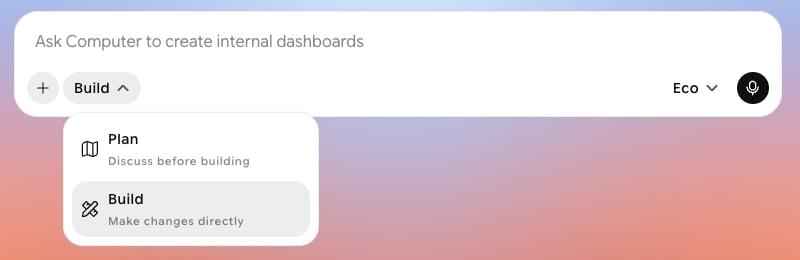
- Plan: discuss before building.
- Build: make changes directly.
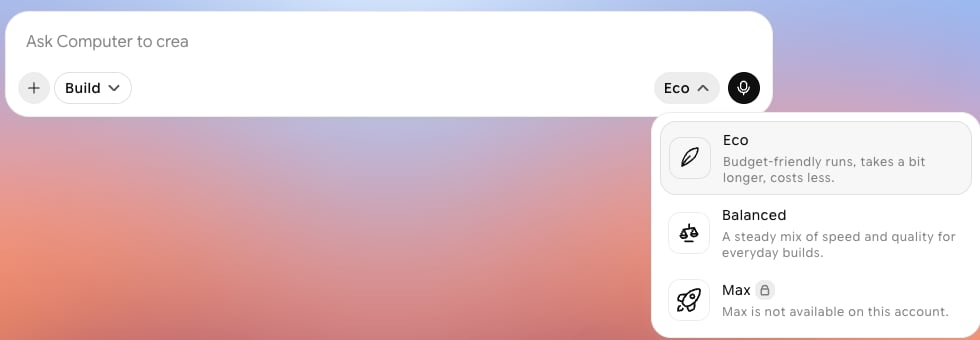
- Eco: budget-friendly runs that take a bit longer and cost less.
- Balanced: a steady mix of speed and quality for everyday builds.
- Max: not available on every account. On accounts without it, it shows a lock and “Max is not available on this account.”