

What gets deleted
Personal account deletion
Personal account deletion
Deleting your personal account removes:
- Personal account details
- Generated images
- Collections
- All other data linked to your user account
Team workspace deletion
Team workspace deletion
Deleting a team workspace removes:
- Team information
- Shared assets and directories
- Workspace access for all members
- All references tied to that workspace
Delete your personal account
1
Open account settings
Click your profile picture in the top-right corner and navigate to account settings.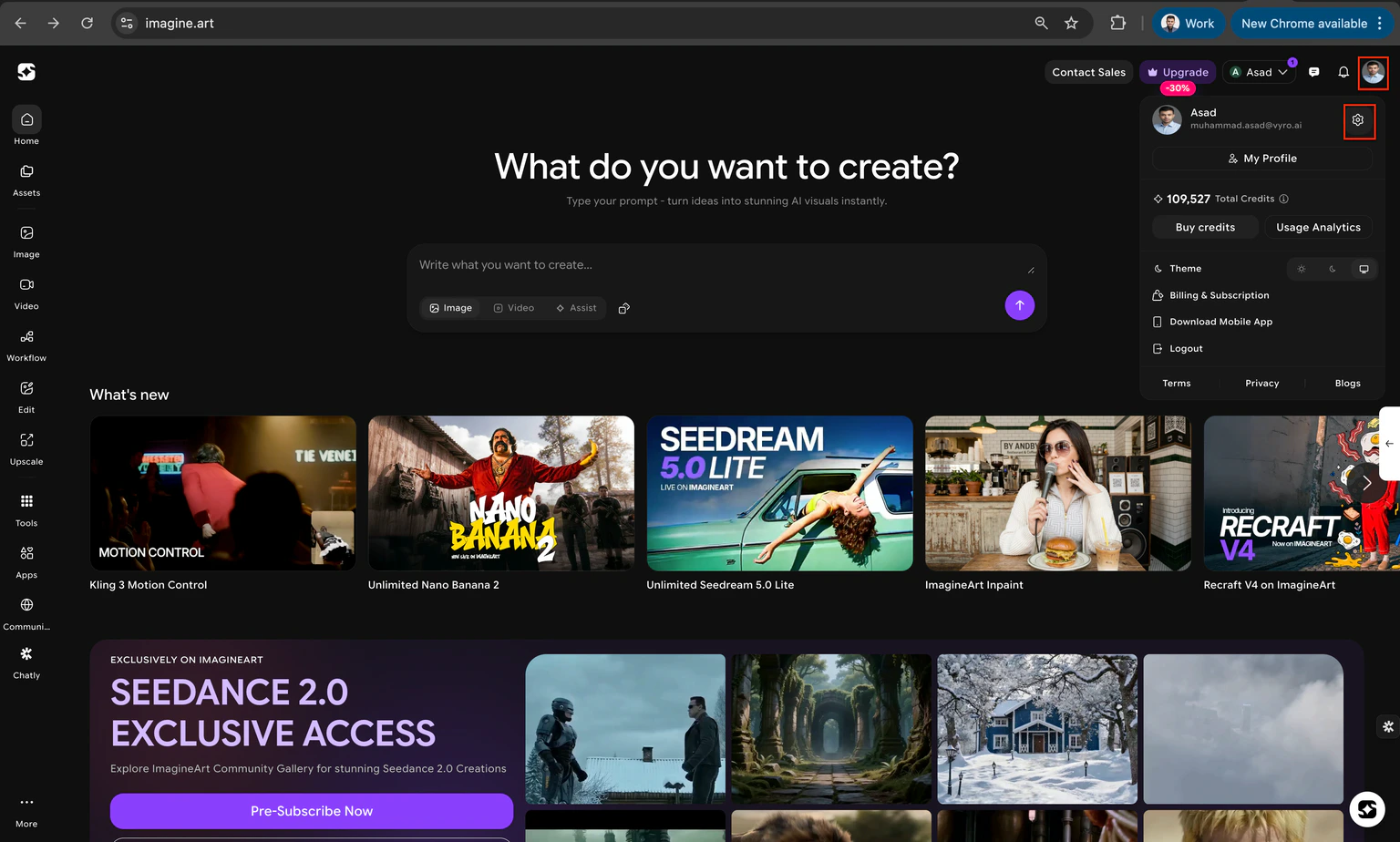
2
Select the Account section
From the sidebar, select the Account section.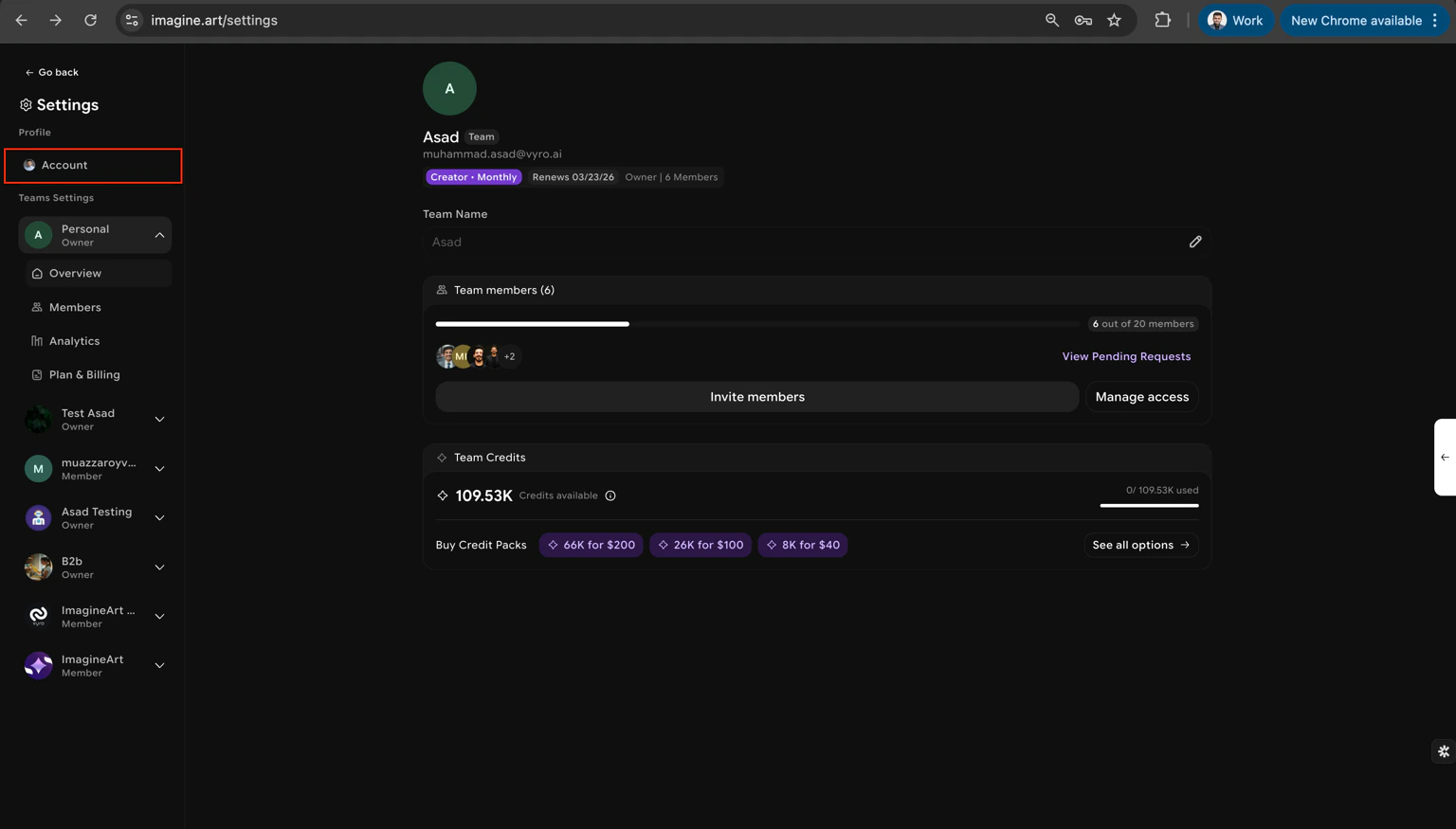
3
Expand the Danger Zone
Scroll down and expand the Danger Zone section.
4
Click Delete Account
Click Delete Account and confirm via the popup that appears.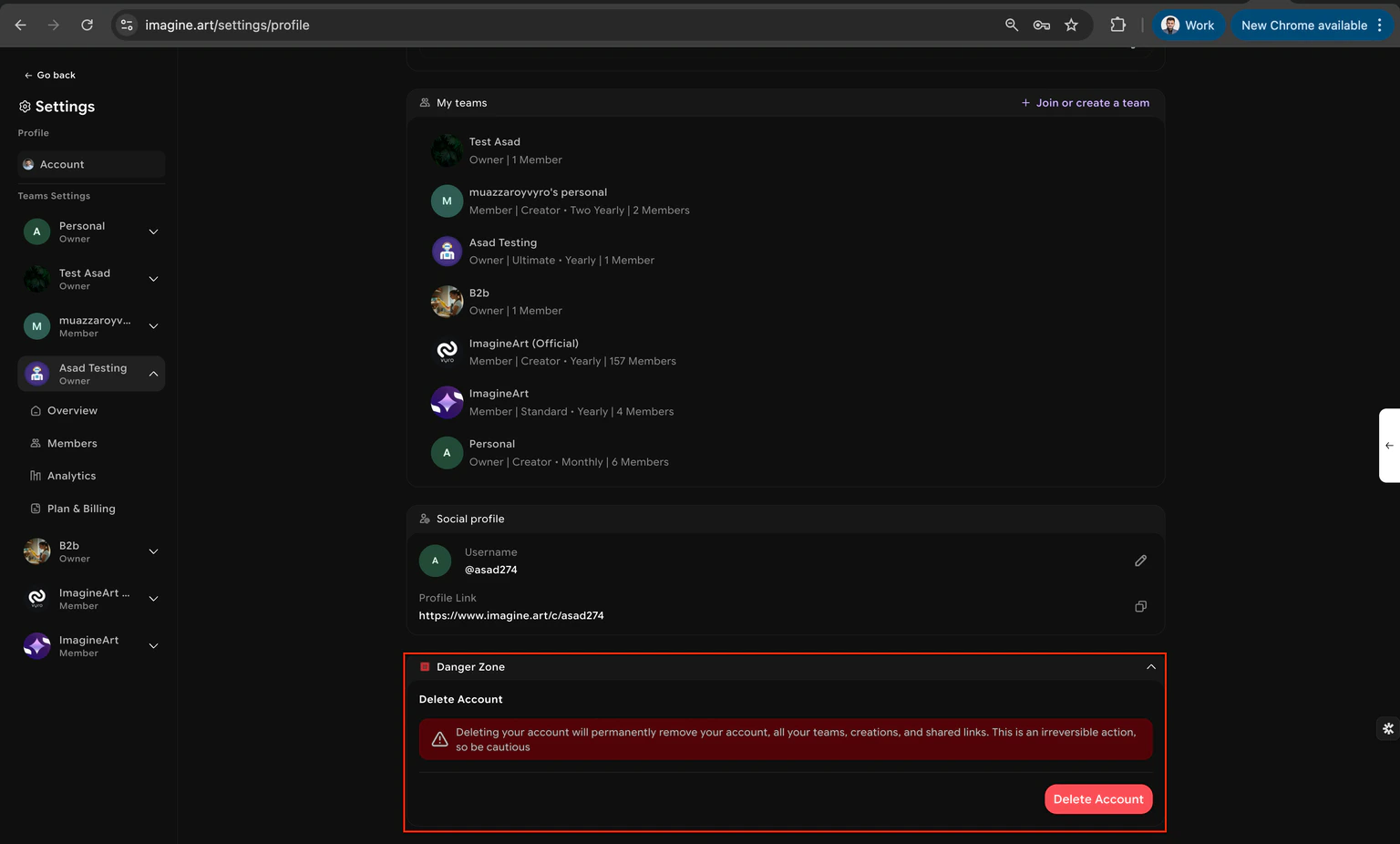
5
Approve deletion
Approve the deletion. This activates the 7-day cooling-off period. If you do not reverse the request within 7 days, your account is permanently deleted.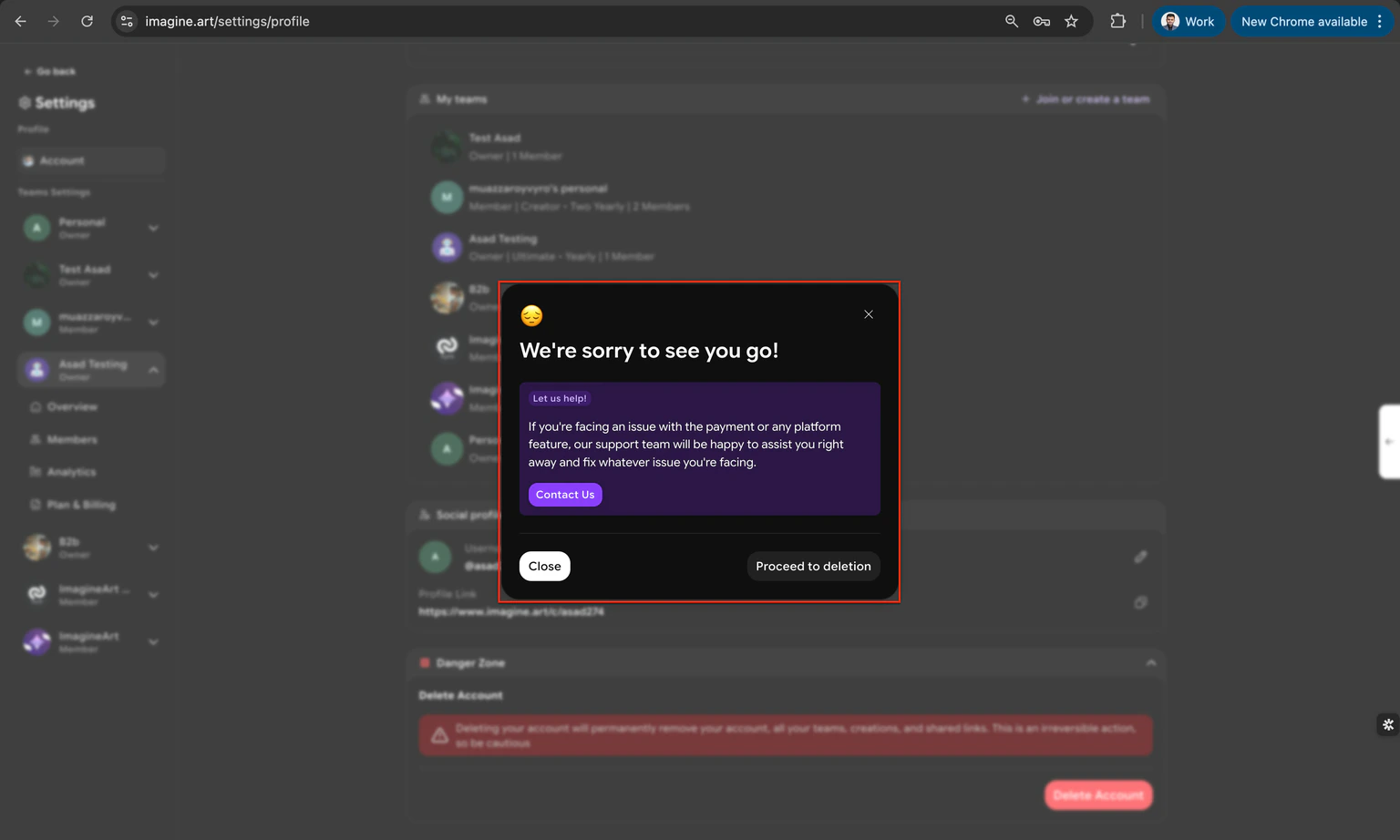
Delete a team workspace
1
Open the team menu selector
Click the team selector at the top of your dashboard.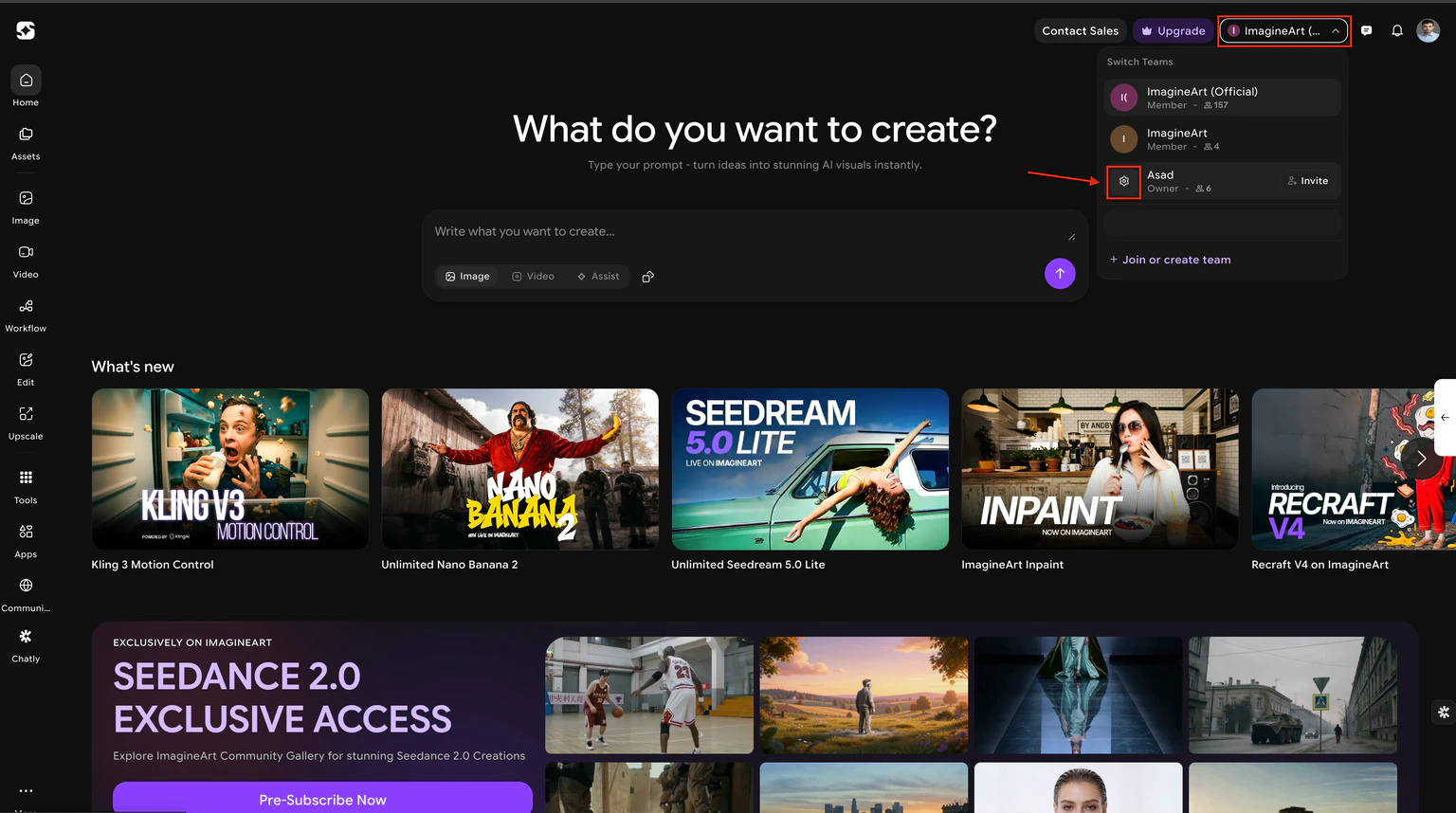
2
Choose the team to manage
Select the specific team you want to delete.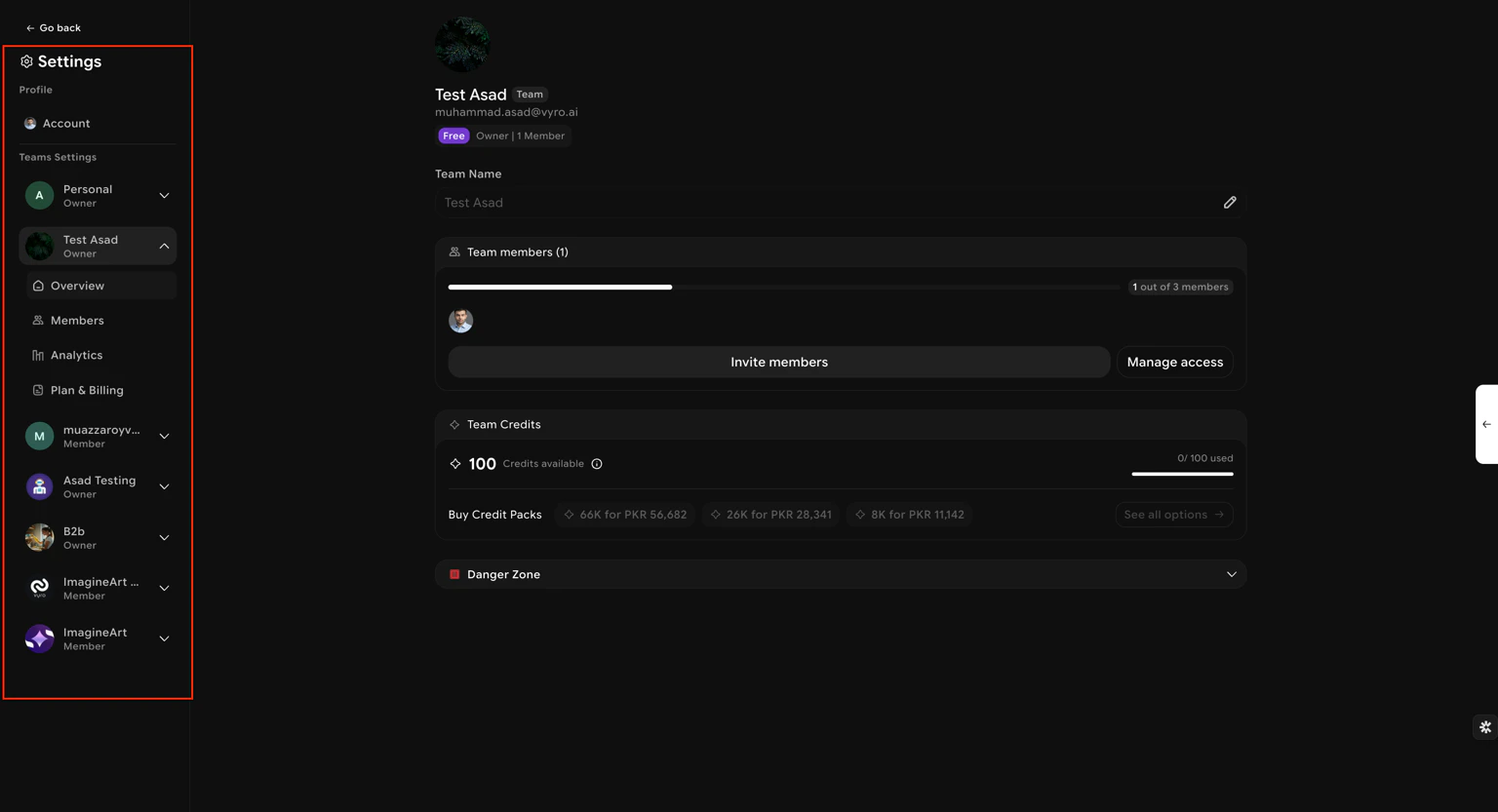
3
Navigate to Team Overview
Go to the Team Overview section in settings.
4
Expand the Danger Zone
Scroll down and expand the Danger Zone section.
5
Click Delete Team
Click the Delete Team button.
6
Choose deletion or ownership transfer
Select either permanent deletion or transfer ownership to another member.
7
Confirm
Confirm your selection. If transferring ownership, approve the transfer to complete the process.