

What Camera Angles does
When you choose a reference angle from our presets, ImagineArt reads the spatial perspective encoded in it — the camera height, angle relative to the subject, distance, and compositional framing. It then uses that perspective as a constraint on how your generated scene is composed, so the output mirrors the shot angle of your reference while depicting the subject and setting from your prompt. This is particularly useful for maintaining shot consistency across a sequence — for example, holding a fixed eye-level perspective across a storyboard panel, or replicating the dramatic low angle of a specific photograph across multiple character renders.How to use Camera Angles
1
Open Add References
In the image generation panel, click Add References to open the references modal.
2
Select Camera Angles
Choose the Camera Angles tab from the six available reference types.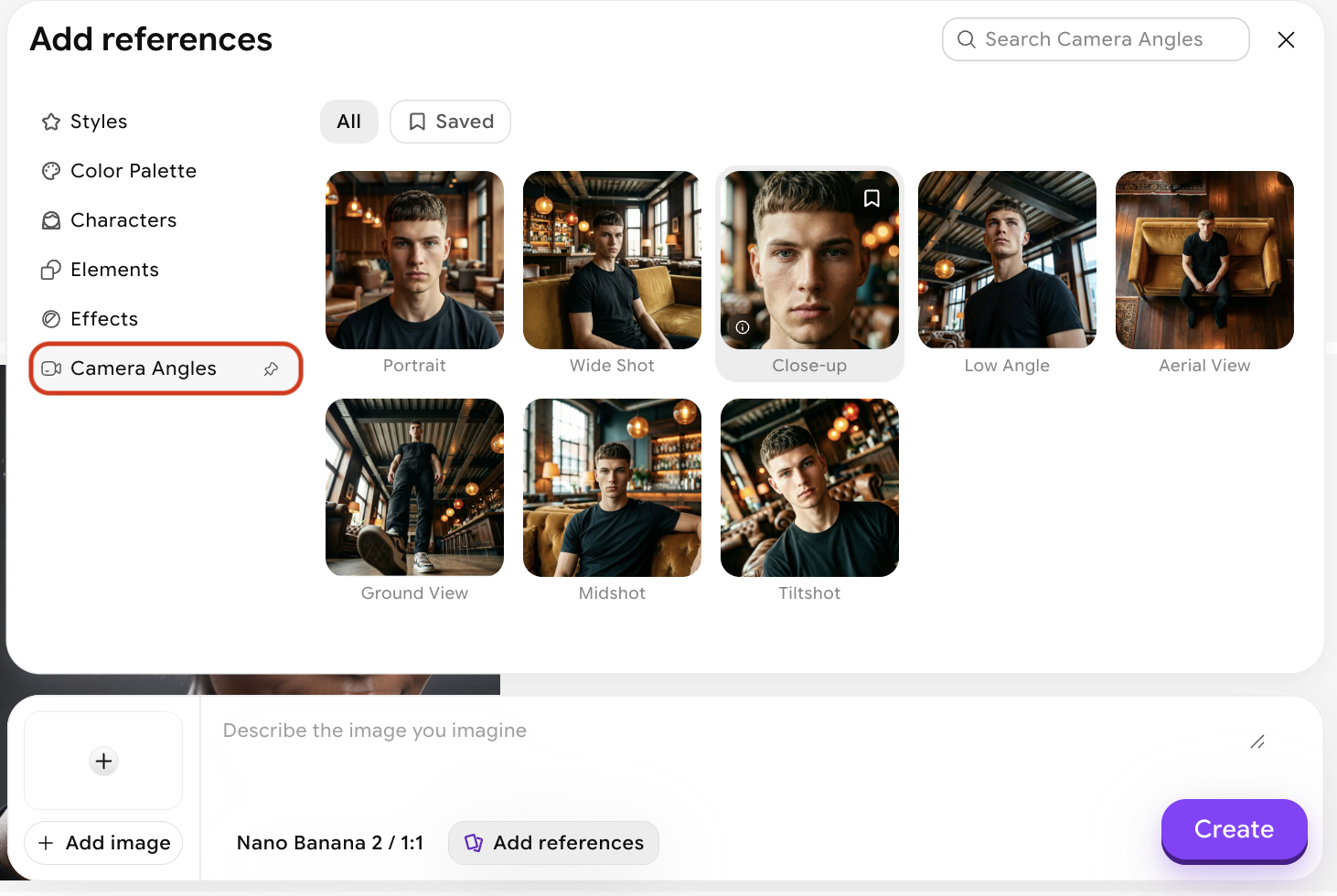
3
Write your prompt
Describe the scene and subject you want to generate. You can also reference the selected camera angle directly in your prompt using @midshot.
4
Generate
Click Create. Your generated image will frame your described subject from the same vantage point as your reference.
Tips for better results
- Match the reference angle to your subject — a dramatic low-angle shot of a building will transfer differently to a portrait than to an architectural render. Consider what your subject is and pick a reference angle that makes spatial sense for it.
- Useful for storyboarding — locking in a specific shot angle across multiple generations keeps your visual continuity consistent without needing to re-describe camera position in every prompt.
- Combine with Style or Effects — Camera Angles handles perspective; the other reference types handle look and treatment. Using them together gives you full compositional and aesthetic control.