

.avif?fit=max&auto=format&n=dSSXEmt0kV3UdAJL&q=85&s=ada8b69b75c2858b97abff135cd484ad)
What is Text to Image?
ImagineArt’s Text-to-Image is the bridge between your vocabulary and a visual masterpiece. By translating natural language into high-fidelity pixels, this feature allows you to bypass complex software and manual rendering. With ImagineArt’s advanced style controls, you can fine-tune the “soul” of your image; perfect for high-impact social media assets, professional marketing campaigns, or personal passion projects. If you can describe it, ImagineArt can build it.ImagineArt features the latest AI models alongside our proprietary options. See the model comparison at the end of this page for more details.
Generating your first image
1
Open Image mode
Go to imagine.art/image. This opens the Image Studio, where all generation controls are available in the left-hand settings panel.
2
Select a model
Choose the AI model you want to generate with. Each model has different strengths. See the model comparison below. .avif?fit=max&auto=format&n=dSSXEmt0kV3UdAJL&q=85&s=ca0df040bee5be56013b1c034ea895ed)
3
Write your prompt
Type your description in the prompt box. The more specific and detailed your prompt, the more accurately the AI will match your intent.
A cinematic portrait of a woman in a neon-lit Tokyo alley, rain-soaked streets, shallow depth of field, 35mm filmArchitectural visualization of a minimalist beach house at golden hour, aerial view, photorealisticA whimsical children's book illustration of a fox wearing a red scarf, soft watercolor styleProduct shot of a matte black coffee mug on a marble surface, studio lighting, commercial photography
4
Adjust settings
Configure your generation settings in the panel: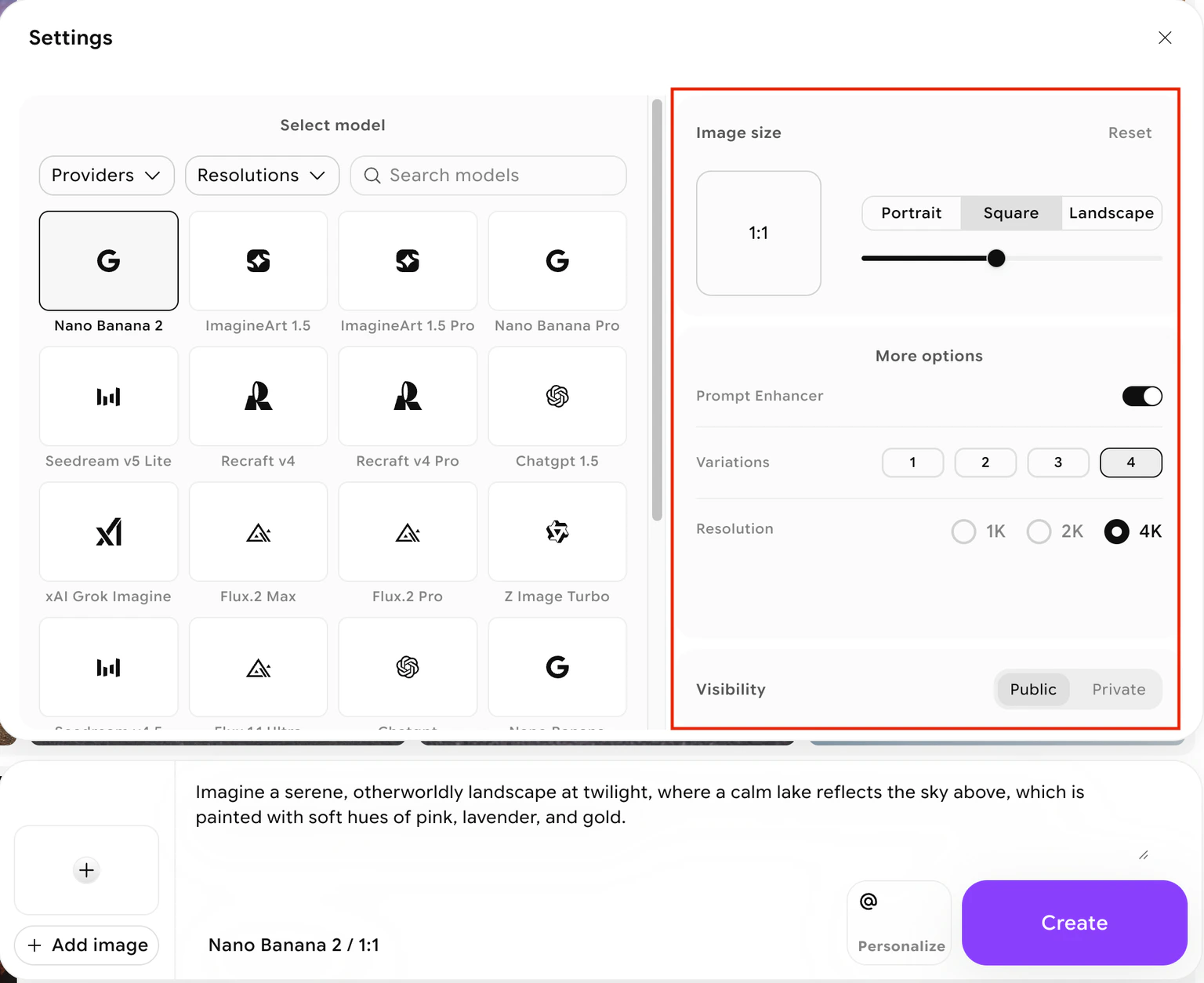
- Aspect ratio — Choose from standard ratios like 1:1, 16:9, 9:16, 3:2, and more depending on the model. Select the ratio that matches your intended output format (e.g., 9:16 for mobile, 16:9 for widescreen, 1:1 for social media).
- Number of images — Generate between 1 and 4 images per run. Generating more images per batch lets you compare results and pick the best one.
- Resolution — Some models support higher resolution outputs (2K or 4K). Higher resolutions cost more credits.
- Prompt enhancer — When enabled, ImagineArt automatically expands and refines your prompt before sending it to the model.
Your total credit cost updates dynamically as you change settings. Hover over the Create button to see the exact cost before generating.
5
Click Create
Click the Create button to start generation. Most models complete within a few seconds to a minute depending on the model, resolution, and number of images requested. Your results appear directly in the canvas area.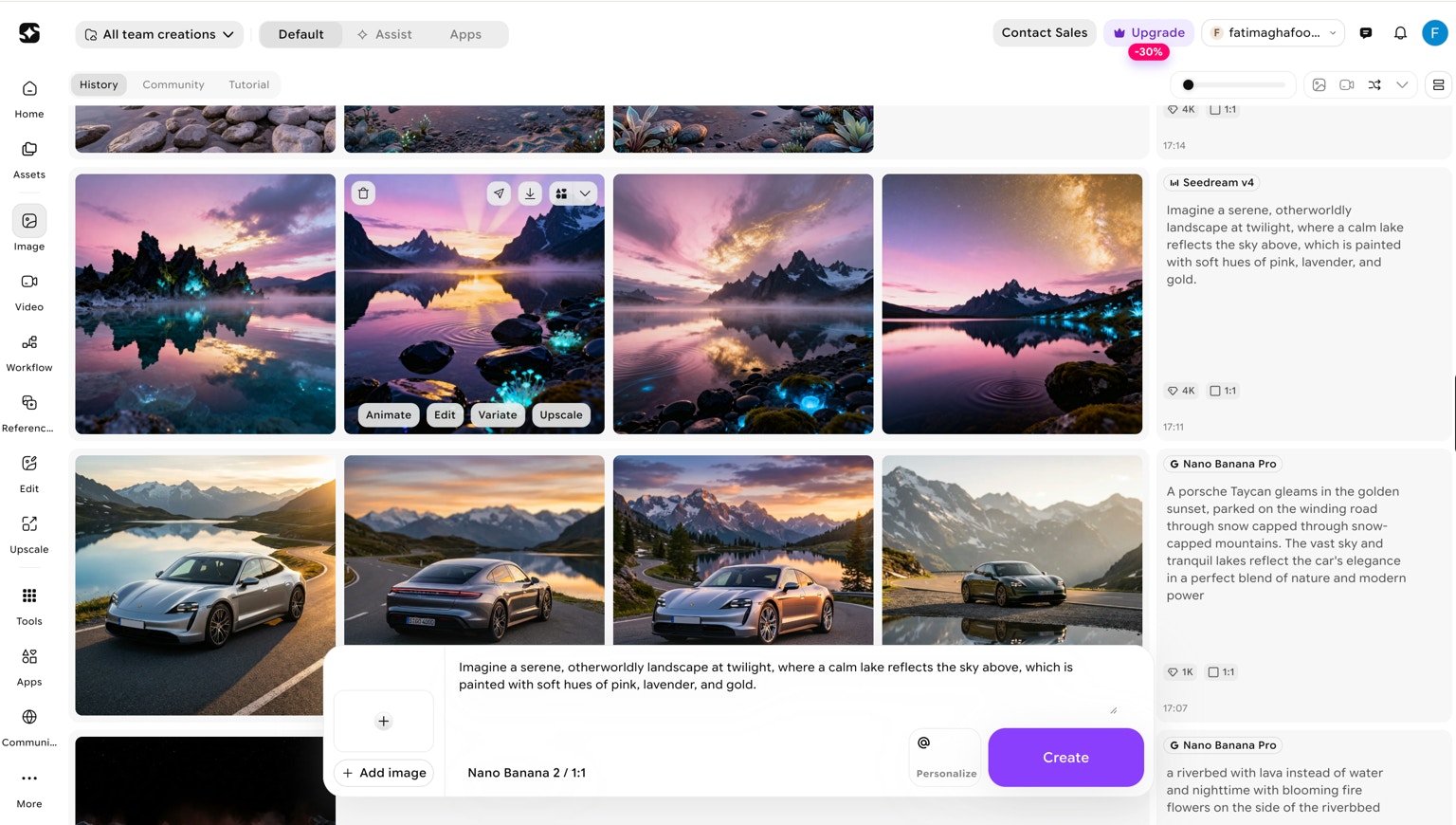
6
Review and iterate
Review your generated images. From here you can:
- Use Quick Actions (Animate, Variate, Edit, Upscale) directly from the gallery
- Adjust your prompt and regenerate
- Download your favorite result
Available models
Different models suit different creative goals. Here is a summary of what each model is designed for:The model list evolves as new models are added. For the latest details, visit Image mode and hover any model name to see its current description and credit cost.