

Multi-reference Qwen
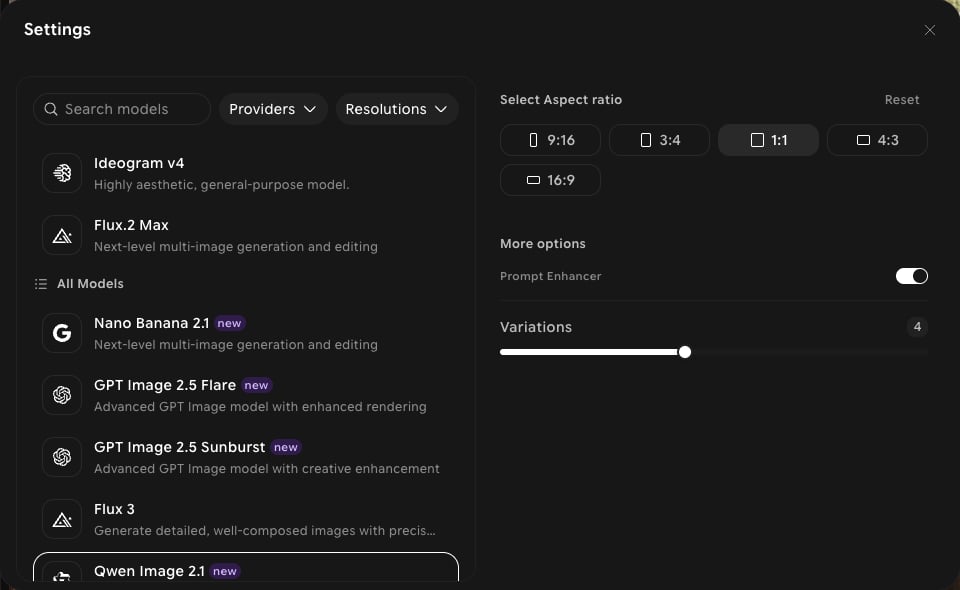
Qwen Image 2.1 is a featured model in the picker, badged new, alongside the original Qwen Image. It’s available in both Create and Edit.Capabilities
Multi-reference
Built to work from several reference images at once — add them with Add references.
Pixel-precise control
Positioned in-app for precise control over the result.
Create and edit
Use it for new images in Create and for changes to existing images in Edit.
Settings in ImagineArt
How to use
1
Open Image Studio
In the sidebar, click Image. Make sure the Create tab is selected in the prompt bar.
2
Select the model
Click the model button in the prompt bar (it shows the current model and aspect ratio) to open Settings, then choose Qwen Image 2.1.
3
Add references
Click Add references to add the images you want the result to draw from.
4
Write your prompt
Describe how the references should come together.
5
Generate
Click Generate and review the output.