

What Elements does
When you upload a reference image, ImagineArt identifies and isolates the visual elements within it. You can then specify which element you want to carry into your generation, and the AI incorporates it into the scene described by your prompt — adapting its lighting, perspective, and style to match the rest of the output. This is especially useful for product integration, prop consistency, or adding a specific motif (a logo shape, a piece of furniture, a vehicle) into multiple different scenes without re-describing it each time.How to use Elements
1
Open Add References
In the image generation panel, click Add References to open the references modal.
2
Select Elements
Choose the Elements tab from the six available reference types.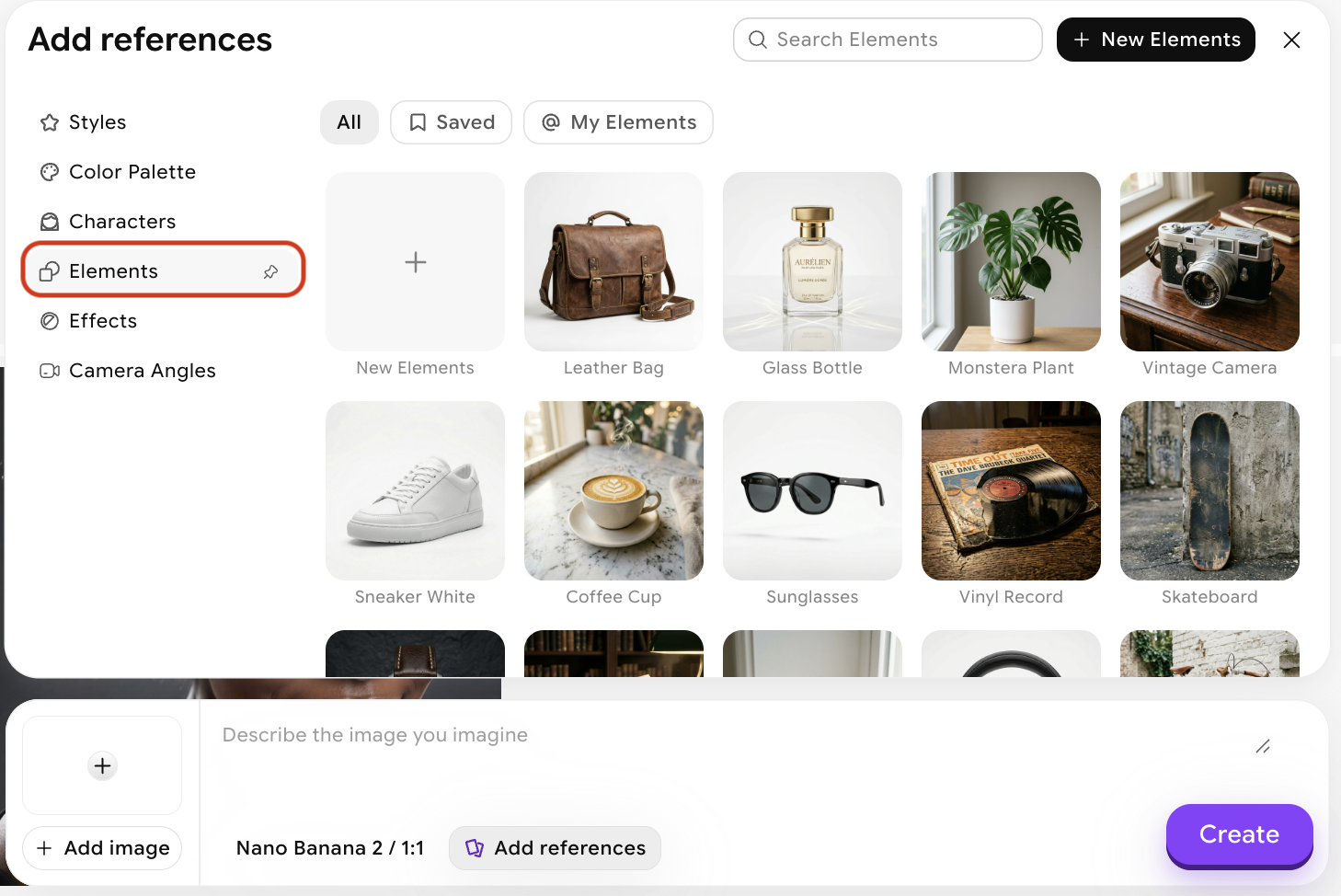
3
Choose an element or create a new one
You can either choose from our existing presets or click New Elements to create a new one. Upload up to 10 reference images, name your element, and optionally add a description.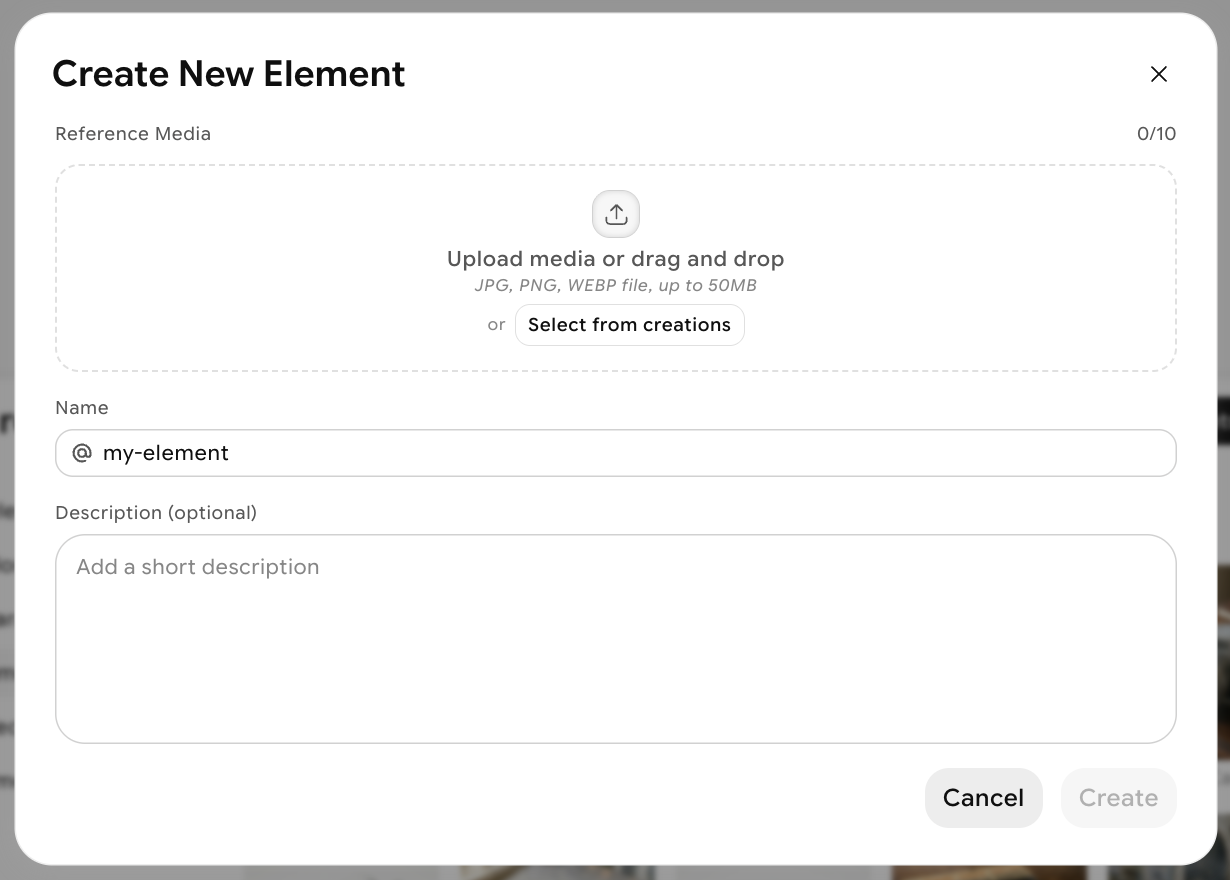
4
Write your prompt
Describe the scene you want to generate, and reference the element you’re bringing in. For example: “a living room interior with the chair from the reference image, afternoon light, architectural photography.”You can reference your element in your prompt using @elementName.
Tips for better results
- Use clean, uncluttered reference images — the clearer the element, the more accurately the AI can extract and transfer it.
- Reference the element in your prompt — explicitly mentioning it helps the AI understand how to integrate it into the scene.
- Combine with Characters — use Characters for human subjects and Elements for props, products, or objects to get both consistent people and consistent items in the same generation.
- Use high-contrast reference images when the element has fine detail — this helps preserve edge quality and surface texture in the output.