

When to use URL to Ad
- You sell on Shopify, Amazon, Etsy, your own storefront, or any e-commerce platform with public product pages.
- You want a first creative draft fast — to test a concept, fill a campaign deadline, or generate volume for A/B testing.
- You have a catalog of products and want ads for many of them without setting up each one manually.
- You want a baseline ad you’ll then refine in the main workspace.
How URL to Ad works
1
Click URL to Ad
On the Ad Studio home, click the URL to Ad card in the Tools row. If you’re already inside a project, click URL to Ad under Tools in the project sidebar instead. Either way, this opens a product picker — paste a URL, upload images, or pick an existing product from your library or the preset categories (Streetwear, Fashion, Wellness, and more).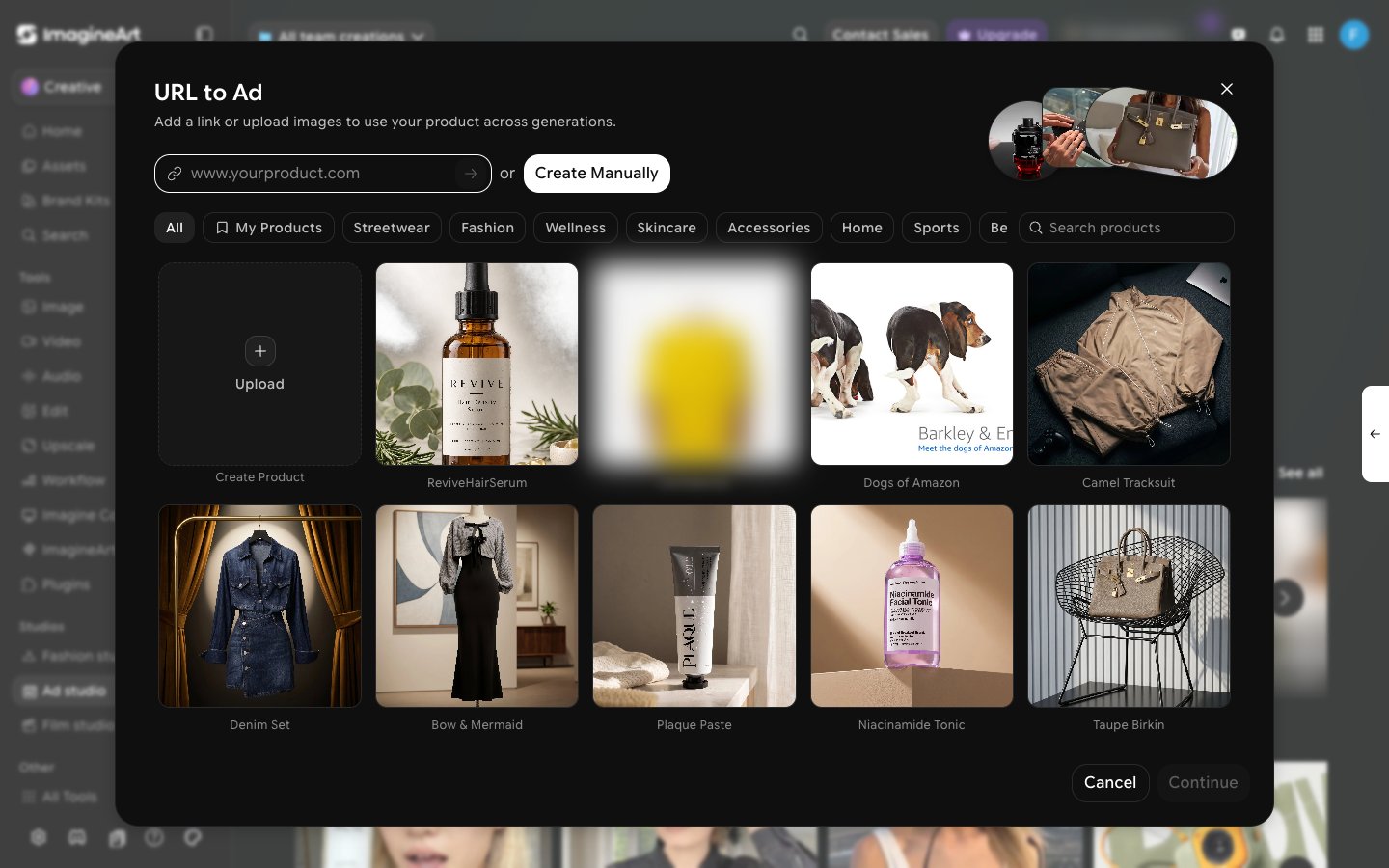
2
Paste your product URL
Paste the full URL of your product page and press enter, or click Create Manually to upload your own images instead. Use the live public URL — not a draft page that requires login.
3
Pick the resulting product tile
A new tile appears in the grid while the pull runs, then resolves to a thumbnail and name, or a Failed state. Select the tile and click Continue.
4
Choose a style and generate
This opens Choose a style to start — pick a format, with aspect ratio, quality, and duration already defaulted (9:16, Low, 10s). Adjust if needed, then click Create.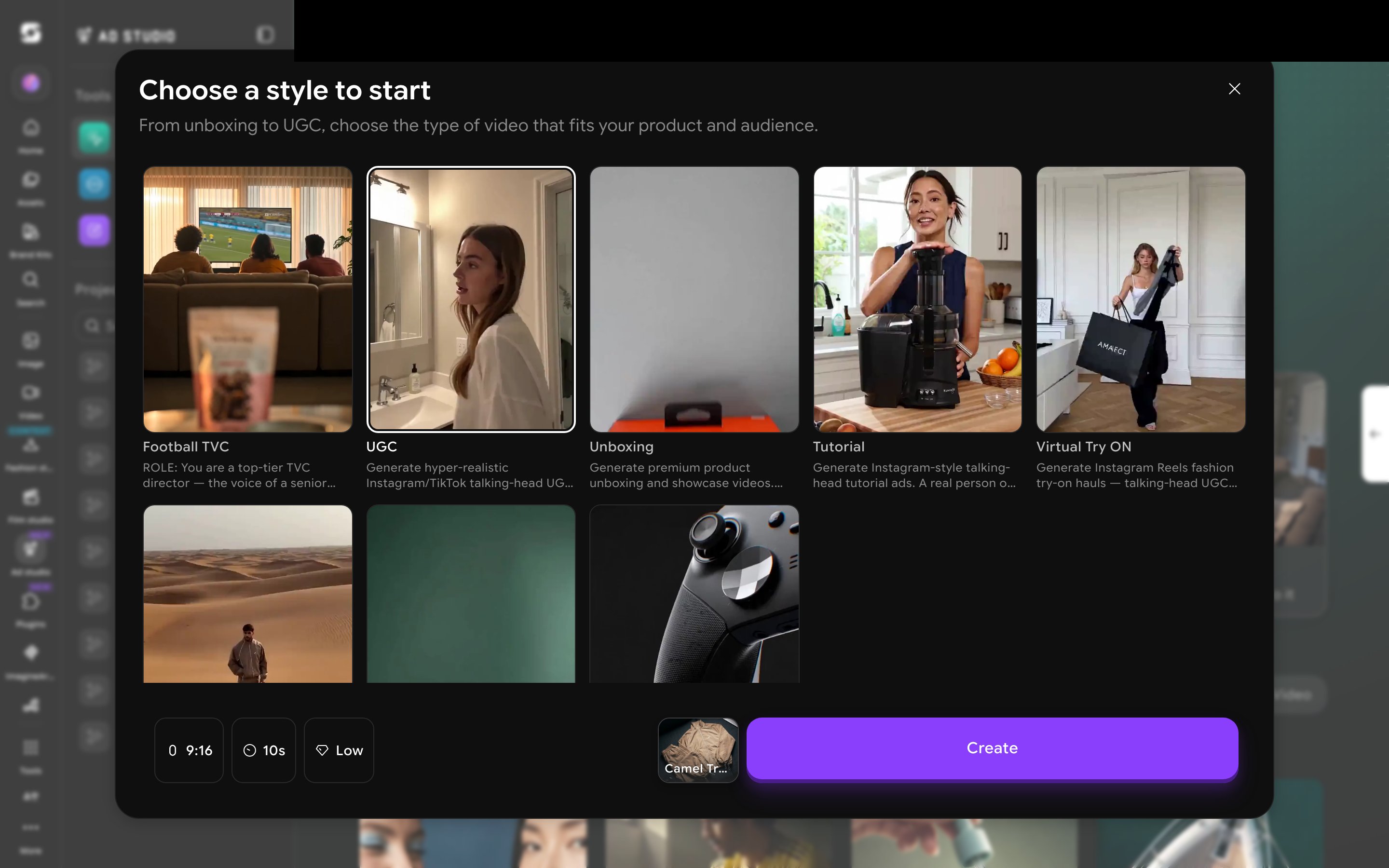
Getting better URL to Ad results
- Make sure your product page has at least three clean photos: hero, lifestyle/in-use, and detail.
- Use a clear, descriptive product name. “Hydrating Vitamin C Serum” generates better than “Glow Drops V2.”
- If your page has a strong tagline or unique selling point in the description, the system will use it. If it doesn’t, edit the pulled description before generating.
- Generate two or three variations and compare. Pick the strongest and run it; refine the others in the main workspace.
Have a catalog? Run several products through URL to Ad back-to-back to build a library of baseline drafts, then spend your creative time only on the ones worth refining.