

Two ways to start: Upload or Generate
When you open the Image tab, you have two starting points:- Upload media. Use this when you already have an image you want to work with — a photograph, concept art, a frame from another video. Click Upload media in the optional media box and pick the file. You can also click Select to pull from media you have generated earlier in this project.
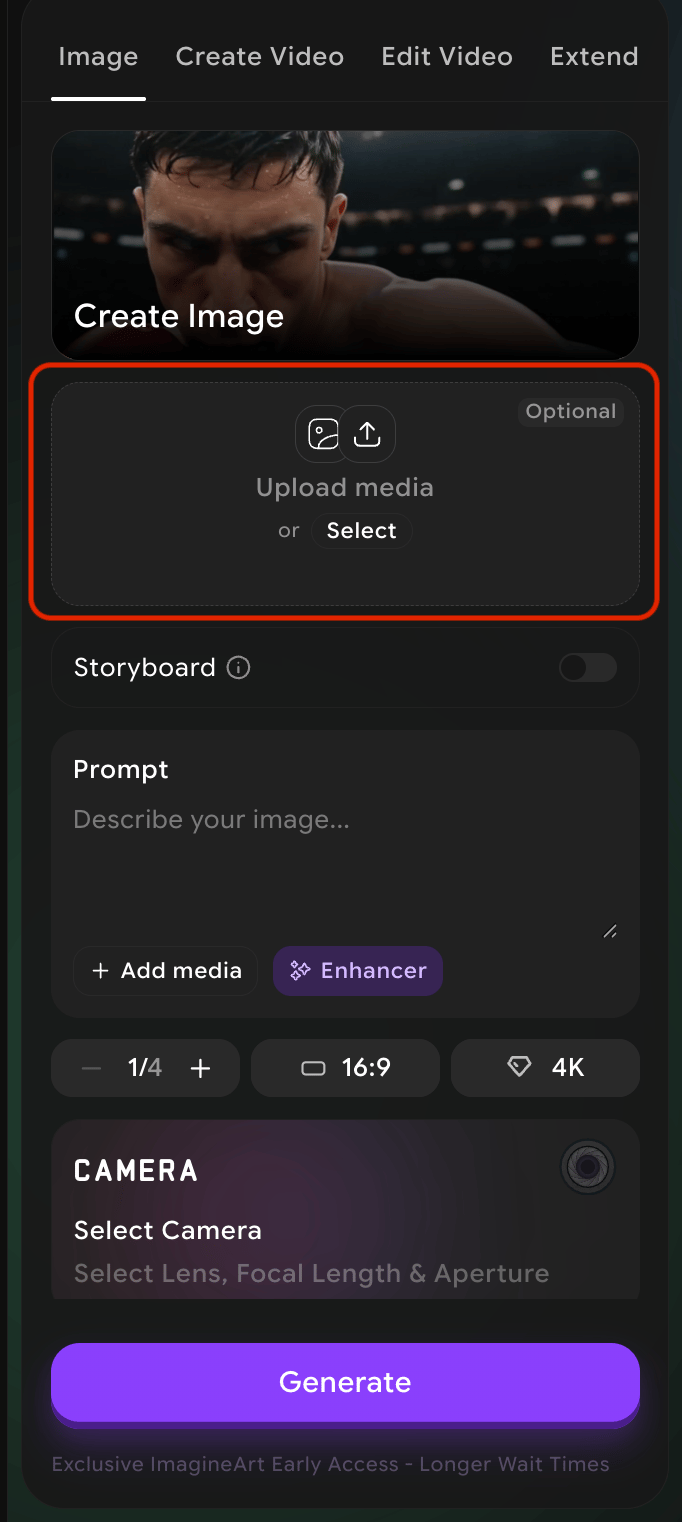
- Generate from a prompt. Skip the upload box and just write a description in the Prompt field. The system will create the image for you. Add reference media via Add media inside the prompt area if you want to influence style or composition.
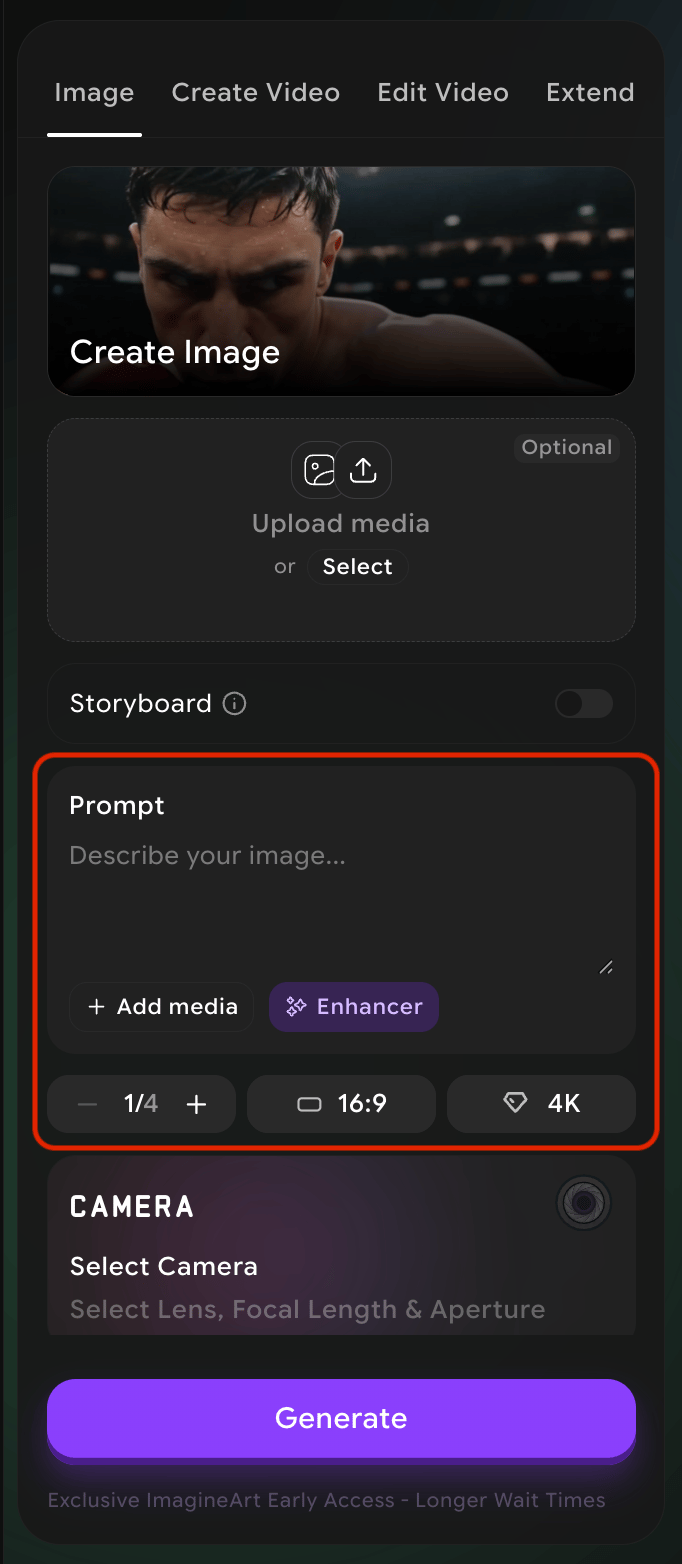
Output controls — the three chips below the prompt
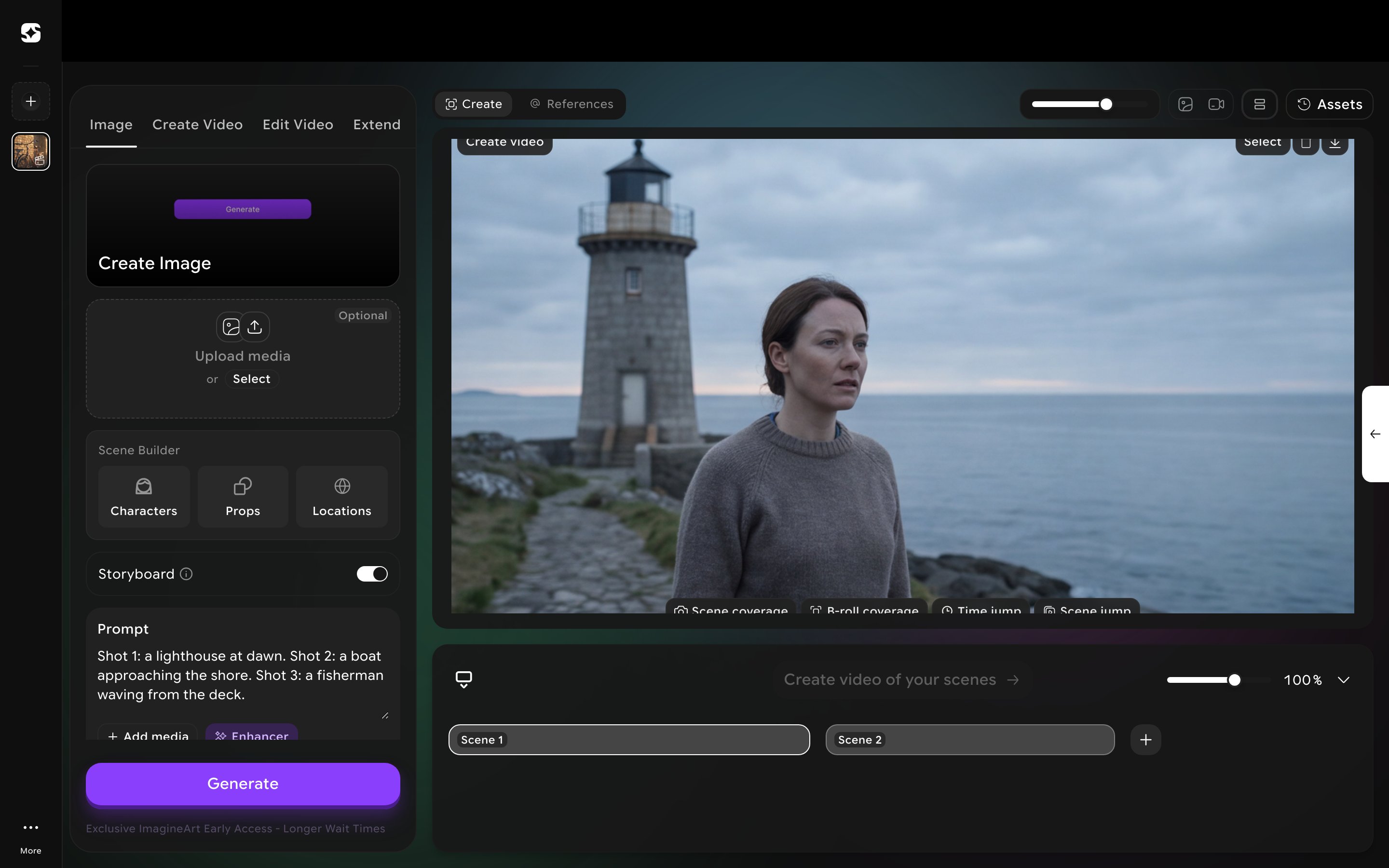
Storyboard mode
A storyboard is a sequence of frames that map out a film before you shoot it. Film Studio gives you a Storyboard toggle (just below the upload area on the Image tab) that lets you generate a full sequence of frames in one go, instead of generating each frame separately. When Storyboard is on, the system reads your prompt as a sequence of shots rather than a single frame, and produces a series of images that share a consistent style.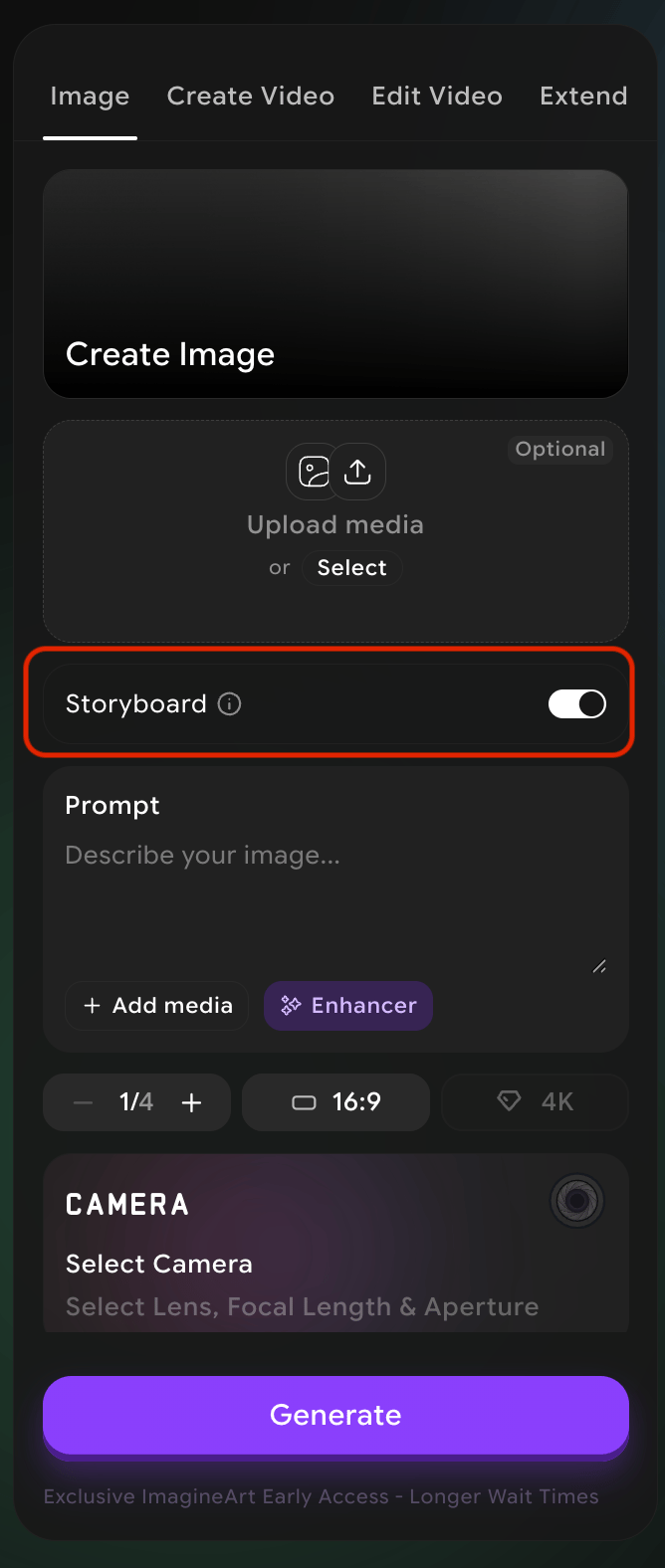
Writing a storyboard prompt
There’s no separate multi-shot UI — just describe each shot inline in the one prompt box, e.g. “Shot 1: a lighthouse at dawn. Shot 2: a boat approaching the shore. Shot 3: a fisherman waving from the deck.” The system decides how many frames to actually produce, and can expand well beyond what you literally described — three described shots can come back as nine frames.The result is one grid image, not separate files
Storyboard output isn’t delivered as individual images — it’s a single contact-sheet-style grid image containing every frame.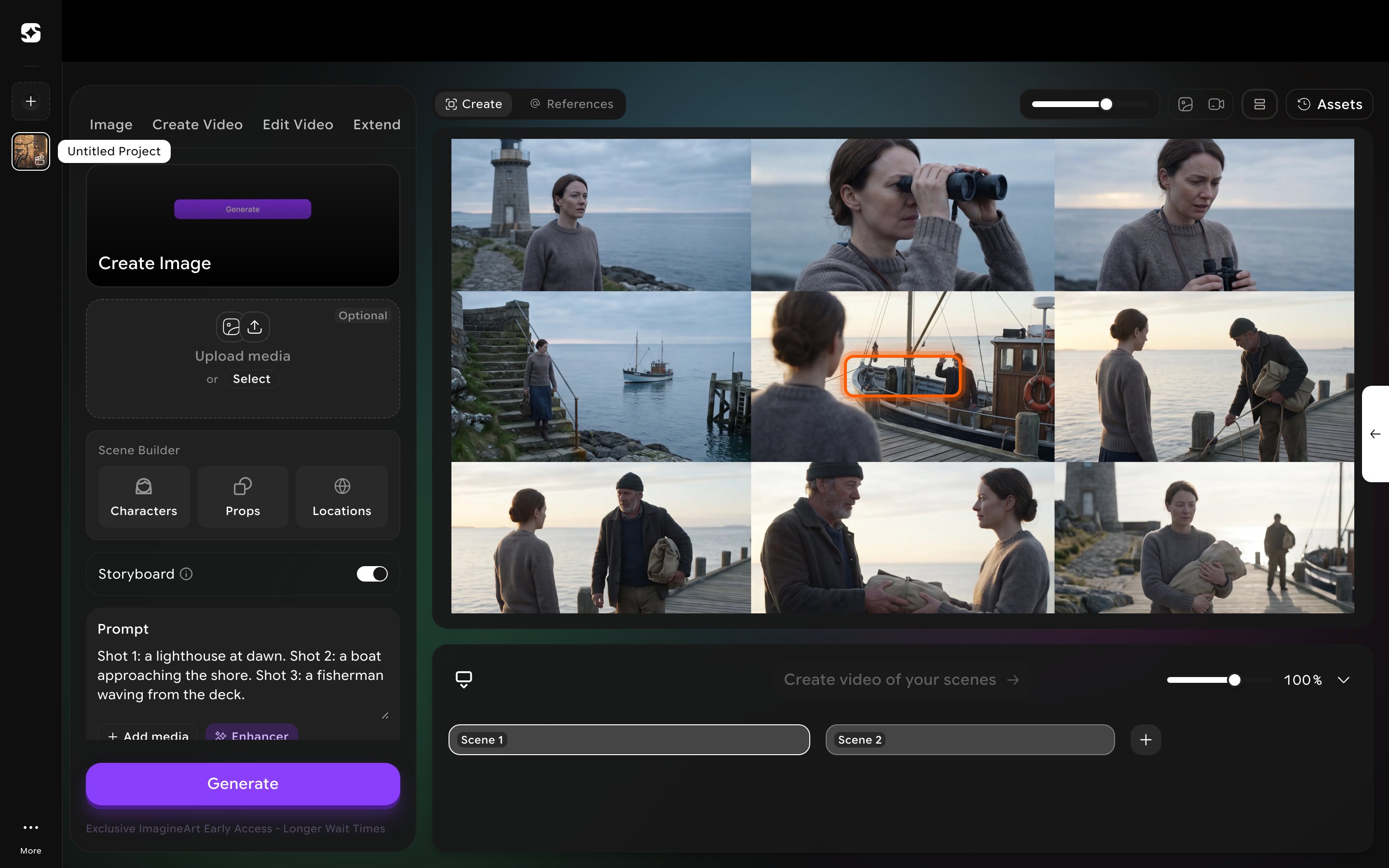
Sending a frame into Create Video
Once you’ve split the grid, any frame is available as a Start Frame or End Frame for a video. Open the Create Video tab, click Select under Start Frame (or End Frame), and switch to the My Creations tab in the picker — your split storyboard frames show up there alongside everything else you’ve generated.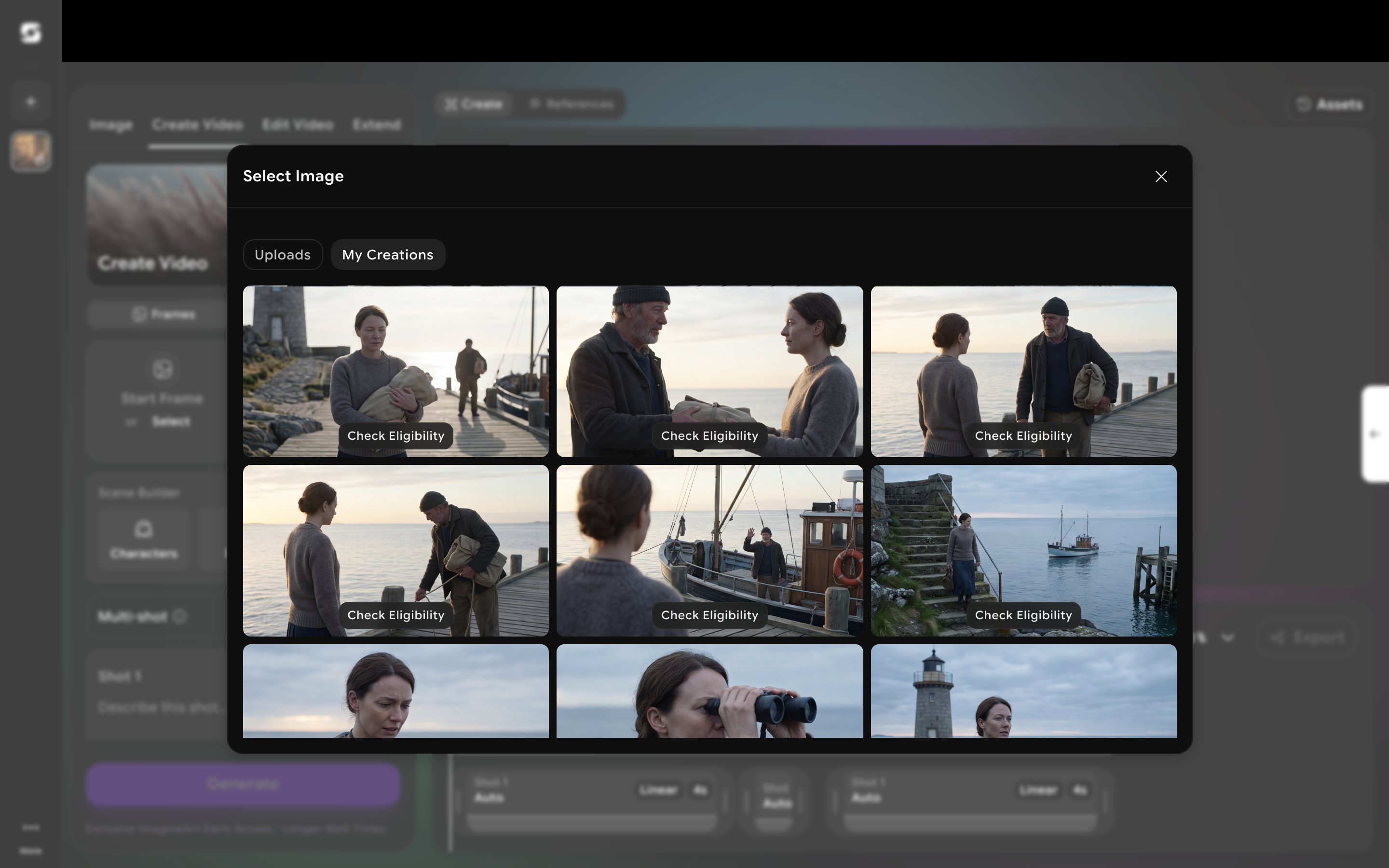
Saving & reusing presets
Consistency is the difference between a collection of nice images and a film. A preset captures camera, lens, focal length, and aperture under one name — apply it with a single click. Once you find a camera/lens/focal/aperture combination that works for your project, save it as a preset. A preset captures all four settings under a name you choose, so you can apply it again with one click on a future image or video — without having to remember what you picked. Saving presets matters because consistency is what makes a series of images feel like a film. If every frame of your project uses the same preset, your work will feel like it came from the same hand. Without that, even strong individual images can feel disconnected.How to save a preset
1
Set your camera values
In the Camera panel, set the four values (camera, lens, focal length, aperture) the way you want them.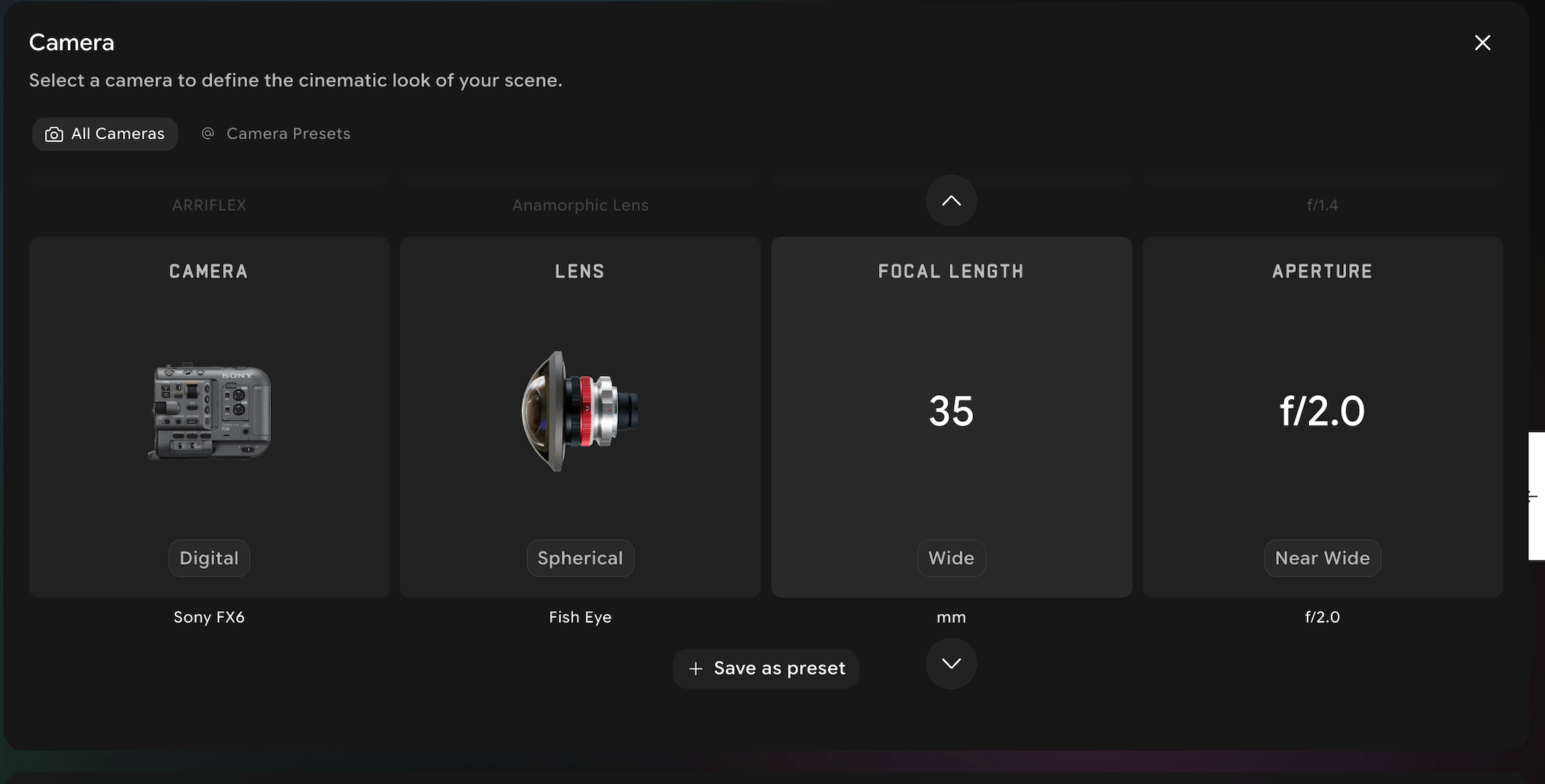
2
Save
Click the save preset button under the camera values selection area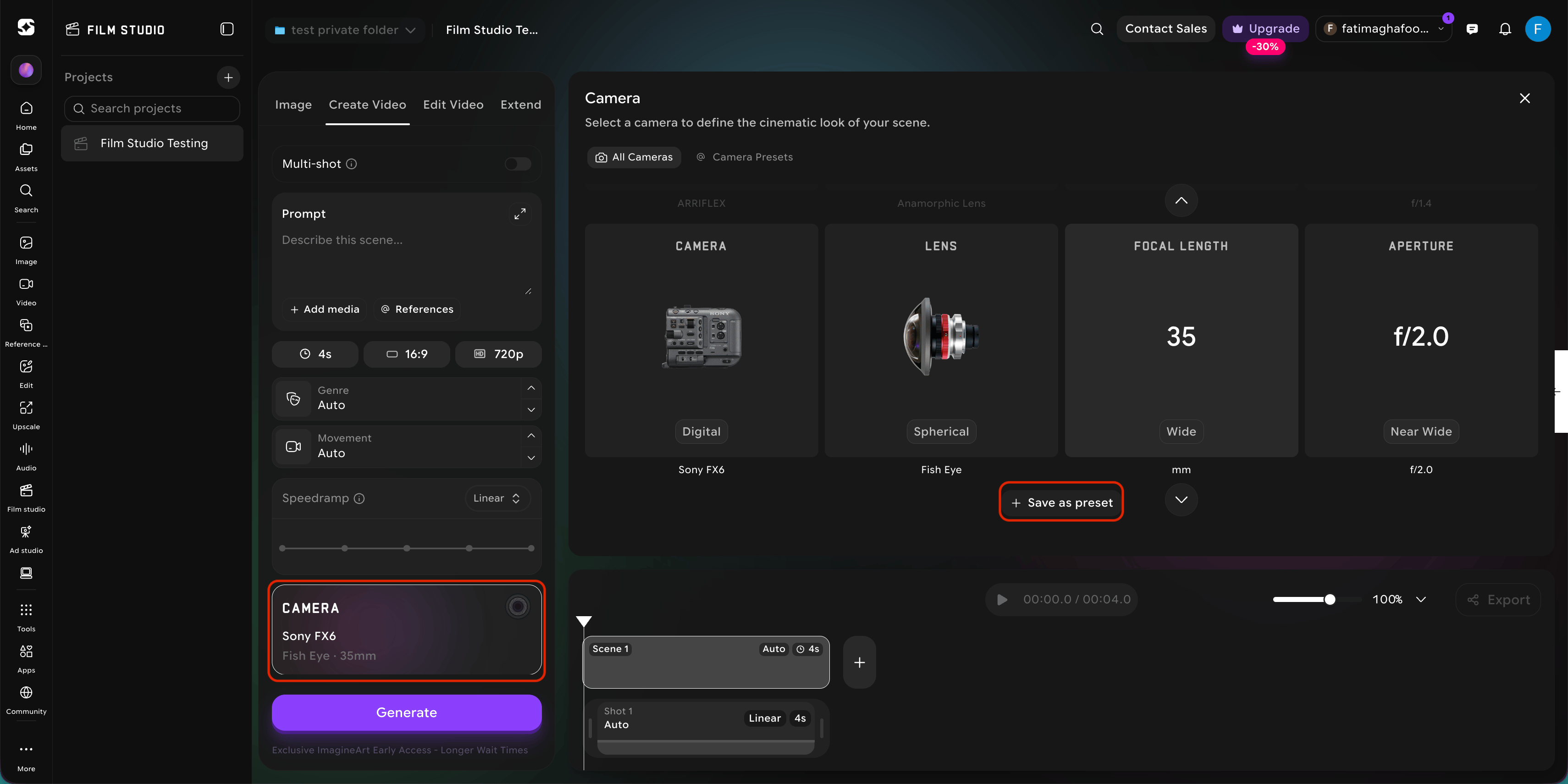
3
Apply it later
Apply it later from the same panel by selecting it from your saved presets list.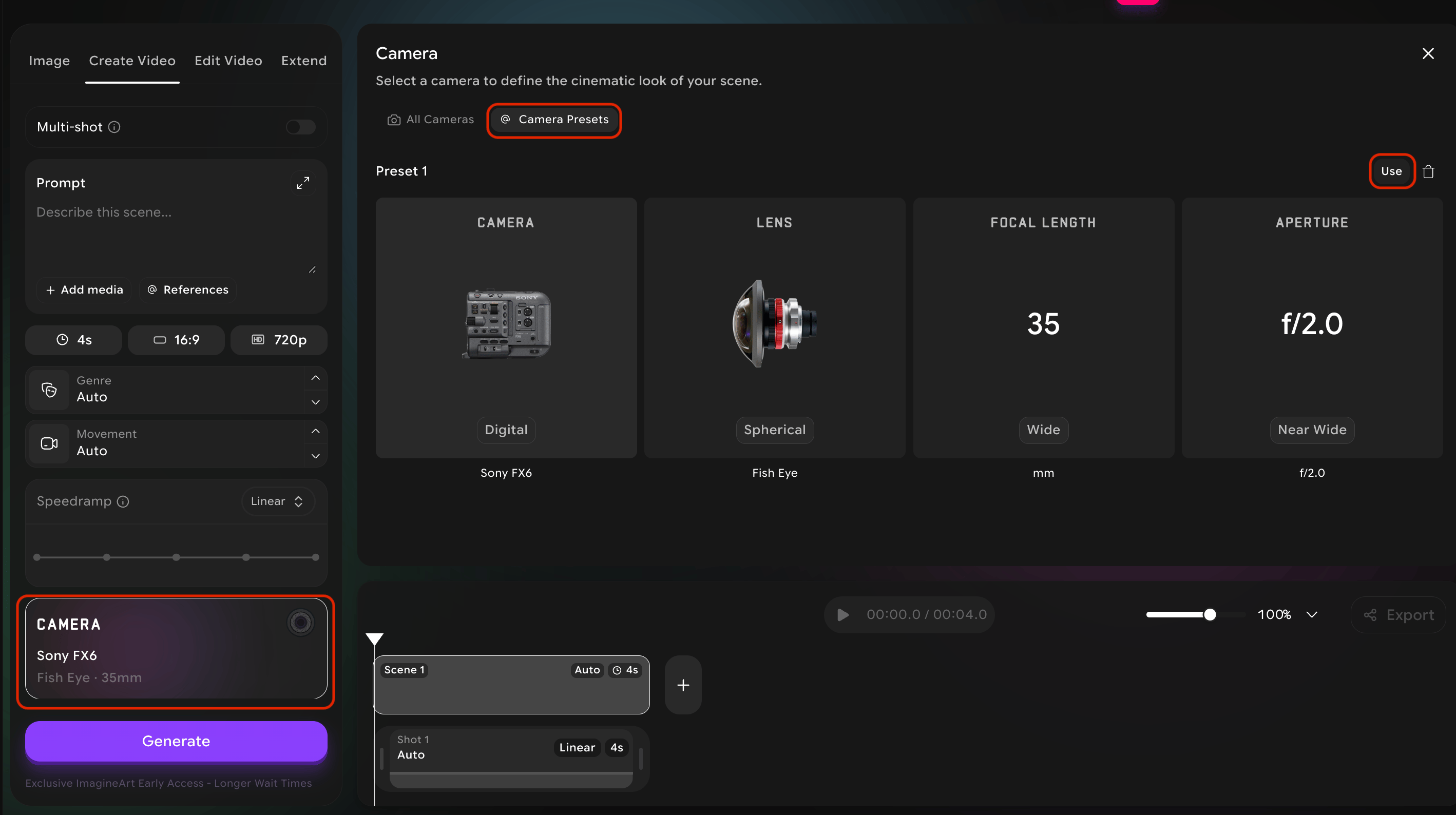
Try this — For your first project, build exactly one preset and use it for every image and every video. This single discipline will do more for the consistency of your work than any other technique in this guide.