

What is Style Reference?
Style Reference is your shortcut to visual consistency. It allows you to use any existing image as a “blueprint” for the aesthetic of your next creation. Instead of trying to describe a complex art style with hundreds of words, you simply show the AI what you want, and it maps that “DNA” onto your new prompt.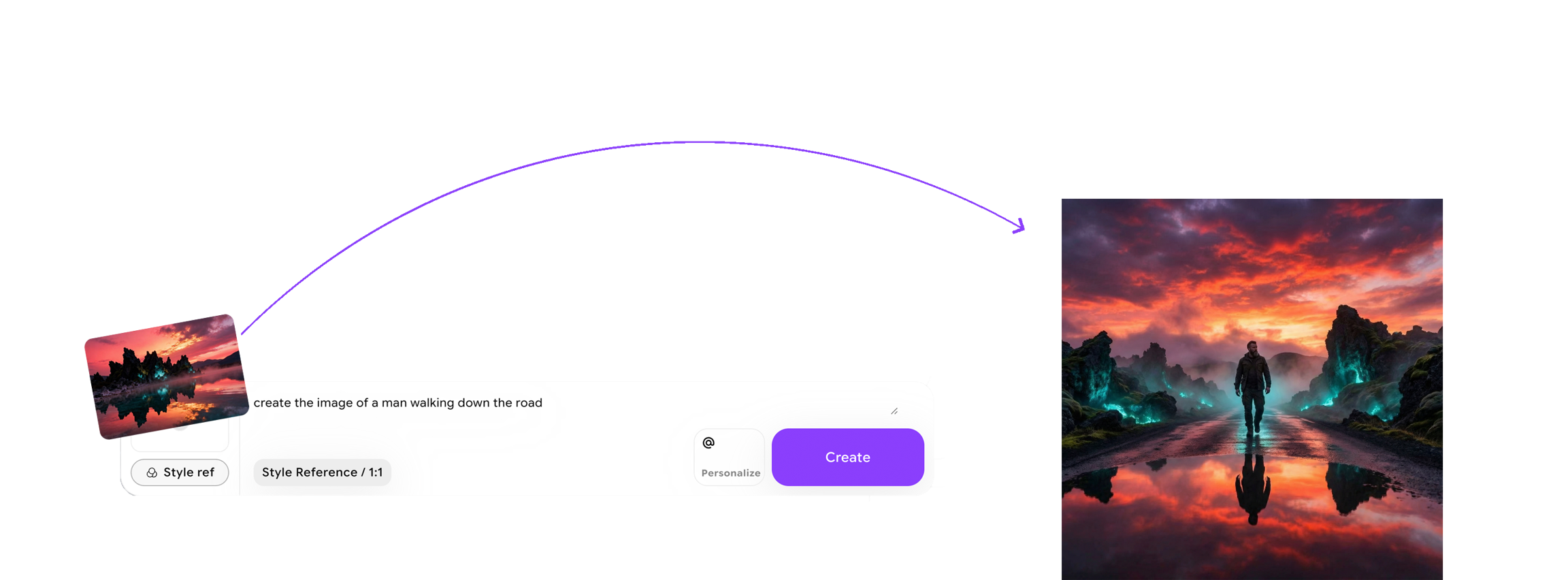
How to use Style Reference?
Restyle is supported by only SDXL style reference Models. **Select Style Reference: **Begin by selecting the Style Reference option in ImagineArt.-1.png?fit=max&auto=format&n=lxWi_yfOdKXZ9KCZ&q=85&s=5495235e6a1e7c4054c0a31425073ead)
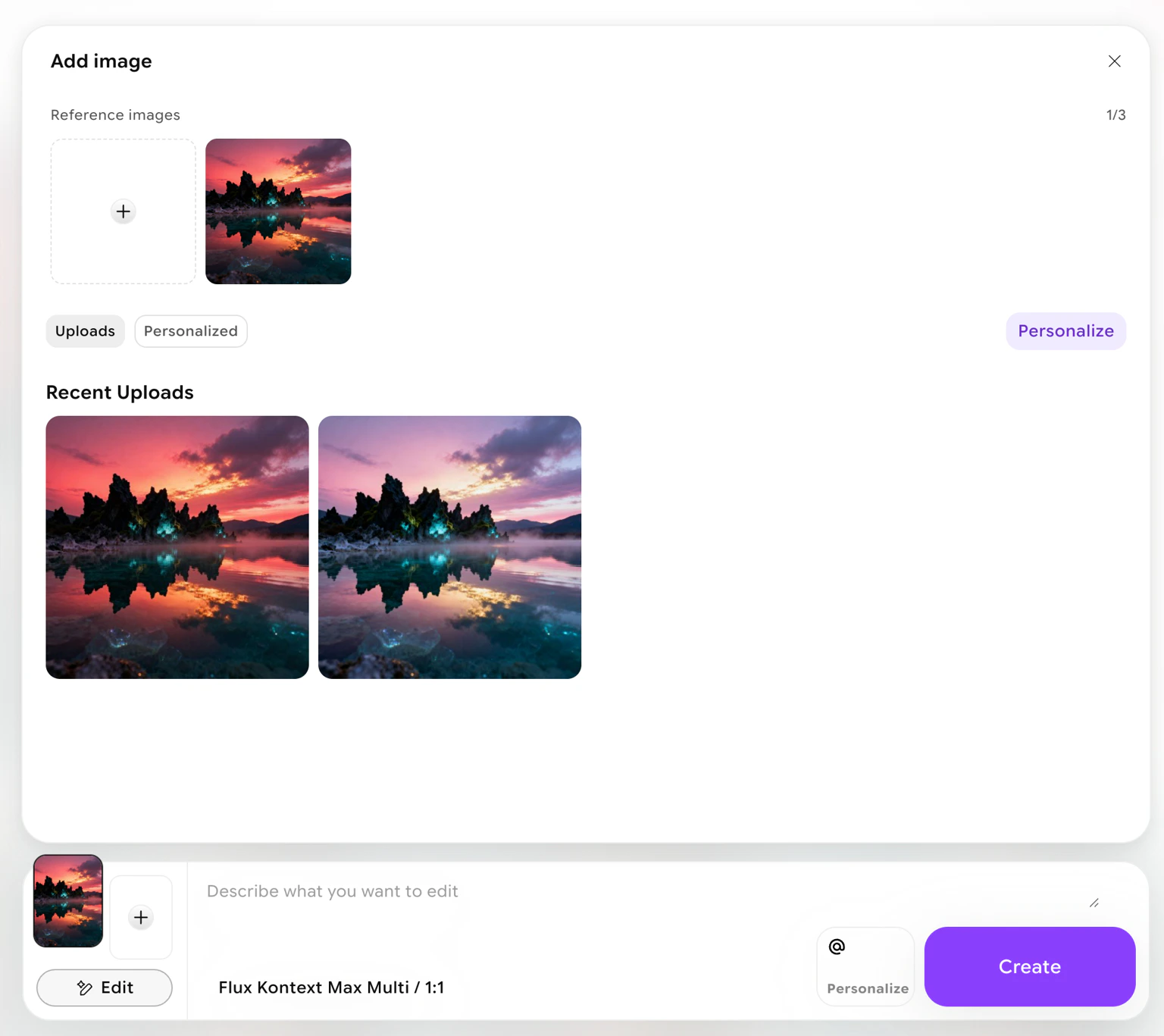
-1.avif?fit=max&auto=format&n=2i1lxqk1SMoBGaWs&q=85&s=343a0dd575740bd45c10f069fc0362ef)
-1.avif?fit=max&auto=format&n=2i1lxqk1SMoBGaWs&q=85&s=36dc13e836c1439108e987fdb2dbf811)
Why Use Style Reference?
- **Unshakeable Aesthetic Consistency: **Stop guessing and start creating. Style Reference ensures that the lighting, mood, and visual DNA remain identical across every image you generate. This is the ultimate tool for storyboarding, brand identity, and cohesive concept design.
- Total Creative Command: Take the driver’s seat. Instead of hoping the AI understands your description of a “mood,” you provide the blueprint. This gives you pixel-perfect control over the final artistic direction, ensuring every output aligns with your exact vision.
- Rapid Style Replication: Found a look you love? Don’t let it go. Once you’ve captured a specific aesthetic with a reference image, you can instantly deploy it across multiple projects. Save hours of prompting time while maintaining professional-grade visual coherence.