


What is Text to Video?
Text to Video is a tool designed to generate high-quality videos from textual descriptions. Simply describe a scene, action, or environment, and the AI model will generate a video that matches your vision. From dramatic action sequences to peaceful nature scenes, this feature allows creators to quickly generate engaging visual content based on nothing more than a few sentences.ImagineArt features the latest AI models alongside our proprietary options. See the model comparison at the end of this page for more details.
Make your first Video
Select Video Mode
Go to Video Mode to begin creating your video. This will open up the video creation interface where you can input your prompt and customize the settings.
Enter Your Prompt
In the prompt field, type a detailed description of the video you want to create. The more specific you are, the better the AI will understand your needs and generate a video closer to your vision. Describe actions, scenes, and visual elements clearly.
Select Model and Settings
Select the AI Video model you want to use from the available options, including WAN, Kling, and Hailuo AI, based on the video style you need (e.g., cinematic, realistic, etc.). Then, choose the aspect ratio and other generation settings such as video length and resolution.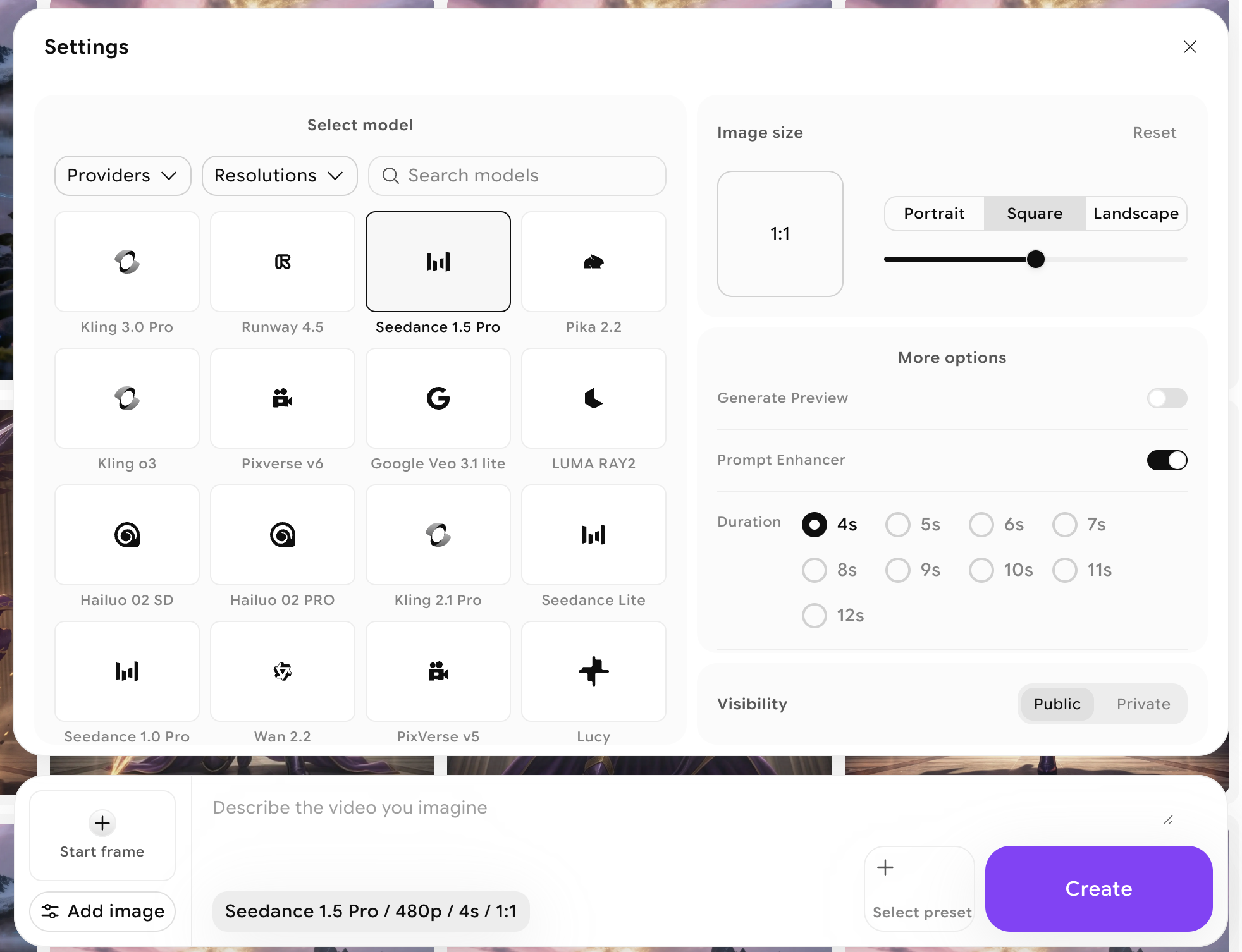
Each video model has unique generation settings in terms of ratio and duration settings. See the table below to find out which settings each model supports.
Supported Models
Text to Video is supported by the following models:| Model | Aspect Ratios | Duration (seconds) |
|---|---|---|
| Seedance Lite | 4:3, 16:9, 1:1 | 3, 4, 5, 6, 7, 8, 9, 10, 12, 13 |
| Imagine V3 | 9:16, 16:9, 1:1 | 5 |
| Kling 1.6 SD | 9:16, 16:9, 1:1 | 5, 10 |
| Kling 1.6 Pro | 9:16, 16:9, 1:1 | 5, 10 |
| Kling 2.1 Pro | 9:16, 16:9, 1:1 | 5, 10 |
| Kling 2.1 SD | 9:16, 16:9, 1:1 | 5, 10 |
| Hailuo AI | 16:9 | 6, 10 |
| Hailuo O2 SD | 9:16, 16:9, 1:1, 2:3, 3:2, 3:4, 4:3 | 6, 10 |
| Hailuo O2 Pro | 9:16, 16:9, 1:1, 2:3, 3:2, 3:4, 4:3 | 6, 10 |
| LUMA RAY2 | 9:16, 16:9, 3:4, 4:3 | 5 |
| PixVerse 3.5 | 9:16, 16:9, 1:1, 3:4, 4:3 | 5, 8 |
| PixVerse 4 | 9:16, 16:9, 1:1, 3:4, 4:3 | 5, 8 |
| PixVerse 4.5 | 9:16, 16:9, 1:1, 3:4, 4:3 | 5, 8 |
| Google Veo 2 | 9:16, 16:9 | 5 |
| Google Veo 3 | 9:16, 16:9, 1:1 | 5 |
| Google Veo 3 Fast | 9:16, 16:9, 1:1 | 5 |
| Seedance Pro | 1:1, 4:3, 16:9, 3:4, 9:16 | 5 |
| Wan 2.2 | 9:16, 16:9, 1:1 | 5 |
| Wan 2.5 | 9:16, 16:9, 1:1 | 5 |
| Sora 2 | 9:16, 16:9 | 5, 10 |
| Lucy | 9:16, 16:9 | 5 |
| PixVerse v5 | 9:16, 16:9, 1:1, 3:4, 4:3 | 5, 8 |
| Kling 3.0 Pro | 16:9, 9:16, 1:1 | 3, 4, 5, 6, 7, 8, 9, 10, 11, 12, 13, 14, 15 |
| Runway 4.5 | 16:9, 9:16, 1:1, 4:3, 3:4 | 5, 8, 10 |
| Seedance 1.5 Pro | 6:9, 9:16, 3:4, 4:3, 1:1 | 4, 5, 6, 7, 8, 9, 10, 11, 12 |
Aspect Ratio Guide
Select the aspect ratio that fits your project’s needs:| Aspect Ratio | Usage |
|---|---|
| 9:16 | Best for mobile-first content, Instagram Stories, and TikTok |
| 16:9 | Traditional video format, ideal for YouTube and presentations |
| 5:4 | Common for photography prints and framed artwork |
| 4:5 | Optimized for Instagram posts with more vertical space |
| 2:3 | Standard for photography, especially portraits |
| 3:2 | Classic for DSLRs and digital photography |
| 1:1 | Perfect for Instagram posts, profile pictures, and social media feeds |
| 3:4 | Frequently used for posters, digital flyers, and tablets |
| 4:3 | Traditional TV and PowerPoint presentations, used in older monitors |