

The AI Music feature instantly generates original instrumental tracks based on descriptive text inputs. They are perfect for background music, video production, podcasts, games, and creative projects.

What is AI Music Used for

  • Quick generation of ambient or thematic music for multimedia content.
  • Producing soundtracks tailored specifically to project requirements or moods.
  • Reduce production costs and time, eliminating the need for complex software or hiring musicians.
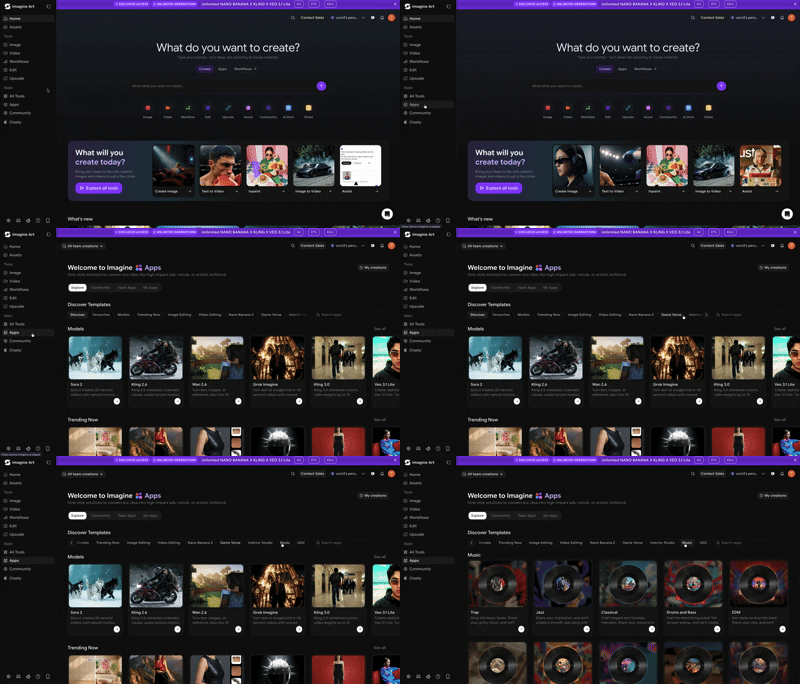
Screen Recording 2026 04 08 At 12 40 37 PM

How to Generate AI Music

1

Select Genre & Style

Choose a genre that aligns with your description:
  • Trap
  • Jazz
  • Classical
  • Drums and Bass
  • EDM
  • Lofi
  • Afro Beats
  • Deep House
  • Country
  • Rhythm and Bass
  • Rock
  • Pop
  • Indie
2

Input Text Description

Enter a detailed description of the instrumental track you want to generate.
Text description input field
Examples:
  • “A calm, ambient track with piano and strings”
  • “An upbeat electronic track with a driving beat”
  • “A dark, orchestral piece for a horror game”
3

Generate Music

Click the “Generate” button to create your music track.
Generate button
4

Preview & Download

Listen to the generated instrumental track in preview mode and download it in MP3 format.
Preview and download interface